
To make your standing desk setup comfortable for the long haul, focus on adjusting your desk and accessories to support good posture, like keeping elbows at a 90° angle and eye level with your monitor. Use ergonomic supports such as footrests and anti-fatigue mats, and switch between sitting and standing often. Remember to move, stretch, and make small tweaks throughout the day. If you keep these tips in mind, you’ll improve comfort and reduce fatigue over time.

Get furniture and decor delivered free — and shop member deals
- Fast, free delivery on millions of items
- Access to Prime Big Deal Days deals on October 6–7
- Prime Video, Amazon Music and more included
Key Takeaways
- Adjust desk height so elbows are at a 90° angle, preventing shoulder and wrist strain.
- Use ergonomic accessories like monitor arms and footrests to support proper posture.
- Incorporate anti-fatigue mats and regular movement to reduce fatigue and improve circulation.
- Maintain proper seating and standing alternation with adjustable chairs and sit-stand options.
- Continuously monitor and modify your setup based on body signals to sustain comfort over time.
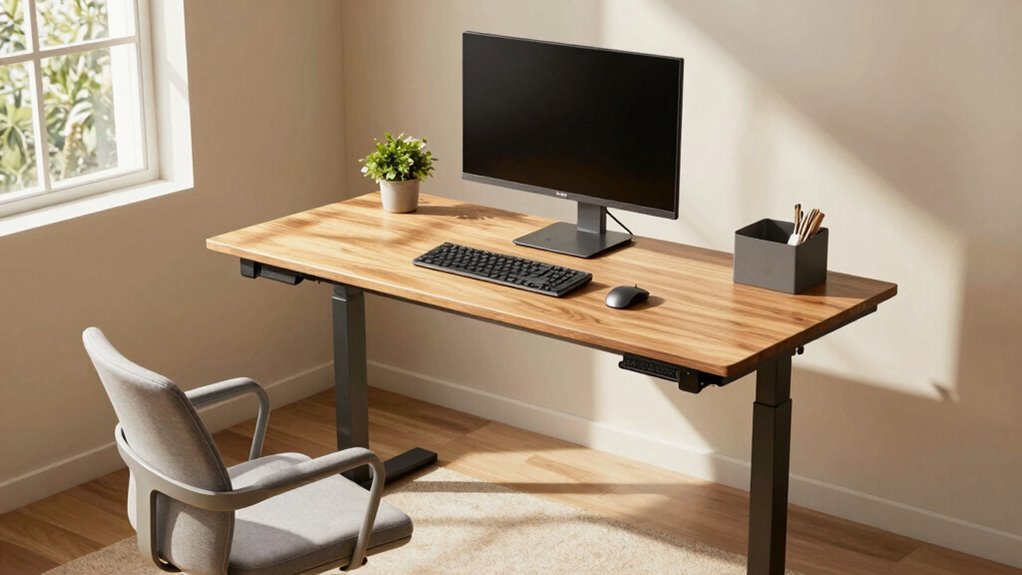
Setting up your standing desk for maximum comfort is essential to guarantee you stay productive and avoid discomfort or injury. When you’re on your feet for hours, small adjustments can make a big difference in how you feel at the end of the day. One of the first steps is ensuring your desk height adjustment is precise. Your workspace should be set so that your elbows are bent at about a 90-degree angle when your hands are on the keyboard. This positioning prevents strain on your shoulders and wrists, which can lead to fatigue or repetitive stress injuries. If your desk doesn’t have a reliable height adjustment mechanism, consider using ergonomic accessories like adjustable monitor arms or risers. These tools help you fine-tune your setup without needing to replace your entire desk.
Adjust your desk height so elbows are at a 90-degree angle for optimal comfort and injury prevention.
Comfort isn’t just about the height; it’s about creating a supportive environment that promotes good posture. Invest in ergonomic accessories such as anti-fatigue mats, which reduce pressure on your feet and legs, especially when standing for long periods. These mats encourage subtle movements by shifting your weight, preventing stiffness and improving circulation. Additionally, footrests can help you change positions easily, alleviating pressure on your lower back and promoting better alignment. When you set up your workspace, keep your monitor at eye level to avoid neck strain. An adjustable monitor stand or arm allows you to maintain a neutral head position, which is crucial for long-term comfort. Ensuring your workspace has proper laboratory equipment and safety measures can also contribute to a safer, more ergonomic setup. Incorporating ergonomic principles into your workspace design can further enhance comfort and reduce risk of injury. Regularly reviewing and adjusting your setup based on body mechanics can help prevent discomfort over time. Being mindful of posture habits and making small adjustments throughout the day can significantly impact your ergonomic health. Paying attention to your movement patterns and taking regular breaks can greatly enhance your overall ergonomic health.
Your chair also plays a role, even when using a standing desk, as alternating between sitting and standing can prevent fatigue. Look for ergonomic chairs with lumbar support that can be easily adjusted to match your desk height. This flexibility lets you switch between sitting and standing without sacrificing comfort. Remember to keep your wrists straight while typing, and consider wrist supports if necessary. Proper ergonomics extend beyond just furniture; paying attention to your movement patterns and taking regular breaks is essential. Shift your weight, stretch your arms and legs, and change your position frequently to keep blood flowing and reduce muscle tension.
Ultimately, a comfortable standing desk setup isn’t a one-time fix—it’s a dynamic process. Adjust your desk height as needed, incorporate ergonomic accessories to support your body, and listen to your signals. When you invest in the right setup, you set yourself up for sustained productivity with less fatigue and discomfort.
As an affiliate, we earn on qualifying purchases.
Frequently Asked Questions
How Often Should I Change My Standing Desk Position?
You should change your standing desk position every 30 to 60 minutes to avoid strain. Incorporate movement breaks regularly, shifting your desk posture to keep your muscles engaged and prevent stiffness. By alternating positions and standing or sitting as needed, you support better circulation and reduce fatigue. Remember, consistency in movement is key to maintaining comfort and health during long hours at your standing desk.
What Type of Footwear Is Best for Standing Desks?
Coincidentally, your footwear selection plays a vital role in comfort at a standing desk. Opt for shoes with good cushioning to absorb impact and reduce fatigue. Look for supportive insoles and a stable sole to keep your feet comfortable during long periods of standing. Avoid high heels or unsupportive shoes, as they can cause discomfort and strain. Proper footwear helps you stay energized and maintain good posture throughout your workday.
Can a Standing Desk Help Reduce Back Pain?
Yes, a standing desk can help reduce back pain when you focus on proper posture alignment and use desk height adjustment. By setting your desk to the right height, you encourage better posture, reducing strain on your back. Remember to keep your monitor at eye level and shift positions regularly. This setup promotes comfort during long hours, preventing muscle fatigue and alleviating back discomfort.
How Do I Prevent Fatigue During Long Standing Periods?
Ever notice how a sudden ache hits your legs during long standing hours? To prevent fatigue, switch your weight regularly and wear ergonomic mats or adjustable footwear. These tools help cushion your feet and reduce strain, making it easier to stand longer comfortably. Incorporate short breaks and stretch periodically to keep your muscles relaxed. By combining these strategies, you’ll stay energized and comfortable through extended standing periods.
What Accessories Improve Standing Desk Ergonomics?
To improve standing desk ergonomics, you should add a comfortable desk mat to reduce foot fatigue and provide cushioning. An ergonomic keyboard helps maintain natural wrist alignment, preventing strain during long hours. Adjust your monitor height so your eyes are level and keep your elbows at a 90-degree angle. These accessories work together to promote better posture, reduce discomfort, and support sustained productivity during extended standing periods.
Conclusion
In the end, creating a comfortable standing desk setup is all about gentle adjustments and mindful choices. When you listen to your body’s quiet cues and fine-tune your workspace, you’ll find a rhythm that feels natural and supportive. Over time, these small changes become your secret to staying energized and focused. Remember, comfort isn’t a destination—it’s a journey of consistent care and thoughtful tweaks that keep you moving gracefully through each workday.
Fall Picks
fall essentials
As an affiliate, we earn on qualifying purchases.