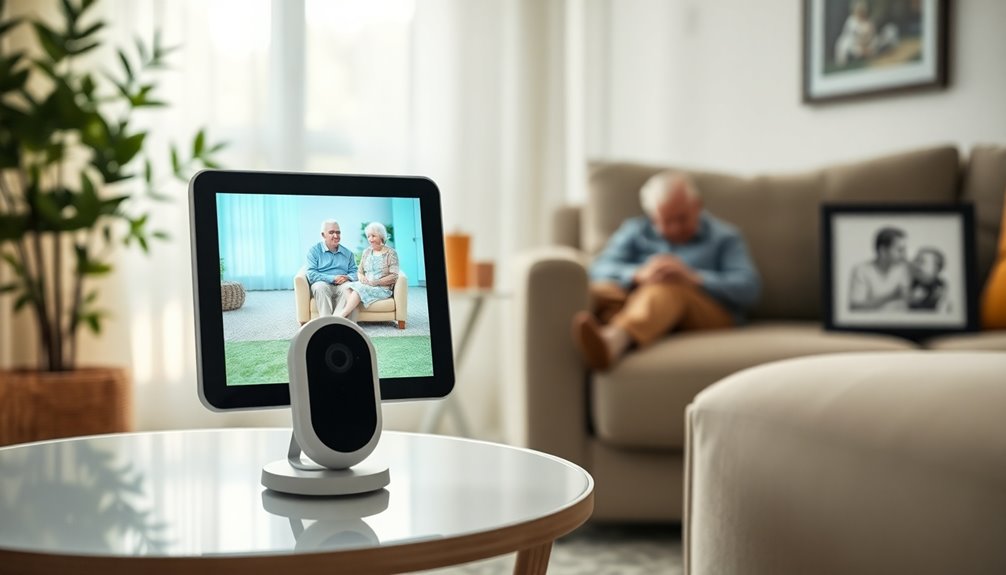
A baby monitor for elderly care can help a caregiver check a room and hear when someone needs assistance, but it is not a substitute for an emergency response system or fall detection. I compared these two options on the features that matter most for at-home monitoring: connection privacy, ease of calling for help, screen usability, night viewing, and how much ground the caregiver can cover.

Get furniture and decor delivered free — and shop member deals
- Fast, free delivery on millions of items
- Access to Prime Big Deal Days deals on October 6–7
- Prime Video, Amazon Music and more included
CallToU Elderly Monitor is my pick for caregivers who want tactile assistance buttons, temperature information, and a stated long line-of-sight range. Smart Caregiver Video Monitor suits households that value a rechargeable portable viewer and a Bluetooth connection. Both avoid Wi-Fi and offer two-way audio, but their differences matter: CallToU adds more call-button functions and 4× zoom, while Smart Caregiver emphasizes portability. Neither offers remote app access, and neither detects falls automatically.
Complete the kit


Key Takeaways
- Choose CallToU if dedicated assistance buttons, temperature display, and 4× zoom matter more than having a rechargeable camera.
- Choose Smart Caregiver if you want a belt-clip viewer and rechargeable camera for moving around the home.
- Both monitors work without Wi-Fi, so caregivers can monitor locally but cannot check the camera through an internet-connected app from elsewhere.
- Both use a compact 2.8-inch screen; neither is the strongest fit for someone who needs a large, highly readable display.
- Neither product includes automatic fall detection, so the person being monitored must be able to press a call button for assistance.
| CallToU Elderly Monitor with Camera, Audio Call Button, and Night Vision |  | Best Overall for Assistance Features | Screen: 2.8 inches | Camera resolution: 720p | Connection: 2.4GHz FHSS wireless; no Wi-Fi | VIEW ON AMAZON | See Our Full Breakdown |
| Smart Caregiver Video Monitor for Elderly Care – Portable, Rechargeable, Infrared Night Vision, Secure Bluetooth Connection |  | Best for Portable Monitoring | Screen: 2.8 inches | Video resolution: 720p | Connection: Bluetooth; no Wi-Fi | VIEW ON AMAZON | See Our Full Breakdown |
| baby monitor for elderly | Screen | Connection | Night vision | Zoom |
|---|---|---|---|---|
| CallToU Elderly Monitor with C | 2.8 inches | 2.4GHz FHSS wireless; no Wi-Fi | Infrared | 4× |
| Smart Caregiver Video Monitor | 2.8 inches | Bluetooth; no Wi-Fi | Infrared | Digital zoom |
More Details on Our Top Picks
CallToU Elderly Monitor with Camera, Audio Call Button, and Night Vision
I rank the CallToU Elderly Monitor first because it combines live video with more explicit support for asking for help. Its tactile call buttons are intended for specific assistance needs, and the product information also lists SOS alerts, temperature monitoring, and medication reminders. For a household trying to keep routine prompts and a direct call option in one local system, that gives it a more care-focused role than the Smart Caregiver model.
The viewing tools are another point of separation. Both monitors provide 720p video, infrared night vision, two-way audio, and a 2.8-inch screen, but CallToU specifies 4× zoom and a temperature display. Those additions can help a caregiver inspect a detail or check room conditions without adding another connected device. Its 660-foot range is a line-of-sight figure, not a promise of coverage through multiple walls, so placement and the home’s wireless environment still matter.
CallToU is not a hands-free safety system. It does not detect falls automatically, and the person being monitored has to press a button to request assistance. Its camera also cannot pan or tilt remotely, which makes careful positioning more important than with a camera that can move. Compared with Smart Caregiver, it has stronger listed call and viewing features but is corded rather than built around a rechargeable camera. I would choose it for a fixed home setup where those extra functions outweigh the need to carry the camera around.
Pros:- Tactile call buttons and SOS alerts support direct requests for specific assistance.
- 4× zoom and infrared night vision help with checking a room in low light.
- Temperature display adds an at-a-glance room reading.
- Local 2.4GHz FHSS connection works without Wi-Fi or a subscription.
Cons:- No automatic fall detection; the monitored person must press a button.
- Camera cannot pan or tilt remotely, limiting adjustments after placement.
- The 660-foot range is line-of-sight and may shrink indoors around walls or interference.
Best for: Caregivers who want a Wi-Fi-free home monitor with tactile assistance buttons, a temperature display, and zoom for checking a room.
Not ideal for: Households that need automatic fall alerts, remote camera movement, app access away from home, or a rechargeable camera.
- Screen:2.8 inches
- Camera resolution:720p
- Connection:2.4GHz FHSS wireless; no Wi-Fi
- Range:Up to 660 ft (200 m), line-of-sight
- Night vision:Infrared
- Zoom:4×
- Power:Corded electric
- Additional display:Temperature in °F/°C
Our verdict“I recommend CallToU for a fixed, local monitoring setup where extra assistance-button functions and 4× zoom take priority over camera portability.”
Smart Caregiver Video Monitor for Elderly Care – Portable, Rechargeable, Infrared Night Vision, Secure Bluetooth Connection
Smart Caregiver is the better match when the caregiver needs to carry the viewer while moving between rooms. Its portable receiver includes a belt clip, and the camera is described as rechargeable, giving this pick a mobility emphasis that CallToU’s corded setup does not. That can make it easier to keep a live view nearby during household tasks, provided the Bluetooth connection reaches the areas where monitoring is needed.
For essential viewing, it covers much of the same ground as CallToU: 720p video, infrared night vision, two-way audio, and a 2.8-inch display. A dedicated wireless call button with multiple assistance options also means the person being monitored has a direct way to signal a caregiver. Bluetooth avoids a Wi-Fi connection, which may appeal to people who prefer a local link and do not want an app or internet account involved.
The tradeoff is that Smart Caregiver gives less detail about its range and call-button functions than CallToU, whose listed features include a 660-foot line-of-sight range, temperature display, and 4× zoom. The Smart Caregiver screen is still small for checking fine details, and digital zoom is not the same as a larger display. It also cannot provide remote access outside the home because it has no Wi-Fi or app support. I would select it over CallToU for a caregiver who values the rechargeable, belt-clip design; I would skip it if defined range, temperature information, or remote internet viewing is a must-have.
Pros:- Bluetooth connection avoids Wi-Fi and keeps monitoring local.
- Portable viewer with a belt clip supports movement around the home.
- Rechargeable camera and USB-C power reduce dependence on a fixed camera power connection.
- Infrared night vision, two-way audio, and a dedicated call button cover core monitoring needs.
Cons:- The 2.8-inch screen can make details harder to see at a glance.
- No Wi-Fi or app support for checking in from outside the home.
- Product details do not state a specific operating range.
Best for: Caregivers who want a belt-clip viewer and rechargeable camera for moving around the home while staying connected locally.
Not ideal for: People who need app-based remote viewing, a larger screen, a clearly stated long range, or fall detection.
- Screen:2.8 inches
- Video resolution:720p
- Connection:Bluetooth; no Wi-Fi
- Camera focus:Auto focus
- Zoom:Digital zoom
- Night vision:Infrared
- Power:Rechargeable USB-C
- Mount:Surface-mount
Our verdict“I recommend Smart Caregiver when a rechargeable, carry-along monitoring setup matters more than CallToU’s specified range, temperature display, and 4× zoom.”
How We Picked
I ranked these monitors around the realities of elderly care rather than treating them as ordinary nursery cameras. A useful setup should make it straightforward for the person being monitored to call for help, let a caregiver check video and audio in dim conditions, and work reliably without requiring a home internet connection. I also weighed whether a caregiver can carry the receiver, what information the screen provides, and what limitations may affect placement around a home.
Call features and monitoring fit received the most weight. CallToU lists tactile buttons for specific assistance needs, while Smart Caregiver includes a wireless call button with multiple assistance options. I also compared their viewing aids: CallToU specifies 4× zoom and temperature display; Smart Caregiver lists auto focus, digital zoom, and infrared night vision. Both offer 720p video, two-way audio, and a small 2.8-inch screen, so neither earns a clear advantage in basic resolution or screen size.
Connection and mobility shaped the order as well. Both avoid Wi-Fi and subscriptions, which can appeal to households that want a local monitor, but that choice also rules out checking in from outside the home through an app. CallToU gives a stated 660-foot line-of-sight range, though walls and interference can reduce real indoor coverage. Smart Caregiver describes a rechargeable camera, rechargeable USB-C power, and a belt clip, making portability a more prominent part of its proposition. I treat stated features as product claims rather than guarantees of performance in every home.
Finally, I gave neither model credit for capabilities it does not list. No automatic fall detection is specified for either one, and CallToU’s camera cannot pan or tilt remotely. These are meaningful limitations for caregivers who need unattended alerts or broad room coverage. My ranking favors CallToU for the more detailed assistance and viewing tools; Smart Caregiver remains a strong alternative when portable use is the priority.
| baby monitor for elderly | Power |
|---|---|
| CallToU Elderly Monitor with C | Corded electric |
| Smart Caregiver Video Monitor | Rechargeable USB-C |
Factors to Consider When Choosing Baby Monitor For Elderly
I would choose between these two by starting with the care routine, not the camera specification list. Both are local monitors designed to work without Wi-Fi, and both offer video, night vision, two-way audio, and a compact screen. The practical distinction is whether you value CallToU’s specified assistance and viewing extras or Smart Caregiver’s rechargeable, portable design.
Decide whether local monitoring is enough
Neither product lists app-based remote viewing. Their Wi-Fi-free connections can suit a caregiver who is nearby and wants a dedicated receiver rather than a system tied to a home network. But if you need to check on someone while away from the house, these models do not meet that need based on the supplied features. I would look for a connected camera or a separate care service for remote access, while considering privacy, account security, and internet reliability.
Match the call system to the person using it
A call button only helps when the monitored person can find and press it. CallToU lists tactile buttons for specific assistance needs and SOS alerts; Smart Caregiver includes a wireless call button with multiple assistance options. I would think about dexterity, memory, vision, and whether the person can reach the button from bed or a chair. Neither model lists automatic fall detection, so do not treat either as an unattended fall-alert device.
Check screen size and room placement
Both receivers have a 2.8-inch screen, which keeps the monitor portable but may feel cramped for anyone who has trouble seeing small images. CallToU’s 4× zoom provides a way to inspect a portion of the view, while Smart Caregiver lists digital zoom and auto focus. Neither specification removes the small-screen limitation. Before relying on either, place the camera where the important area is visible and check the view from the caregiver’s usual seat or work area.
Treat range claims as placement guidance
CallToU specifies up to 660 feet in line of sight, but the product details warn that walls, metal objects, and other wireless devices can reduce indoor range. Smart Caregiver uses Bluetooth and does not provide a range figure in the supplied information. I would test the connection in the rooms where the caregiver will actually move, including with doors closed. A stated open-space range does not tell you how a signal will behave across a particular floor plan.
Choose power and coverage deliberately
Smart Caregiver’s rechargeable camera and portable receiver make it the more mobile choice on paper; confirm how charging fits the household routine so the system is ready when needed. CallToU is listed as corded electric, which can suit a stable camera position but makes outlet access and cable placement relevant. CallToU’s camera cannot pan or tilt remotely, so set its position carefully. For either product, consider whether the camera’s view includes the areas that matter without creating a trip hazard from cables.
Know what the monitor cannot replace
These products provide a local video and audio link, not clinical supervision or an emergency-response service. They do not list automatic fall detection, and their small screens and wireless links have limits. If a person is at high risk of falling, cannot press a call button, or needs help when a caregiver is away, pair monitoring with a care plan suited to those needs. I would also make sure the monitored person is comfortable with where the camera is placed and when it is used.
Frequently Asked Questions
Can these monitors be used without Wi-Fi?
Yes. Smart Caregiver uses Bluetooth, while CallToU uses a 2.4GHz FHSS wireless connection. Both are described as Wi-Fi-free, so a home router or subscription is not required for their local monitoring functions. That also means neither product offers the listed app-based remote viewing needed to check the camera from outside the home.
Do either of these monitors detect falls automatically?
No automatic fall detection is listed for either model. The person being monitored needs to press the call button to request help, which may not work if they are unable to reach or operate it. If automatic alerts are a care requirement, I would look for a dedicated fall-detection system rather than relying on either monitor alone.
Which model is better for a caregiver moving around the house?
Smart Caregiver is the clearer fit for portability because its description lists a rechargeable camera and a belt-clip viewer. CallToU may suit a caregiver who stays within a planned monitoring area and values its tactile call buttons, temperature display, and 4× zoom. Wireless range depends on the home layout, so I would check the signal in the actual rooms before relying on either system throughout the house.
Can I check on someone from outside the home?
Neither product lists internet-connected app access. Their Wi-Fi-free design is suited to a local link between the camera and monitor, not viewing from a phone while away. If remote check-ins are necessary, choose a system that explicitly supports secure remote access and consider how internet outages, account access, and privacy will be handled.
Which monitor has the stronger set of viewing and room information features?
CallToU lists 4× zoom, infrared night vision, and a temperature display, giving it more specified tools for checking an image and room conditions. Smart Caregiver also has infrared night vision and digital zoom, along with auto focus, but its supplied features do not include a temperature display or a stated range. Both have 720p video and a 2.8-inch screen, so neither solves the limits of a small viewing display.
Conclusion
For most caregivers choosing between these two, I would start with CallToU if tactile assistance buttons, temperature information, 4× zoom, and a stated line-of-sight range fit the care routine. Its corded power and fixed camera position are the tradeoffs, and the range may be lower indoors. Choose Smart Caregiver instead if a rechargeable camera and belt-clip viewer matter more than those added CallToU features, especially when the caregiver moves between rooms.
Either option makes sense only when local monitoring is sufficient and the person can use a call button when help is needed. If you need remote access, automatic fall alerts, a larger screen, or monitoring for someone who cannot signal for help, I would choose a different or additional care system. These monitors can support a household routine, but they should not be the only safety measure for someone who needs continuous supervision.
Halloween Picks
halloween
As an affiliate, we earn on qualifying purchases.