
To reduce eye strain in your home office, focus on choosing lighting that mimics natural daylight with a color temperature between 5000K and 6500K. Use adjustable and focused task lighting directly on your work area to minimize shadows and glare. Proper placement and dimmable options help you control brightness and reduce fatigue. If you keep these tips in mind, you’ll create a comfortable, eye-friendly workspace that boosts productivity—discover more tips to optimize your lighting setup.
Key Takeaways
- Use adjustable, dimmable task lights to customize brightness and reduce eye fatigue during work sessions.
- Select lighting with a color temperature around 5000K-6500K to mimic natural daylight and enhance alertness.
- Position lights to minimize glare and shadows on screens and work surfaces for clearer visibility.
- Incorporate multiple light sources to evenly illuminate the workspace and prevent eye strain from uneven lighting.
- Balance ambient and task lighting to create a comfortable environment that reduces eye effort and fatigue.
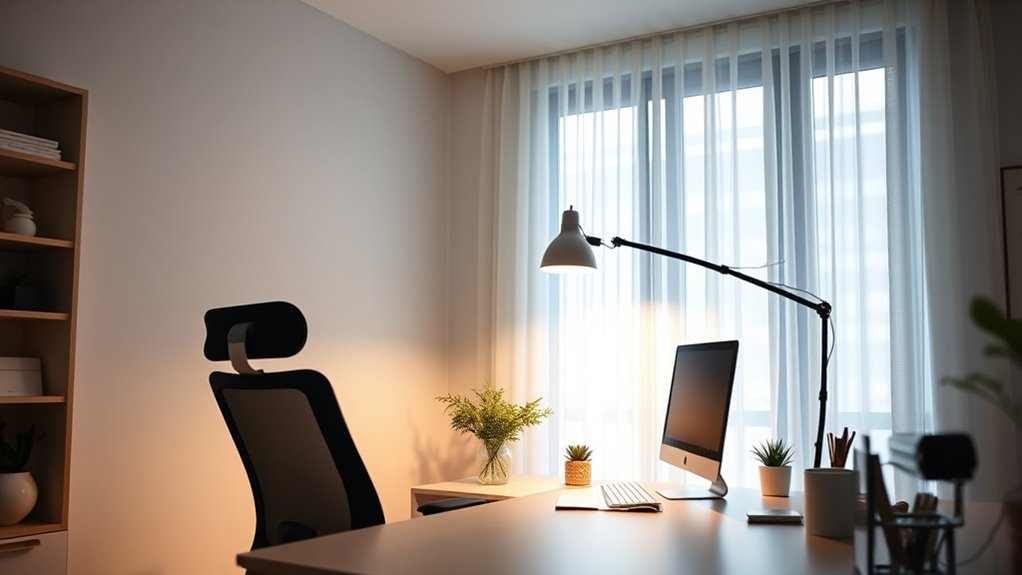
Have you ever wondered if your home office lighting is enough to boost productivity and reduce eye strain? Lighting plays a crucial role in creating an environment where you can work comfortably and efficiently. One of the key factors to consider is color temperature. This refers to the hue of the light emitted by your bulbs, measured in Kelvin (K). Cooler temperatures, around 5000K to 6500K, resemble natural daylight and help you stay alert and focused. Warm tones, below 3000K, create a cozy atmosphere but might make it harder to concentrate during intense work sessions. Finding the right balance ensures your eyes don’t strain under harsh or insufficient light.
Choosing the right color temperature boosts focus and reduces eye strain in your home office.
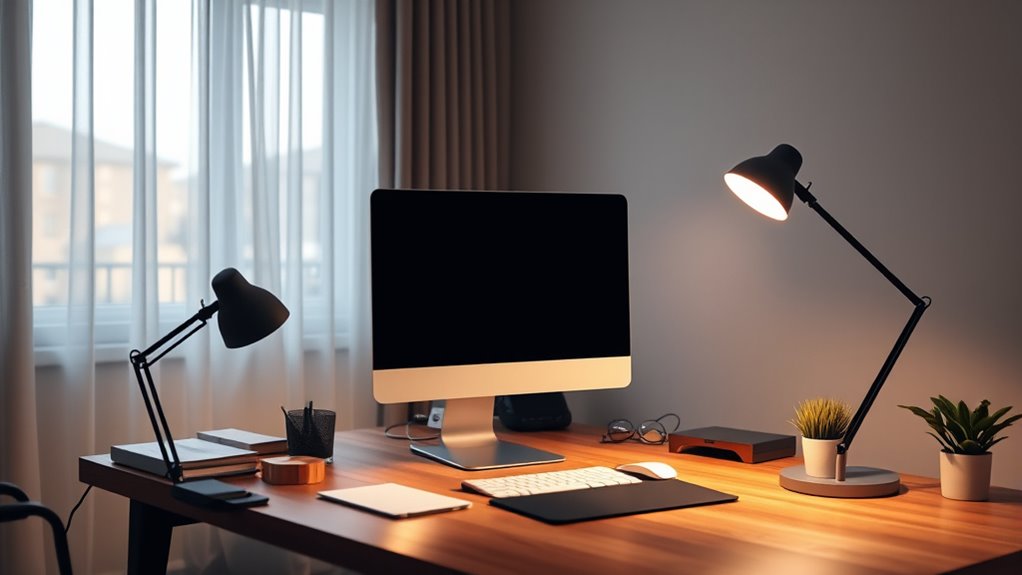
Task lighting is another essential aspect of effective home office illumination. Unlike general ambient lighting, task lighting provides focused light directly on your work surface. Think of a desk lamp that shines precisely where you need it most. Proper task lighting minimizes shadows and reduces the need to strain your eyes to see details clearly. When choosing task lighting, opt for adjustable fixtures so you can direct the light exactly where it’s needed, whether you’re reading, writing, or working on a computer. Position your task light to avoid glare on screens, which can cause discomfort and eye fatigue. Additionally, many modern lighting solutions often come with dimming options, allowing you to adjust brightness levels based on the time of day or task. Dimming your lights during late hours can reduce eye strain and help your eyes relax. Remember to position your lights to avoid reflections on computer screens and work surfaces, which can cause glare and discomfort. With a little thought and the right choices in color temperature and task lighting, you can transform your home office into a space that supports your productivity and keeps your eyes happy. Proper lighting can also enhance your well-being by reducing eye strain and fatigue, leading to a more comfortable work environment.
Frequently Asked Questions
How Does Ambient Lighting Influence Eye Strain During Work?
Ambient lighting considerably influences eye strain during work by providing glare reduction and balancing the overall brightness of your space. When ambient light is too dim or harsh, your eyes strain to focus, especially if task lighting isn’t adequate. Proper ambient lighting, combined with focused task lighting, minimizes glare and creates a comfortable environment, helping you work longer without discomfort. Adjusting ambient light levels ensures your eyes stay relaxed and reduces fatigue.
What Are the Best Color Temperatures for Home Office Lighting?
It’s no coincidence that the best color temperatures for home office lighting fall between 3500K and 5000K, matching natural daylight. This range enhances lighting quality, reducing eye strain and boosting focus. Cooler temperatures around 5000K mimic midday sunlight, ideal for detailed tasks. Warmer tones near 3500K create a cozy atmosphere, suitable for breaks. Adjust your lighting to this range for ideal comfort and productivity.
Can Natural Light Reduce Eye Fatigue Effectively?
Yes, natural light can effectively reduce eye fatigue if you manage screen glare and light intensity. Exposure to natural light helps regulate your circadian rhythm and boosts mood. Position your workspace near windows, but avoid direct sunlight that causes glare on your screen. Use curtains or blinds to control light intensity, preventing eye strain. Balancing natural light with appropriate artificial lighting creates a comfortable environment, reducing fatigue during long work hours.
How Often Should I Replace My Office Lighting Bulbs?
You should replace your office lighting bulbs before they burn out completely, typically every 1,000 to 2,000 hours of use. Think of it as giving your workspace a fresh coat of paint—regular lighting maintenance keeps your environment bright and eye-friendly. Keep an eye on bulb lifespan and replace them proactively to avoid dimming or flickering, ensuring your eyes stay comfortable and your workspace remains well-lit.
Are There Specific Lighting Setups Recommended for Different Tasks?
Yes, you should tailor your lighting setup to your tasks. Use task-specific lighting with adjustable fixtures to focus light where needed, like a desk lamp for reading or detailed work. For general tasks, combine ambient lighting with adjustable options to reduce eye strain. This flexibility helps you create a comfortable environment, minimizes glare, and guarantees you have the right brightness for every activity.
Conclusion
So, there you have it—bright enough to keep your eyes happy, but not so blinding that you need sunglasses indoors. Remember, your home office isn’t a nightclub, so don’t turn it into a disco with neon lights. Follow these simple tips, and you’ll avoid eye strain while still pretending to be productive. Who knew that good lighting could be the secret to staying sane—and seeing clearly—while working from home? Cheers to the brighter side!