
To create an ergonomic home office for seniors, guarantee your chair supports good posture with adjustable height and lumbar support, keeping your feet flat and knees at a 90-degree angle. Position your monitor at eye level to avoid strain, use proper lighting, and keep your workspace organized to minimize reaching and discomfort. Taking regular breaks and adjusting your environment helps promote comfort and health. Keep exploring for more tips to make your workspace even better.
Key Takeaways
- Use an adjustable chair with lumbar support and footrests to maintain proper posture and reduce back strain.
- Position monitors at eye level and ensure proper lighting to minimize eye fatigue and glare.
- Incorporate ergonomic accessories like keyboard and mouse to prevent wrist and shoulder discomfort.
- Take regular breaks to stretch, move, and promote circulation, enhancing overall comfort and well-being.
- Arrange the workspace to promote good posture, natural lighting, and minimal shadows for a healthier work environment.
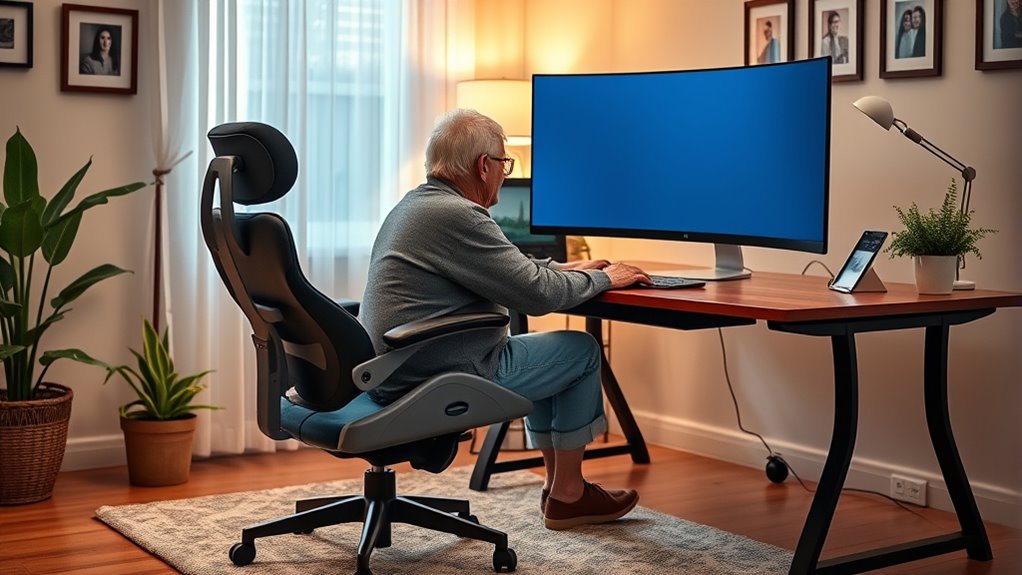
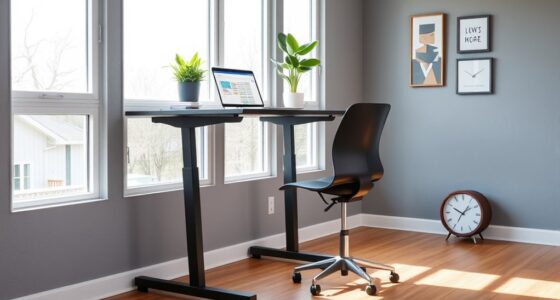
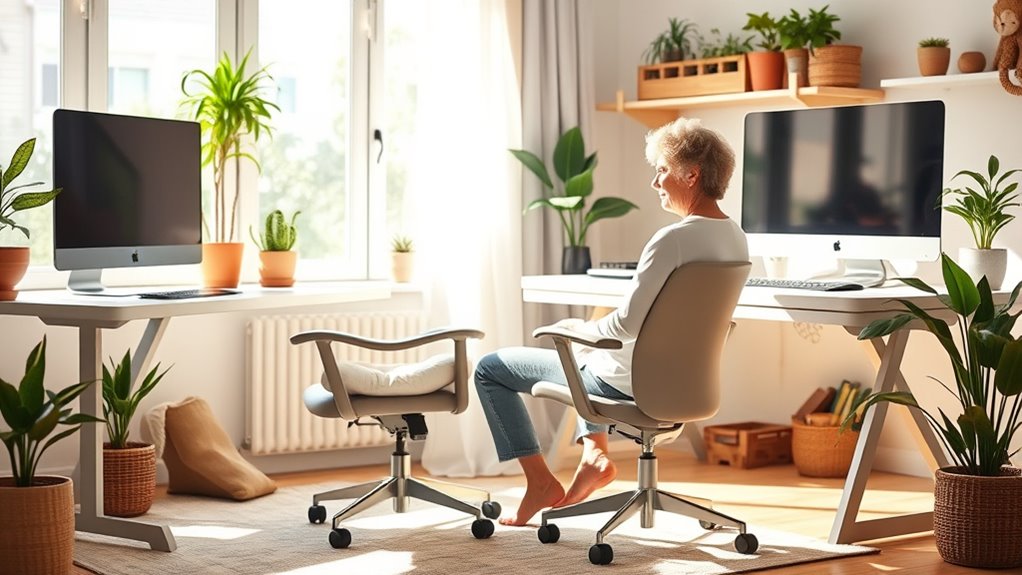
Creating an ergonomic home office is essential for maintaining your health and productivity while working remotely. When setting up your workspace, paying attention to details like chair adjustment and lighting solutions can make a significant difference in how comfortable and efficient you feel throughout the day. Your chair should support your back properly, with adjustable height and lumbar support to prevent strain. Take the time to find the right position so that your feet rest flat on the floor, and your knees are at a 90-degree angle. Proper chair adjustment helps reduce back pain and promotes good posture, which is especially important if you’re spending hours at your desk. Don’t forget to adjust the armrests so your shoulders stay relaxed and your arms are supported without elevating your shoulders or causing tension. Ensuring your workspace promotes good posture is vital for long-term comfort and health. Lighting solutions are equally crucial to creating an ergonomic home office. Natural light is best, so position your desk near a window if possible, and use sheer curtains to diffuse harsh sunlight. If natural light isn’t available or isn’t enough, incorporate layered lighting with adjustable lamps. Bright, well-placed lighting minimizes eye strain and helps keep you alert. Avoid glare on your computer screen by positioning your monitor perpendicular to windows or light sources. Use task lighting to illuminate specific work areas without creating shadows or reflections, which can cause discomfort and fatigue. Good lighting also influences your mood and energy levels, making it easier to stay focused and motivated throughout the day. In addition to chair adjustments and lighting, ensure your workspace is set up with your posture in mind. Keep your monitor at eye level, so you don’t have to tilt your head up or down. Your keyboard and mouse should be close enough to prevent reaching, which can cause shoulder or wrist pain. Taking short breaks to stretch and move around can help relieve tension and boost circulation, especially important for seniors who might be more prone to stiffness. Ergonomics isn’t just about furniture; it’s about creating a holistic environment that promotes comfort and well-being.
Frequently Asked Questions
How Can Seniors Prevent Eye Strain While Working at Home?
To prevent eye strain, you should wear blue light glasses to filter harmful blue light from screens. Adjust your screen brightness so it matches your surroundings, avoiding glare or dimness. Take regular breaks using the 20-20-20 rule—look at something 20 feet away for 20 seconds every 20 minutes. These steps help reduce eye fatigue and keep your eyes comfortable during work.
What Are the Best Ergonomic Accessories for Seniors’ Home Offices?
You should consider ergonomic accessories like an ergonomic keyboard and an adjustable monitor to enhance your comfort. An ergonomic keyboard reduces strain on your wrists, making typing easier, while an adjustable monitor allows you to set the screen at eye level, preventing neck and eye strain. These accessories help you work more comfortably and maintain proper posture, making your home office a safer, more supportive environment for you.
How Often Should Seniors Take Breaks During Work?
You should take breaks every 30 to 60 minutes to keep your body happy and healthy. Think of it as hitting the refresh button; during these breaks, do some stretching routines and stay hydrated with water or herbal teas. Taking regular pauses helps prevent fatigue and keeps your mind sharp, so you can work comfortably and safely. Remember, a little time off can make a big difference!
Are There Specific Chair Features That Benefit Seniors?
You should look for ergonomic chair features that prioritize comfort and support for seniors. Senior-friendly seating includes adjustable height, lumbar support, and padded armrests to reduce strain. A chair with a tilt function and breathable fabric can enhance comfort during long hours. These features help maintain good posture, prevent pain, and promote better focus, making your home office a more comfortable and safe environment for work and leisure.
How Can Seniors Adapt Their Workspace for Mobility Issues?
Imagine your workspace as a cozy garden where every tool helps your plants thrive. You can adapt it by adding assistive devices like grab bars or cushioned mats, making movement smoother. Choose flexible furniture that’s easy to adjust, so you can sit or stand comfortably without strain. These simple changes turn your home into a nurturing environment, empowering you to work confidently and stay mobile every day.
Conclusion
Creating an ergonomic home office isn’t just about comfort; it’s about making your daily routine smoother and more enjoyable. When you set up your space thoughtfully, you’ll find that good habits become second nature, helping you stay healthy and energized. Remember, a comfortable workspace is the foundation for staying sharp and avoiding unnecessary aches. By taking small steps today, you’re setting yourself up for success down the road—it’s all about working smarter, not harder.