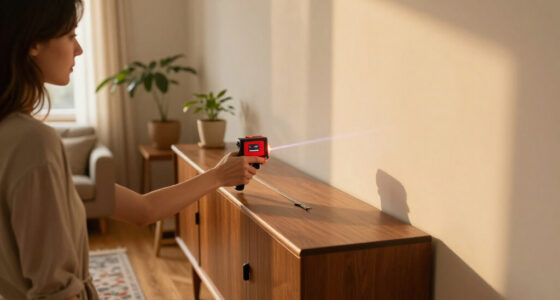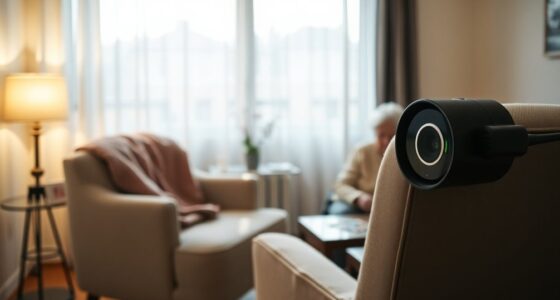
A camera for elderly monitoring can help family members check in, communicate, and notice activity, but the right choice depends on whether you prioritize privacy, remote access, or simple operation. My best overall pick is the Elderly Monitor with Camera and Audio, 2-Way Talk, Pan-Tilt-Zoom, Night Vision, Temp & Medication Reminders, which combines care-focused functions with room coverage. The no-Wi-Fi portable elderly monitor stands out for people who want a direct, private connection, while the SensForge 2.5K Pan-Tilt Camera offers sharper video and local storage for app-connected households. The main tradeoffs are internet dependence, ease of use for the person being monitored, and whether a camera’s alerts fit the care routine. Read on for the full comparison and guidance on matching a camera to your home and caregiving needs.

Get furniture and decor delivered free with Prime
- Fast, free delivery on millions of items
- Prime Video, Amazon Music and more included
- Member-only deals all year
Complete the kit


Key Takeaways
- Care-focused functions separate the leading dedicated monitors: the pan-tilt-zoom elderly monitor adds reminders and temperature monitoring, while the no-Wi-Fi model favors a direct connection without a home network.
- Remote access usually means more setup: Blink, Tapo, SensForge, and the dual-band app camera rely on connected-camera workflows, unlike the standalone-style dedicated monitors.
- Room coverage is not the same as detail: pan-and-tilt models can follow activity across a room, while SensForge’s 2.5K resolution prioritizes a clearer view of a fixed area.
- A built-in screen changes who operates the system: the 4.3-inch screen model may suit a household that wants a dedicated viewing device, while phone-app models suit caregivers who check in remotely.
- Basic indoor cameras can be simpler and more flexible, but less care-specific: Blink Mini and Tapo C100 offer familiar security-camera functions rather than medication reminders or a dedicated elder-monitoring interface.


| camera for elderly monitoring | Connectivity | Night vision | Power |
|---|---|---|---|
| Elderly Monitor with Camera an | 2.4GHz FHSS; no Wi-Fi required | — | — |
| Blink Mini Indoor Plug-In Smar | 2.4GHz Wi-Fi (802.11g/n) | Infrared HD | USB cable and power adapter |
| Tapo 1080P Indoor Security Cam | Wired | Full-color, up to 30 ft | Product data also describes solar energy with a built-in battery |
| SensForge 2.5K Indoor Pan-Tilt | — | — | Corded electric, 10.3W |
| Two-Way Video Camera | Wi-Fi, 5GHz and 2.4GHz listed | Yes | — |
| KEENLUK Home Security Camera w | Wireless; 2.4 GHz Wi-Fi | Supported | — |
| Blink Mini Pan-Tilt Camera | 2.4 GHz 802.11g/n Wi-Fi | Infrared | 5 VDC, 1 A via USB |
| Elderly Monitor with Camera an | 2.4 GHz FHSS; no Wi-Fi required | Infrared | — |
More Details on Our Top Picks
Elderly Monitor with Camera and Audio, No Wi-Fi, Portable Video Monitor for Seniors and Dementia Patients
For families who want a dedicated monitor rather than phone-based viewing, this model’s no-Wi-Fi FHSS connection keeps monitoring within the home and avoids relying on internet access. Its camera pans and tilts, while the receiver shows live video and supports two-way audio, so a caregiver can check a room and speak to someone without opening an app. SOS and medication reminders make it more care-focused than the Blink Mini, which is a compact security camera with smartphone alerts. The tradeoff is reach: the listed range is generous, but it does not provide remote viewing when a caregiver is away. Its 2.8-inch display is also much smaller than the 4.3-inch screen on the Two-Way Video Camera, and battery life may limit long stretches away from the charger.
Pros:- Operates without Wi-Fi through a 2.4GHz FHSS connection
- Pan-and-tilt camera with infrared night vision
- Includes an SOS button, medication reminders, and temperature monitoring
- Portable receiver supports monitoring around the home
Cons:- No internet-based remote viewing for caregivers away from home
- The 2.8-inch display may be difficult for some users to see
- Battery life may not suit extended use without recharging
Best for: Caregivers who want a private, self-contained monitor for someone at home and value SOS and medication reminders over remote internet access.
Not ideal for: Families who need to check in from outside the home or want a larger built-in viewing screen.
- Display:2.8-inch
- Camera resolution:720P HD
- Camera rotation:355° horizontal, 90° vertical
- Battery capacity:2000mAh
- Range:Up to 1000 ft outdoors / 500 ft indoors
- Connectivity:2.4GHz FHSS; no Wi-Fi required
- Included accessories:Camera, portable receiver, SOS button, power adapter
Our verdict“Choose this model for private in-home monitoring with care reminders, but pick a Wi-Fi camera if you need remote access.”
Blink Mini Indoor Plug-In Smart Security Camera – 1080p HD, Night Vision, Motion Detection, Two-Way Audio, Works with Alexa
The Blink Mini is a small, straightforward choice for caregivers who already use a smartphone and want to check a room remotely. Its 1080p video, infrared night vision, and two-way audio provide the basics for seeing and speaking with a family member, while customizable motion zones can focus alerts on a particular part of the room. At just 2 inches wide, it is easier to place discreetly than the tabletop Two-Way Video Camera, but it has no dedicated screen or care-specific controls such as an SOS button or medication reminders. Unlike the Wi-Fi-free Elderly Monitor, it depends on a stable internet connection and app access, so it is less suited to homes with unreliable Wi-Fi or caregivers who prefer a simple receiver. Cloud storage requires a subscription plan, adding a separate limitation for families who want to review recorded events.
Pros:- Compact body is easy to place indoors
- 1080p video with infrared night vision
- Two-way audio and customizable motion zones
- Works with Alexa for voice control and live streaming
Cons:- Requires Wi-Fi and at least 2 Mbps upload speed
- Cloud storage requires a subscription plan
- No dedicated display or elderly-care features such as an SOS button
Best for: Caregivers comfortable with smartphone apps who want a compact camera for remote room checks and two-way conversation.
Not ideal for: People seeking a standalone monitor, care reminders, or operation without Wi-Fi; also a poor fit if subscription-free cloud recording is a priority.
- Resolution:1080p HD
- Field of view:110° diagonal
- Night vision:Infrared HD
- Frame rate:Up to 30 fps
- Dimensions:2 x 1.9 x 1.4 inches
- Weight:1.7 ounces
- Connectivity:2.4GHz Wi-Fi (802.11g/n)
- Power:USB cable and power adapter
Our verdict“Pick the Blink Mini for compact, app-based check-ins, not for a self-contained or care-specific monitoring system.”
Tapo 1080P Indoor Security Camera, Baby Monitor, Dog Camera, Wired, C100
The Tapo C100 suits families who want a simple indoor camera with a choice of recording methods rather than a dedicated caregiver monitor. Its 1080p video, two-way audio, motion detection, and customizable alarms cover everyday room checks, while support for a microSD card gives buyers a local-storage route that the Blink Mini does not offer in the same way. That can make it easier to review events without depending entirely on cloud service. Compared with the SensForge 2.5K camera, however, the Tapo has lower stated resolution and no listed pan-and-tilt coverage, so it may leave more of a room outside its view. The product data also describes both wired operation and solar power with a built-in battery, which makes the power setup unclear; buyers should verify that detail before relying on it for a care routine. Its feature set is general-purpose rather than tailored to senior alerts.
Pros:- 1080p video for everyday room monitoring
- Two-way audio and customizable alarms
- Supports microSD storage up to 512GB
- Compatible with Amazon Alexa and Google Assistant
Cons:- No listed pan-and-tilt range for following activity across a room
- Power details are ambiguous, with wired and solar-powered descriptions
- Cloud storage through Tapo Care may involve additional costs
Best for: Families seeking an indoor camera with two-way audio and local microSD recording, and who do not need a dedicated monitor or senior-specific controls.
Not ideal for: Caregivers who need an SOS button, medication reminders, pan-and-tilt coverage, or a clearly specified power setup.
- Video resolution:1080p
- Night vision:Full-color, up to 30 ft
- Local storage:microSD card up to 512GB
- Cloud storage:Available through Tapo Care
- Connectivity:Wired
- Power:Product data also describes solar energy with a built-in battery
- Voice assistant compatibility:Amazon Alexa and Google Assistant
Our verdict“Choose the Tapo C100 for app-based indoor checks with local recording, but skip it if you need dedicated elder-care functions or clear pan-and-tilt coverage.”
SensForge 2.5K Indoor Pan-Tilt Security Camera, 360° Dual-Band Wi-Fi, AI Human & Pet Detection, 64GB SD Card Included, Two-Way Talk, No Subscription
For caregivers who need a broad view of a room, the SensForge pairs 2.5K resolution with 360° pan and 90° tilt, letting its camera cover more angles than the fixed-view Blink Mini. AI human and pet detection can help separate relevant movement from some background activity, while the included 64GB SD card supports local recording without a subscription. Those strengths make it the most coverage-focused option here, but they do not replace senior-specific functions: unlike the Wi-Fi-free Elderly Monitor, it has no listed SOS button or medication reminders, and it still relies on Wi-Fi and a phone app. Its corded power means placement depends on an outlet, and the app is listed for the U.S. and Canada only. It is designed for indoor use, so it is not a choice for monitoring outdoor areas.
Pros:- 2.5K resolution offers more image detail than the 1080p models listed here
- 360° horizontal and 90° vertical pan-tilt coverage
- Includes a 64GB SD card for local storage
- AI human and pet detection with dual-band Wi-Fi
Cons:- Requires Wi-Fi, a compatible app, and a nearby power outlet
- App availability is limited to the U.S. and Canada
- Indoor-only design and no listed SOS or medication reminder functions
Best for: Caregivers who want app-based monitoring of a large indoor room, detailed video, and local recording without a subscription.
Not ideal for: Families who need a standalone receiver, care reminders, internet-free operation, or monitoring outside the home.
- Resolution:2.5K HD
- Pan-tilt range:360° horizontal, 90° vertical
- Storage:64GB SD card included
- Wi-Fi:Dual-band 2.4GHz and 5GHz
- Night vision range:30 ft
- Power:Corded electric, 10.3W
- Compatibility:Indoor use; SensForge app available in the U.S. and Canada
Our verdict“Pick the SensForge for detailed, wide-angle indoor coverage with local recording, but choose a dedicated elderly monitor for care alerts and offline use.”
Two-Way Video Camera, Dual-Band (5G/2.4G) Indoor Home Security Camera with Phone App, Motion Detection, Night Vision, and Two-Way Audio
This camera’s defining advantage is its 4.3-inch screen and two-way video calling, which give families a more direct way to check in than the phone-only Blink Mini. It also supports 1080p video, night vision, motion detection, and shared access for up to 10 family members, so several relatives can participate in routine monitoring. The tabletop format makes it a more visible, screen-centered setup than the compact SensForge camera, but its fixed mounting style may limit placement and room coverage. The listing says it works with 5GHz and 2.4GHz Wi-Fi, while the product title calls this dual-band 5G/2.4G; it still depends on a stable wireless connection and corded power. Unlike the no-Wi-Fi Elderly Monitor, it cannot provide an offline monitoring link, and no weather resistance is specified.
Pros:- 4.3-inch screen provides a larger viewing area than the 2.8-inch Elderly Monitor
- Two-way video calling supports more direct family check-ins
- Access can be shared with up to 10 family members
- 1080p video, night vision, and motion detection
Cons:- Requires stable Wi-Fi for remote monitoring and calls
- Corded tabletop design restricts placement
- Indoor-only use, with no weather resistance specified
Best for: Families who want a larger built-in screen for video check-ins and need to share app access among several caregivers.
Not ideal for: Caregivers without stable Wi-Fi, those who need a portable receiver, or anyone who requires a camera for outdoor use.
- Display:4.3-inch
- Video resolution:1080p
- Connectivity:Wi-Fi, 5GHz and 2.4GHz listed
- Night vision:Yes
- Motion detection:Yes
- Two-way audio:Yes; video calls supported
- Mount type:Tabletop
- Dimensions and power:5 x 5 x 7.5 inches; corded electric
Our verdict“Choose this model if a larger screen and shared family video calls matter most, but select the Wi-Fi-free Elderly Monitor for offline use.”
KEENLUK Home Security Camera with 4.3″ Screen, Two-Way Video Call Function for Elderly, Baby and Pets, 1080P HD with Motion Detection
For an older adult who may not want to handle a smartphone, the 4.3-inch built-in screen and one-button video call make this a more direct communication tool than a conventional app-only camera such as the Blink Mini Pan-Tilt. A family member can call through the camera, while motion alerts and remote viewing add a monitoring layer between conversations. Its 350-degree pan range can help cover a shared room, and night vision supports checks after dark. The tradeoff is that this model relies on 2.4 GHz Wi-Fi and takes a separate SD card for local recording; the description does not specify cloud storage. Choose it for accessible video contact, not as a replacement for a dedicated emergency-response system or a no-Wi-Fi monitor.
Pros:- One-button video calling gives seniors a simpler way to reach family than opening and using a smartphone app.
- The 4.3-inch screen supports direct video interaction at the camera.
- 350-degree pan coverage, motion alerts, and night vision suit ongoing room monitoring.
- 1080p video and two-way audio support visual check-ins and conversation.
Cons:- Requires a 2.4 GHz Wi-Fi network, so it is not a fit for homes relying only on other network bands.
- Local recording requires a separately purchased SD card, and cloud storage is not specified.
- The listed features do not describe dedicated fall detection or emergency-response functionality.
Best for: Families seeking a simple, one-button way for an older adult who is comfortable with video calls to contact relatives and be checked on in a shared room.
Not ideal for: Households without reliable 2.4 GHz Wi-Fi, or caregivers who need monitoring to work without internet or want recording included without buying an SD card.
- Camera resolution:1080p HD
- Display:4.3-inch screen
- Pan range:350 degrees
- Connectivity:Wireless; 2.4 GHz Wi-Fi
- Audio:Two-way audio and video calling
- Detection:Motion detection with mobile notifications
- Night vision:Supported
- Storage:Local SD card storage; card not included
- Dimensions and weight:4.72 x 4.72 x 7.08 inches; 0.62 kg
Our verdict“Choose the KEENLUK for a senior-friendly, one-button video-call setup, but skip it if Wi-Fi-free operation or built-in recording matters more.”
Blink Mini Pan-Tilt Camera (Newest Model) Indoor Security Camera with 360° Coverage, Two-Way Audio, HD Video, Motion Detection, Alexa Compatibility
The Blink Mini Pan-Tilt suits caregivers who want to steer a camera around a room remotely rather than rely on a fixed view. Its 350-degree pan and 125-degree tilt can follow activity across more of a space than a basic fixed indoor camera, while 1080p video, infrared night vision, and motion alerts support routine checks. Compared with the KEENLUK camera, Blink lacks a built-in screen and one-button call feature, so it is less approachable for seniors who need to initiate contact themselves. Two-way audio still lets a caregiver speak through the app, and Alexa compatibility may suit an existing smart-home setup. The tradeoffs are 2.4 GHz-only Wi-Fi, a required power connection, and subscription requirements for cloud storage beyond the included period.
Pros:- Pan and tilt controls let caregivers check a wider area remotely than a fixed-view camera.
- 1080p video and infrared night vision support daytime and low-light checks.
- Two-way audio allows caregivers to speak through the camera.
- Works with Alexa and is described as easy to set up.
Cons:- Does not include a built-in screen or a senior-facing one-button video-call feature.
- Cloud storage beyond 30 days requires a Blink Subscription Plan.
- Needs a USB power source and supports only 2.4 GHz Wi-Fi.
Best for: Caregivers who already use the Blink app or Alexa and want remote pan-and-tilt coverage of an older adult’s indoor living space.
Not ideal for: Seniors who need a physical screen or one-button way to call family, and households seeking Wi-Fi-free monitoring or battery-powered placement.
- Camera resolution:1080p HD
- Field of view:110 degrees diagonal
- Pan and tilt:350-degree pan; 125-degree tilt
- Frame rate:Up to 30 fps
- Connectivity:2.4 GHz 802.11g/n Wi-Fi
- Night vision:Infrared
- Power:5 VDC, 1 A via USB
- Dimensions:Pan-tilt mount: 66 x 66 x 99.2 mm; Mini: 50 x 49 x 36 mm
- Weight:Pan-tilt mount: 246 g; Mini: 48 g
Our verdict“Pick the Blink Mini Pan-Tilt for app-controlled room coverage, not for a senior who needs to call family directly from the camera.”
Elderly Monitor with Camera and Audio, 2-Way Talk, Pan-Tilt-Zoom, Night Vision, Temp & Medication Reminders
For caregivers who prefer a monitor that does not connect to the household router, this model’s 2.4 GHz FHSS link offers a more private, self-contained alternative to app-connected cameras such as the Blink Mini Pan-Tilt. The listed range is up to 1,000 feet, and the handheld unit combines a camera feed with two-way talk, infrared night vision, temperature alerts, and medication reminders. Those reminders add a caregiving function that the KEENLUK’s video-call-focused design does not list. The main compromise is the 2.8-inch screen, which gives less viewing area than KEENLUK’s 4.3-inch display. It also needs corded power for the camera, limiting placement flexibility. This pick makes the most sense for nearby caregivers who value a direct monitor connection over smartphone access or a larger display.
Pros:- Does not require Wi-Fi, offering a direct monitor connection without joining the home network.
- Medication reminders and temperature alerts add caregiving functions beyond video monitoring.
- Listed range of up to 1,000 feet supports monitoring around a home or nearby property.
- Infrared night vision and two-way talk support low-light viewing and communication.
Cons:- The 2.8-inch screen is smaller than the KEENLUK’s 4.3-inch display.
- Corded electric power limits where the camera can be placed.
- No internet-based remote viewing is listed, so caregivers away from the monitor’s range may not be able to check in.
Best for: Caregivers who want a dedicated, Wi-Fi-free monitor for in-home checks and value temperature alerts and medication reminders alongside video and audio.
Not ideal for: Families who need to check in remotely over the internet, want a larger screen, or need to move the camera frequently without a corded power connection.
- Screen size:2.8 inches
- Wireless range:Up to 1,000 feet
- Connectivity:2.4 GHz FHSS; no Wi-Fi required
- Night vision:Infrared
- Battery capacity:2,000 mAh
- Power source:Corded electric
- Weight:1.01 pounds
- Dimensions:4.7 x 2.3 x 2.7 inches
- Additional features:Two-way talk, temperature alerts, and medication reminders
Our verdict“Choose this monitor for local, Wi-Fi-free caregiving with reminders, but choose an app-connected camera if you need remote access from outside the home.”

How We Picked
I ranked these cameras around the practical needs behind elderly monitoring: whether a caregiver can check in reliably, whether the person at home can use two-way communication comfortably, and how much setup the system demands. I also weighed room coverage, night viewing, alert usefulness, storage approach, and whether the camera works without Wi-Fi. Those differences matter more than a long feature list when a device needs to fit into daily care.
The ranking favors options with functions suited to caregiving and a clear path to communication, then distinguishes them by connectivity and ease of use. Dedicated elderly monitors lead when their direct communication or care features reduce reliance on a general-purpose security app. App-connected models remain strong choices for remote access, but their position depends on practical tradeoffs such as network requirements, fixed versus movable views, and how much care-specific support they provide. I did not treat resolution or motion detection alone as proof that a camera is a good fit for an older adult.
| camera for elderly monitoring | Night vision |
|---|---|
| Elderly Monitor with Camera an | — |
| Blink Mini Indoor Plug-In Smar | Infrared HD |
| Tapo 1080P Indoor Security Cam | Full-color, up to 30 ft |
| SensForge 2.5K Indoor Pan-Tilt | — |
| Two-Way Video Camera | Yes |
| KEENLUK Home Security Camera w | Supported |
| Blink Mini Pan-Tilt Camera | Infrared |
| Elderly Monitor with Camera an | Infrared |
Factors to Consider When Choosing Camera For Elderly Monitoring
Before choosing a camera, decide how monitoring should fit into the care relationship. A device that is easy for a caregiver to view may still feel intrusive or confusing to the person at home. These broader decisions can help narrow the options beyond comparing resolution and alerts.
Choose the connection around privacy and caregiver access
A no-Wi-Fi monitor can reduce dependence on the home router and may feel simpler when the viewer stays nearby, but it generally does not provide the same kind of internet-based remote access as an app-connected camera. A Wi-Fi model is more suitable when caregivers need to check in from outside the home, though it depends on a stable connection and account setup. Think about who needs access, from where, and how many people need to view the feed. Avoid assuming that “wireless” means “works without internet”; check whether the product uses a direct monitor connection or home Wi-Fi. If the router is unreliable, plan for what happens during an outage before relying on remote viewing for care.
Match the camera’s controls to the person using it
Two-way audio and video calling can support reassurance, but they are only useful if the person at home can hear, see, and respond to the device. A dedicated screen may reduce the need to find and unlock a phone, while a phone-based camera can suit someone already comfortable with apps. Consider whether controls are physical, touch-based, or managed entirely by the caregiver. Check where the speaker and microphone will sit, since room noise and distance can affect conversation. A camera should support agreed check-ins rather than replace regular contact or hands-on care.
Decide whether a fixed view or movable coverage matters more
A fixed camera can be enough when the goal is to monitor one doorway, chair, or common area. Pan-and-tilt coverage can reduce blind spots in a larger room, but it may add app controls and make placement more consequential. A wide view does not necessarily show small details clearly, so consider whether you need to recognize general movement or see a specific area. Avoid placing a camera where furniture, glare, or a bright window blocks the view. For bedrooms and bathrooms, discuss privacy and consent carefully; monitoring every space is not automatically better care.
Treat motion alerts as prompts, not proof of an emergency
Motion detection can help a caregiver notice activity, but ordinary movement may produce alerts that are not meaningful, while an alert cannot explain why someone moved or did not move. Think through the daily routine and which changes actually warrant a check-in. Human or pet detection can help sort some activity on certain models, but detection labels are not a substitute for medical monitoring or a confirmed emergency response service. Set notification recipients and quiet periods deliberately so several caregivers do not receive a constant stream of duplicate alerts. If a camera is meant to support fall response, verify that it has a suitable fall-detection function rather than assuming standard motion sensing can identify falls.
Check storage, account access, and ongoing dependence
Camera feeds and recorded clips raise privacy questions, especially when multiple relatives or paid caregivers share access. Before setup, decide who controls the account, who can view recordings, and when footage should be deleted. Local storage can reduce reliance on a cloud recording plan, but it still needs appropriate physical security and may not offer the same remote history access. Check whether the camera records continuously or only saves event clips, since those modes answer different questions. Keep login credentials private and use account security options where available; avoid treating a consumer camera as a secure medical record system.
Prioritize dependable placement and everyday upkeep
A camera that is difficult to keep powered or pointed correctly can become unreliable even if its feature list is attractive. Plug-in models avoid routine battery charging, but the cord limits placement and should not create a trip hazard. Choose a location with a clear view, access to power, and a dependable network if the device needs Wi-Fi. Periodically check that the lens is clean, the time settings are correct, and alerts still reach the intended caregiver. If several family members share responsibility, agree on who checks the device and who handles setup changes so the camera does not become an unattended source of notifications.
Frequently Asked Questions
Can a camera for elderly monitoring work without Wi-Fi?
Some dedicated monitors use a direct connection between the camera and a handheld display, so they can work without a home Wi-Fi network. That can suit a caregiver who is nearby and wants a simpler viewing setup. It is not the same as checking the feed from anywhere through a phone app. Before buying, confirm the stated connection method and viewing range, and decide whether local monitoring meets your care needs. A no-Wi-Fi camera also does not automatically provide emergency alerts or professional monitoring.
Is a pan-tilt camera better than a fixed indoor camera?
Pan-and-tilt movement can cover more of a room and help a caregiver check different areas without installing multiple cameras. A fixed camera may be easier to position when you only need to watch one consistent location, such as a living-room chair or entrance. Movement controls can add steps for the caregiver and do not guarantee that every area stays visible at once. Think about room layout, furniture, and whether the person’s routine takes them beyond one camera’s view. For a safety concern that depends on continuous coverage, consider blind spots rather than relying on camera rotation alone.
Does motion detection tell me if someone has fallen?
Standard motion detection reports movement in the camera’s view; it does not reliably determine whether a fall has occurred or whether someone needs help. A fall may happen outside the frame, be obscured, or produce an alert that looks like ordinary movement. Treat camera alerts as a reason to check in, not as a confirmed safety assessment. If fall detection is a care requirement, look for a device specifically designed and described for that function, and review its limitations. A camera should not replace a planned response process or appropriate medical alert equipment.
Should I choose a camera with a screen or one controlled by a phone app?
A built-in or dedicated screen can make viewing more straightforward for a household that prefers a device kept in one place. A phone app is more convenient for caregivers who need remote access and already use connected-home devices, but it requires account setup and compatible connectivity. Consider who will operate the viewing device day to day, not just who installs it. Also check whether the person being monitored needs to initiate calls or only respond to them. The right choice depends on the household’s routines and comfort with technology, rather than one format being universally easier.
What should I do before placing a camera in an older adult’s home?
Discuss the purpose and location with the person who will be monitored, and agree on who can view the feed. Place cameras only where monitoring is appropriate and respect private spaces, consent, and local rules. Test audio, night viewing, alerts, and the internet connection before relying on the system for routine check-ins. Set up caregiver access and account security in advance, then explain how the camera works in clear, simple terms. Finally, create a backup plan for power, network, or device failures so the camera is not the only way to confirm someone is safe.
Conclusion
For most households seeking a care-oriented blend of communication and coverage, my best overall choice is the Elderly Monitor with Camera and Audio, 2-Way Talk, Pan-Tilt-Zoom, Night Vision, Temp & Medication Reminders. The no-Wi-Fi portable elderly monitor is my pick for nearby caregivers who prefer a direct, less app-dependent setup, while SensForge is the best premium-style choice for buyers who value sharper video, pan-tilt coverage, and included local storage. For best value, the Tapo C100 offers a straightforward indoor-camera approach for basic check-ins; for best for beginners, the 4.3-inch screen model may suit households that want a dedicated viewing device rather than a phone-first workflow. Choose Blink Mini or Blink Mini Pan-Tilt when Alexa compatibility and familiar security-camera functions matter more than elder-specific reminders, and consider the dual-band video-call camera when app-based two-way communication is the main need. Match the camera to the person’s comfort, the caregiver’s access needs, and the limits of what a consumer camera can safely monitor.