
A smart home hub compatible with Alexa can bring devices from different brands together, but the right choice depends on which protocols you need and how much control you want. My best overall pick is Homey Pro (2026), with broad device support that includes Matter and Thread alongside established protocols. Homey Bridge is a more approachable multi-protocol alternative, while the Echo Hub models suit households that want a wall-mounted Alexa control panel. The main tradeoffs are automation depth, device compatibility, setup effort, and whether you need a screen or a separate hub. Read on for the full comparison and guidance on choosing a hub that fits your devices and routines.

Get furniture and decor delivered free with Prime
- Fast, free delivery on millions of items
- Prime Video, Amazon Music and more included
- Member-only deals all year
Complete the kit


Key Takeaways
- Homey Pro (2026) stands out for buyers who want one hub with a wide mix of legacy radios and newer Matter and Thread support; that breadth is the main reason it leads this lineup.
- Homey Bridge covers several common protocols in a simpler package, but buyers should compare its capabilities with the more advanced Homey Pro and Homey Pro mini before choosing.
- Echo Hub models prioritize Alexa control on a touchscreen, while hubs such as Hubitat Elevation C-8 Pro focus more on automation control than on a built-in display.
- Brand-specific options can be a better fit than broad hubs: Lutron Caséta is tailored to lighting control, and SwitchBot hubs bring device control together with environmental readings or IR remote functions.
- Bundles such as the Amazon Smart Home Starter Kit reduce the work of assembling a first setup, but buyers with existing devices may prefer a standalone hub that better matches their current ecosystem.
| Homey Bridge Smart Home Hub – Z‑Wave Plus, Zigbee, Wi‑Fi, BLE & Infrared, Works with Alexa & Google Home |  | Best for Mixed-Brand Device Setups | Protocols: Z-Wave Plus, Zigbee, Wi-Fi, Bluetooth Low Energy, infrared | Voice assistant compatibility: Amazon Alexa, Google Assistant, Siri Shortcuts | Device ecosystem: Integrates with thousands of devices and popular brands | VIEW ON AMAZON | See Our Full Breakdown |
| Hubitat Elevation C-8 Pro Smart Home Hub |  | Best for Local, Subscription-Free Automation | Protocols: Matter 1.5, Z-Wave 800 Series Long Range, Zigbee 3.0, Bluetooth | Voice assistant compatibility: Amazon Alexa, Google Home, Apple HomeKit | Ring integration: Supported | VIEW ON AMAZON | See Our Full Breakdown |
| Echo Hub (8″) – Redesigned with customizable control and Alexa+ |  | Best Alexa Control Panel | Display: 8-inch touchscreen, 1280 × 800 resolution | Smart home compatibility: Wi-Fi, BLE Mesh, Zigbee, Thread, Matter, Amazon Sidewalk (controller only) | Wi-Fi: Dual-band 802.11a/b/g/n/ac | VIEW ON AMAZON | See Our Full Breakdown |
| Amazon Echo Hub 8″ Smart Home Control Panel | | Best for Wall-Mounted Alexa Control | Display: 8-inch touchscreen, 1280 × 800 resolution | Smart home compatibility: Wi-Fi, BLE Mesh, Zigbee, Thread, Matter, Amazon Sidewalk (controller only) | Wi-Fi: Dual-band 802.11a/b/g/n/ac | VIEW ON AMAZON | See Our Full Breakdown |
| Amazon Smart Home Starter Kit with Echo Hub, Smart Plug, and 4 Smart Bulbs |  | Best Starter Bundle for Alexa Homes | Included items: Echo Hub, Amazon Smart Plug, four Amazon Basics smart bulbs | Display: 8-inch touchscreen, 1280 × 800 resolution | Connectivity: Dual-band Wi-Fi, Bluetooth, Zigbee, Thread, Matter | VIEW ON AMAZON | See Our Full Breakdown |
| Homey Pro (2026) Smart Hub for Home Automation – Z‑Wave Plus, Zigbee, Wi‑Fi, BLE, Infrared, Matter & Thread – Works with Siri, Alexa & Google Home |  | Best for Broad Protocol Coverage | Connectivity protocols: Z-Wave Plus, Zigbee, Wi-Fi, Bluetooth, infrared, Matter, and Thread | Voice control: Amazon Alexa, Siri, and Google Home | Compatible devices: More than 50,000 devices from over 1,000 brands | VIEW ON AMAZON | See Our Full Breakdown |
| Lutron Caséta Smart Hub for Alexa, Apple HomeKit, Google Assistant, and More | 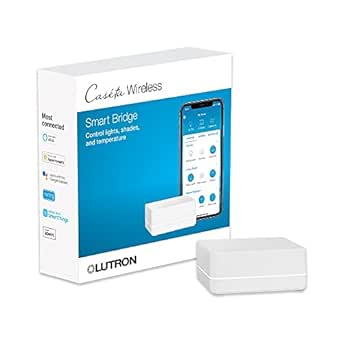 | Best for Caséta Lighting and Shades | Maximum supported devices: 75 Caséta devices | Compatible platforms and devices: Amazon Alexa, Apple HomeKit, Google Assistant, Ring, Serena shades, and Sonos | Connectivity: Router connection; Clear Connect technology | VIEW ON AMAZON | See Our Full Breakdown |
| SwitchBot Hub 3 (3rd Gen) Smart Home Hub with 2.4″ IPS Screen, Knob Control, WiFi Thermometer/Hygrometer, IR Remote, Matter/Bluetooth, Alexa/Google/Apple Home Compatible |  | Best for Hands-On Control and IR Appliances | Display: 2.4-inch IPS screen | Connectivity: 2.4 GHz Wi-Fi, Bluetooth, and Matter Bridge | Voice assistants: Amazon Alexa, Google Assistant, and Apple Home | VIEW ON AMAZON | See Our Full Breakdown |
| Aeotec Smart Home Hub – SmartThings, Z‑Wave, Zigbee, Matter, Alexa & Google Assistant compatible |  | Best for SmartThings-Based Mixed Devices | Model: V3 – Smart Home Hub (2020) | Model number: GP-AEOHUBV3US | Connectivity: Ethernet, Wi-Fi, Z-Wave, Zigbee, and Matter | VIEW ON AMAZON | See Our Full Breakdown |
| Yoolax Zigbee Matter Smart Hub with Alexa and Google Home Compatibility |  | Best Simple Plug-In Zigbee and Matter Hub | Connectivity protocols: Matter and Zigbee | Compatible devices: Up to 128 | Voice assistants: Amazon Alexa and Google Assistant | VIEW ON AMAZON | See Our Full Breakdown |
| Homey Pro mini Smart Home Hub with Zigbee, Ethernet, Matter, and Thread |  | Best for Local Automations | Protocols: Zigbee, Matter, Thread, Ethernet | Voice assistant compatibility: Amazon Alexa, Apple Siri, Google Assistant | Supported brands: More than 1,000 | VIEW ON AMAZON | See Our Full Breakdown |
| Echo Hub with Amazon Basics Smart Color Bulb |  | Best Alexa Starter Kit | Included items: Echo Hub and Amazon Basics Smart Color Bulb | Voice control: Alexa | Setup: Connect the hub, install the bulb, and ask Alexa to discover devices | VIEW ON AMAZON | See Our Full Breakdown |
| SwitchBot Hub 2 (2nd Gen) Smart Home Hub with Thermometer, Hygrometer, IR Remote, and Light Sensor |  | Best for Climate and IR Control | Connectivity: Wi-Fi (2.4 GHz), Bluetooth | Temperature accuracy: ±0.36°F | Humidity accuracy: ±1.8% RH | VIEW ON AMAZON | See Our Full Breakdown |
More Details on Our Top Picks
Homey Bridge Smart Home Hub – Z‑Wave Plus, Zigbee, Wi‑Fi, BLE & Infrared, Works with Alexa & Google Home
Homey Bridge is a strong fit for Alexa households that need one hub to connect devices using several different radios, including Z-Wave Plus, Zigbee, Wi-Fi, Bluetooth Low Energy, and infrared. That range can reduce the need for separate bridges, especially when a setup mixes newer smart devices with infrared-controlled equipment. It also works with Google Assistant and Siri Shortcuts, giving it broader assistant coverage than the Echo Hub, which centers its experience on Alexa.
The tradeoff is its subscription model: the included three months of Homey Premium is temporary, and managing more than five devices requires an active subscription. Buyers who want local automations without recurring fees may prefer the Hubitat Elevation C-8 Pro. I’d choose Homey Bridge for protocol variety and a unified app, but not for a subscription-free setup.
Pros:- Combines Z-Wave Plus, Zigbee, Wi-Fi, BLE, and infrared support
- Works with Alexa, Google Assistant, and Siri Shortcuts
- Can bring devices from many brands into one app
- Includes three months of Homey Premium
Cons:- More than five devices require an active Homey Premium subscription
- Subscription dependence may make it a weaker fit than Hubitat for fee-free automation
- The product data does not specify local automation behavior during internet outages
Best for: Alexa households with devices from several brands and a mix of Z-Wave, Zigbee, Wi-Fi, BLE, or infrared equipment
Not ideal for: Buyers managing more than five devices who do not want an ongoing Homey Premium subscription
- Protocols:Z-Wave Plus, Zigbee, Wi-Fi, Bluetooth Low Energy, infrared
- Voice assistant compatibility:Amazon Alexa, Google Assistant, Siri Shortcuts
- Device ecosystem:Integrates with thousands of devices and popular brands
- Subscription:Three months of Homey Premium included; active subscription required for full functionality beyond five devices
- Dimensions:5 × 5 × 3 inches
- Weight:1.19 pounds
- Manufacturer:Athom B.V.
Our verdict“Choose Homey Bridge if your Alexa home spans multiple protocols and brands, but skip it if you want to manage more than five devices without a subscription.”
Hubitat Elevation C-8 Pro Smart Home Hub
For Alexa users who value automations that keep running when the internet drops, the Hubitat Elevation C-8 Pro makes a compelling case. Its local automation processing means routines can continue without relying on a cloud connection, and no subscription is required. It also covers Matter, Z-Wave 800 Series Long Range, Zigbee 3.0, and Bluetooth, with compatibility listed for more than 1,000 devices across 100-plus brands.
This is a different kind of hub from the screen-led Echo Hub: Hubitat prioritizes automation depth over a visible control panel. Its external antennas are intended to help wireless reach, but the setup can take more configuration than Alexa’s dashboard approach. I’d favor it over Homey Bridge for local routines and no recurring fee; less technical households may find the Echo Hub easier to manage day to day.
Pros:- Local automations can continue working without internet access
- Supports Matter, Z-Wave 800 Series Long Range, Zigbee 3.0, and Bluetooth
- No subscription required
- Two dedicated external antennas help extend wireless range
Cons:- Advanced automation tools may require setup and configuration
- Lacks the touchscreen control panel offered by the Echo Hub
- The product data does not specify a display or built-in visual dashboard
Best for: Alexa users who want locally run routines, broad protocol support, and no recurring hub subscription
Not ideal for: Beginners seeking a touchscreen dashboard and minimal automation setup or configuration
- Protocols:Matter 1.5, Z-Wave 800 Series Long Range, Zigbee 3.0, Bluetooth
- Voice assistant compatibility:Amazon Alexa, Google Home, Apple HomeKit
- Ring integration:Supported
- Device compatibility:1,000+ devices across 100+ brands
- Antennas:Two dedicated external antennas
- Dimensions:2.95 × 3.23 × 0.67 inches
- Weight:2.56 ounces
- Subscription:None required
Our verdict“Pick Hubitat if dependable local automations and no subscription matter more than a touchscreen or beginner-friendly setup.”
Echo Hub (8″) – Redesigned with customizable control and Alexa+
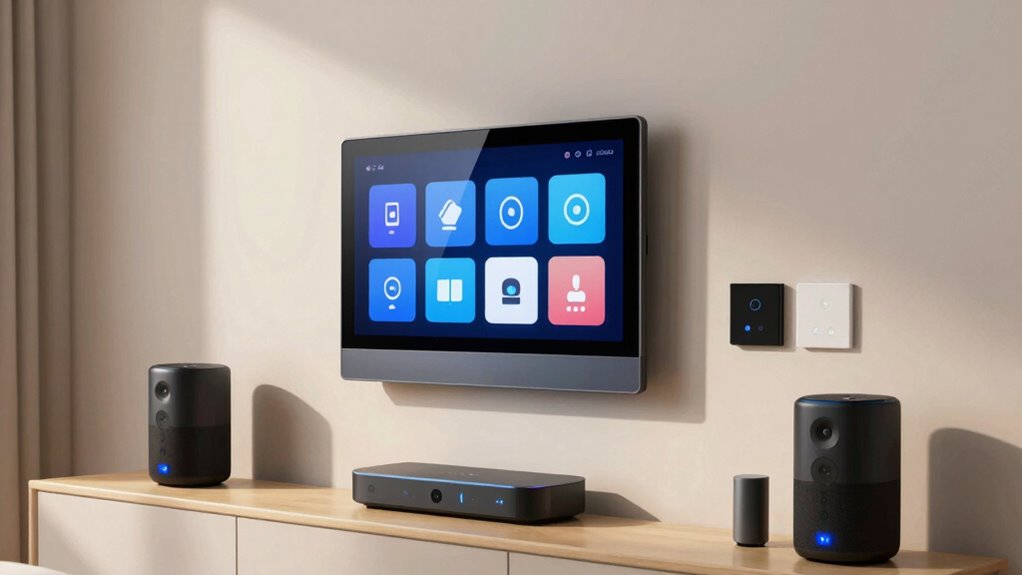
The Echo Hub (8-inch) is the clearest choice here for people who want Alexa control at a glance, not just a hub tucked away beside a router. Its customizable touchscreen can organize devices, camera views, and routines, while support for Zigbee, Thread, Matter, Wi-Fi, and BLE Mesh helps connect a varied smart home. Wall mounting or optional PoE can make it a convenient fixed control point.
Compared with the Hubitat Elevation C-8 Pro, this model puts visual access and Alexa-first convenience ahead of local automation depth. It is also less useful as a flexible room-to-room device: it is not designed for handheld use, and a tabletop stand or PoE setup requires separate accessories. Buyers who want a ready-made kit with bulbs and a plug may get more immediate setup value from the Amazon Smart Home Starter Kit, though that kit shares the Echo Hub’s fixed-panel approach.
Pros:- Customizable 8-inch touchscreen for device controls, cameras, and routines
- Supports Zigbee, Thread, Matter, Wi-Fi, and BLE Mesh
- Can be wall-mounted or powered through compatible PoE accessories
- Includes privacy controls and uses 27% recycled materials
Cons:- Tabletop stand and PoE accessories are separate
- Designed for fixed installation rather than handheld use
- Bluetooth HFP is not supported
Best for: Alexa-centered households that want a wall-mounted touchscreen for controlling devices, routines, and cameras
Not ideal for: Buyers who need a portable controller or want local automation features to take priority over a visual Alexa dashboard
- Display:8-inch touchscreen, 1280 × 800 resolution
- Smart home compatibility:Wi-Fi, BLE Mesh, Zigbee, Thread, Matter, Amazon Sidewalk (controller only)
- Wi-Fi:Dual-band 802.11a/b/g/n/ac
- Bluetooth:A2DP and AVRCP support; HFP not supported
- Audio:Pair of top-ported full-range stereo speakers
- Sensors:Passive infrared proximity sensor and ambient light sensor
- Power:USB-C PD, 5V/2.4A or 9V/3A; optional PoE via compatible USB-C converter
- Materials:27% recycled content; packaging is 97% wood fiber-based
Our verdict“Choose this Echo Hub for an Alexa-first wall control panel, not for portability or a hub built around local automation.”
Amazon Echo Hub 8″ Smart Home Control Panel
This Amazon Echo Hub suits buyers who want a dedicated, fixed Alexa interface for lights, plugs, cameras, locks, and routines. Its 8-inch customizable dashboard turns a compatible device collection into a visible control station, while Zigbee, Thread, Matter, BLE, and Wi-Fi support reduce the need for separate hubs for many devices. The included wall-mount hardware and power adapter also make its basic installation more straightforward than the redesigned Echo Hub listing, which describes optional accessories for some setups.
It is still a panel, not a portable smart display, and the separately sold tabletop stand adds another purchase for countertop use. Bluetooth support is limited to A2DP and AVRCP, with no HFP or PIN-code devices. Compared with the Hubitat Elevation C-8 Pro, this Echo is easier to approach through touch and Alexa, while Hubitat is the stronger fit for locally run, configurable automations.
Pros:- Customizable touchscreen for Alexa device controls, cameras, and routines
- Supports Wi-Fi, BLE, Zigbee, Thread, Matter, and Amazon Sidewalk as a controller
- Wall mount hardware and power adapter are included
- Has a microphone-off control and uses 27% recycled materials
Cons:- Tabletop stand is sold separately
- Not designed for portable use
- Bluetooth does not support HFP or PIN-code devices
Best for: Alexa households that want a fixed wall control panel with included mounting hardware and broad smart-device protocol support
Not ideal for: Buyers who need a portable device, Bluetooth hands-free support, or a tabletop setup without a separate stand
- Display:8-inch touchscreen, 1280 × 800 resolution
- Smart home compatibility:Wi-Fi, BLE Mesh, Zigbee, Thread, Matter, Amazon Sidewalk (controller only)
- Wi-Fi:Dual-band 802.11a/b/g/n/ac
- Bluetooth:A2DP and AVRCP; no HFP or PIN-code devices
- Audio:Pair of top-ported full-range stereo speakers
- Sensors:Passive infrared proximity sensor and ambient light sensor
- Included items:Echo Hub, 12.5 W power adapter with 6-foot cord, wall-mount hardware, quick start guide
- Power:USB-C PD 5V/2.4A or 9V/3A; optional compatible PoE setup
Our verdict“Choose this Echo Hub if you want a fixed Alexa touchscreen with mounting hardware included, and skip it if you need portability or broad Bluetooth profiles.”
Amazon Smart Home Starter Kit with Echo Hub, Smart Plug, and 4 Smart Bulbs
For a household starting from scratch, this bundle pairs the Echo Hub with an Amazon Smart Plug and four Amazon Basics smart bulbs. That gives buyers a control panel plus several devices to connect straight away, rather than the hub-only approach of the standard Amazon Echo Hub 8-inch. The touchscreen and support for Zigbee, Thread, Matter, Wi-Fi, and Bluetooth also leave room to add compatible devices beyond the included kit.
The bundle’s advantage is convenience, not portability or setup independence. An internet connection is required for setup, the optional stand is sold separately, and the Echo Hub is intended for fixed placement. Compared with the Homey Bridge, this is a more Alexa-focused way to begin with lights and a plug; Homey Bridge offers broader assistant compatibility and infrared support, but does not bundle those starter devices. Choose this kit when the included accessories match your first smart-home needs.
Pros:- Bundles an Echo Hub, Amazon Smart Plug, and four Amazon Basics smart bulbs
- 8-inch touchscreen provides a central device-control interface
- Supports Wi-Fi, Bluetooth, Zigbee, Thread, and Matter
- Hub can be wall-mounted
Cons:- Internet connection is required for setup
- Tabletop stand is sold separately
- Fixed-installation design is not suited to portable control
Best for: Alexa beginners who want a touchscreen hub, one smart plug, and four bulbs in a single starter setup
Not ideal for: Buyers who already own smart bulbs and plugs, want a portable controller, or cannot rely on an internet connection during setup
- Included items:Echo Hub, Amazon Smart Plug, four Amazon Basics smart bulbs
- Display:8-inch touchscreen, 1280 × 800 resolution
- Connectivity:Dual-band Wi-Fi, Bluetooth, Zigbee, Thread, Matter
- Dimensions:7.9 × 5.4 × 0.6 inches
- Weight:12.9 ounces (365 g)
- Power:12.5 W adapter included; compatible USB-C PD accessories supported
- Mounting:Wall-mountable; tabletop stand sold separately
- Warranty:1-year limited warranty
Our verdict“Choose the starter kit if you want an Alexa touchscreen and several basic devices together, but skip it if you already own the included accessories.”
Homey Pro (2026) Smart Hub for Home Automation – Z‑Wave Plus, Zigbee, Wi‑Fi, BLE, Infrared, Matter & Thread – Works with Siri, Alexa & Google Home
For an Alexa-compatible hub built to unite devices from different generations and brands, Homey Pro (2026) has the broadest stated protocol mix in this group, including Z-Wave Plus, Zigbee, infrared, Matter, Thread, Wi-Fi, and Bluetooth. Its support for more than 50,000 devices gives mixed-brand households room to build out without relying on a hub for just one product family. Local processing can also reduce cloud dependence, while Homey Flows offer a path from basic routines to more involved automations. Compared with the Aeotec Smart Home Hub, Homey claims a larger device ecosystem and includes infrared; the tradeoff is a setup that may feel less approachable. Alexa is supported, but buyers seeking an Alexa-first control screen may prefer an Echo Hub. The compact unit also needs a dedicated placement or wall mounting.
Pros:- Supports a wide range of protocols, including Z-Wave Plus, Zigbee, infrared, Matter, and Thread.
- Local-first processing reduces reliance on cloud services for home data and automations.
- Stated compatibility with more than 50,000 devices across over 1,000 brands.
- Homey Flows support basic routines and more advanced automation.
Cons:- The breadth of setup and automation options may be intimidating for first-time hub owners.
- Needs a suitable dedicated location or wall mounting.
- Its Alexa compatibility does not provide the built-in visual control panel of an Echo Hub.
Best for: Alexa households combining devices from many brands and protocols, especially buyers who want local processing and room for complex automations.
Not ideal for: Beginners who want a simple, screen-based Alexa controller or anyone unwilling to spend time configuring a broad automation system.
- Connectivity protocols:Z-Wave Plus, Zigbee, Wi-Fi, Bluetooth, infrared, Matter, and Thread
- Voice control:Amazon Alexa, Siri, and Google Home
- Compatible devices:More than 50,000 devices from over 1,000 brands
- Automation:Homey Flows; advanced scripting via web app
- Processing:Local-first, on-premise data processing
- Control method:App and voice
- Mounting:Wall mount
- Color:Black/Grey
Our verdict“Choose Homey Pro if your Alexa home spans many brands and protocols and you value local automation more than a beginner-simple setup.”
Lutron Caséta Smart Hub for Alexa, Apple HomeKit, Google Assistant, and More
The Lutron Caséta Smart Hub is a focused choice for Alexa users building around compatible Caséta dimmers, switches, and Serena shades. It supports schedules and app control for up to 75 Caséta devices, while Clear Connect technology keeps its device communications separate from everyday Wi-Fi traffic. That specialization is the point: unlike the multi-protocol Homey Pro (2026) or Aeotec Smart Home Hub, this is not a general-purpose bridge for a wide assortment of Zigbee and Z-Wave gadgets. It makes more sense when dependable lighting and shade control matter more than broad device coverage. The hub connects to a router and requires the Lutron app for setup, and compatible switches, dimmers, and accessories are purchased separately. Skip it if you want one hub to bring unrelated smart-device brands together.
Pros:- Supports control and scheduling for up to 75 Caséta devices.
- Works with Alexa, Apple HomeKit, Google Assistant, Ring, and Sonos.
- Clear Connect communication avoids competing with Wi-Fi devices.
- App-based control and schedules suit routine lighting and shade adjustments.
Cons:- Compatible dimmers, switches, and coordinating accessories are sold separately.
- Requires a router connection and setup through the Lutron app.
- Its device focus is narrower than Homey Pro or the Aeotec Smart Home Hub.
Best for: Alexa users planning a home around Caséta lighting controls and Serena shades who want schedules and app control for those devices.
Not ideal for: Buyers seeking a general-purpose hub for mixed Zigbee, Z-Wave, and Matter products, or anyone who has not chosen compatible Caséta devices.
- Maximum supported devices:75 Caséta devices
- Compatible platforms and devices:Amazon Alexa, Apple HomeKit, Google Assistant, Ring, Serena shades, and Sonos
- Connectivity:Router connection; Clear Connect technology
- Operating voltage:120 volts
- Temperature range:32 °F to 104 °F
- Dimensions:1.44 x 2.94 x 4.69 inches
- Material and color:Plastic; white
- Included:One smart hub
Our verdict“Pick the Caséta hub when your Alexa setup centers on Lutron lighting and shades, not when you need a broad multi-brand smart-home bridge.”
SwitchBot Hub 3 (3rd Gen) Smart Home Hub with 2.4″ IPS Screen, Knob Control, WiFi Thermometer/Hygrometer, IR Remote, Matter/Bluetooth, Alexa/Google/Apple Home Compatible
The SwitchBot Hub 3 stands apart from the Aeotec and Homey hubs by giving Alexa users a physical interface: a 2.4-inch screen, rotary knob, and customizable scene buttons. That makes quick manual adjustments less dependent on opening an app or speaking a command, while the built-in temperature and humidity readings add useful room context. It also brings infrared appliances, SwitchBot devices, and Matter-compatible products into one control point. The limit is its infrared reach: it does not support RF appliances, so some ceiling fans and other remotes will remain outside its scope. Compared with the screen-focused Echo Hub, this is more of a compact desk-side controller with sensors and a knob than a dedicated Alexa panel. Check device compatibility before treating it as a universal hub.
Pros:- Combines IR appliance control with SwitchBot devices and Matter-compatible products.
- IPS screen displays temperature, humidity, lock status, and other information.
- Rotary knob and customizable scene buttons offer direct physical control.
- Supports Alexa, Google Assistant, and Apple Home.
Cons:- Infrared support does not extend to RF-controlled appliances such as some ceiling fans.
- Its listed connectivity is narrower than Homey Pro or the Aeotec Smart Home Hub.
- Device compatibility depends on the appliance or accessory working with the hub.
Best for: Alexa users who want tactile scene control, at-a-glance temperature and humidity readings, and support for compatible IR appliances.
Not ideal for: Households relying on RF-controlled fans or buyers seeking a broad Z-Wave hub for a large mix of non-SwitchBot devices.
- Display:2.4-inch IPS screen
- Connectivity:2.4 GHz Wi-Fi, Bluetooth, and Matter Bridge
- Voice assistants:Amazon Alexa, Google Assistant, and Apple Home
- Control features:Rotary knob, customizable scene buttons, and IR remote control
- Sensors:Temperature and humidity
- Dimensions:3.7 x 1.5 x 4.96 inches
- Weight:1.1 pounds
- Model number:W7202100
Our verdict“Choose SwitchBot Hub 3 if you want Alexa-linked control with a useful screen and knob, and your key appliances use compatible infrared remotes.”
Aeotec Smart Home Hub – SmartThings, Z‑Wave, Zigbee, Matter, Alexa & Google Assistant compatible
The Aeotec Smart Home Hub suits Alexa households that want SmartThings as the organizing layer for compatible lights, comfort devices, and other connected gear. Its combination of Zigbee, Z-Wave, Matter, Wi-Fi, and Alexa support makes it broader than the Caséta hub, which is aimed at Lutron controls, while its stated local automations can help routines run with less cloud dependence. Setup is offered through the SmartThings app over Wi-Fi or Ethernet, giving buyers a choice of wireless placement or a wired connection. Compatibility still depends on the individual device, so the protocol list is not a guarantee that every gadget will work. Compared with Homey Pro, it has a more SmartThings-centered approach and a narrower stated ecosystem. It is also intended for the North American market, a meaningful limitation for international buyers.
Pros:- Supports Matter, Z-Wave, Zigbee, Wi-Fi, Alexa, and Google Assistant.
- Local automation is available through SmartThings.
- Setup supports Wi-Fi or wired Ethernet.
- Works with iOS, Android, and iPadOS devices.
Cons:- Designed for the North American market.
- Device compatibility varies, and some products require a separate hub.
- Z-Wave Plus support is identified as limited to the V3 model.
Best for: North American Alexa users who want to organize compatible Zigbee, Z-Wave, and Matter devices through the SmartThings app.
Not ideal for: Buyers outside North America, people whose devices need a separate bridge, or users seeking Homey Pro’s wider stated brand ecosystem.
- Model:V3 – Smart Home Hub (2020)
- Model number:GP-AEOHUBV3US
- Connectivity:Ethernet, Wi-Fi, Z-Wave, Zigbee, and Matter
- Controller compatibility:Amazon Alexa, Google Assistant, SmartThings, Ring, iOS, and Android
- Automation:Local automations via SmartThings
- Weight:1.1 pounds
- Color:White
- Warranty:1 year
Our verdict“Choose Aeotec if you want an Alexa-compatible SmartThings hub for a compatible North American device mix and do not need Homey Pro’s wider stated ecosystem.”
Yoolax Zigbee Matter Smart Hub with Alexa and Google Home Compatibility
The Yoolax Zigbee Matter Smart Hub is the straightforward plug-in option in this group: it is specified for up to 128 compatible devices and offers app and voice control through Alexa or Google Assistant. Its Zigbee and Matter support, paired with Sub-GHz transmission intended to reduce Wi-Fi interference, may appeal to buyers building a focused system without the broader protocol set of Homey Pro or the SmartThings-centered Aeotec hub. That simpler scope is also a limitation. The product data does not establish broad compatibility beyond devices that work with this hub, and coverage may require a hub on each floor in a multi-level home. It also lacks the SwitchBot Hub 3’s screen and manual controls. Choose it for a compatible Zigbee/Matter setup; do not assume it will replace every brand-specific bridge.
Pros:- Supports up to 128 compatible smart-home devices.
- Works with Amazon Alexa and Google Assistant.
- Offers app-based remote control as well as voice control.
- Sub-GHz transmission is designed to reduce Wi-Fi interference.
Cons:- Compatibility depends on devices working with the Yoolax hub.
- Multi-level homes may need a hub on each floor.
- The stated protocol set is narrower than Homey Pro or the Aeotec Smart Home Hub.
Best for: Alexa users setting up a focused Zigbee and Matter system who prefer a plug-in hub and app or voice control.
Not ideal for: Owners of mixed-protocol devices needing Z-Wave, infrared, or broad brand support, and people covering a large multi-level home with one hub.
- Connectivity protocols:Matter and Zigbee
- Compatible devices:Up to 128
- Voice assistants:Amazon Alexa and Google Assistant
- Control methods:Voice and app
- Connector type:Plug-in
- Signal coverage:590 inches
- Dimensions:3.5 x 3.5 x 0.9 inches
- Material:Plastic
Our verdict“Choose Yoolax for a compatible Zigbee and Matter setup with Alexa voice control, but look elsewhere for mixed-protocol coverage or multi-floor reach.”
Homey Pro mini Smart Home Hub with Zigbee, Ethernet, Matter, and Thread
The Homey Pro mini suits Alexa households that want a hub to do more than relay voice commands. It supports Zigbee, Matter, and Thread, and its local control can keep automations running when the internet is down. That makes it a stronger fit for multi-brand setups than the Echo Hub with Amazon Basics Smart Color Bulb, which is an easier way to start with Alexa-controlled lighting but centers on Alexa routines. Homey also adds energy monitoring, dashboards, and sensor alerts, with no subscription required. The tradeoff is protocol coverage: Z-Wave, Bluetooth, and infrared require a separately sold Homey Bridge, so buyers with devices using those connections may need extra hardware. Choose this for flexible automation, not for an all-protocol hub in one box.
Pros:- Local control can keep automations running during internet outages.
- Supports Zigbee, Matter, and Thread.
- Works with more than 1,000 smart home brands.
- Includes energy monitoring, dashboards, and sensor alerts without a subscription.
Cons:- Z-Wave, Bluetooth, and infrared require a separately sold Homey Bridge.
- Its broader automation features may be more than a simple Alexa lighting setup needs.
Best for: Alexa users building a multi-brand home who want local automations, energy monitoring, and no monthly subscription.
Not ideal for: Households that rely on Z-Wave, Bluetooth, or infrared devices and want those protocols built into the hub without buying a separate bridge.
- Protocols:Zigbee, Matter, Thread, Ethernet
- Voice assistant compatibility:Amazon Alexa, Apple Siri, Google Assistant
- Supported brands:More than 1,000
- Local control:Supports local control and automations
- Additional features:Energy monitoring, dashboards, sensor alerts
- Subscription:No monthly subscription required
- Color and material:Black; plastic
Our verdict“Choose the Homey Pro mini if you want Alexa-compatible, multi-brand automations that can run locally and do not mind adding a bridge for some protocols.”
Echo Hub with Amazon Basics Smart Color Bulb
This bundle is the most direct route in this group to Alexa-controlled smart lighting: it pairs an Echo Hub with a color-changing bulb, so there is a device to control from the start. Setup is designed around asking Alexa to discover the bulb, then using voice commands, schedules, and routines in the Alexa app. Compared with the Homey Pro mini, this kit is narrower in scope; Homey is the better match for local, multi-brand automation and energy monitoring, while this bundle keeps the first step focused on lighting. Remote light control is useful when you are away, and additional devices can expand the system. The main limitation is that the bulb is only a starting point: broader smart-home coverage means buying more devices, and this listing does not specify protocol support beyond Alexa control.
Pros:- Includes both an Echo Hub and a smart color bulb.
- Supports Alexa voice commands, schedules, and custom routines.
- Lights can be controlled remotely.
- Provides a straightforward starting point that can be expanded with additional devices.
Cons:- The included smart device is limited to one bulb, so expansion requires additional purchases.
- The product data does not specify support for Zigbee, Thread, Matter, or other protocols.
Best for: Alexa beginners who want a hub and one color bulb together for voice control, schedules, and basic lighting routines.
Not ideal for: Buyers planning a multi-protocol smart home or seeking detailed local automation features like those offered by the Homey Pro mini.
- Included items:Echo Hub and Amazon Basics Smart Color Bulb
- Voice control:Alexa
- Setup:Connect the hub, install the bulb, and ask Alexa to discover devices
- Lighting controls:Voice commands, schedules, and custom routines via the Alexa app
- Remote control:Control lights from anywhere
- Expansion:Can be expanded with additional smart home devices
Our verdict“Pick this bundle if you want a simple Alexa lighting setup in one kit, but choose a broader hub if you already have varied smart devices.”
SwitchBot Hub 2 (2nd Gen) Smart Home Hub with Thermometer, Hygrometer, IR Remote, and Light Sensor
The SwitchBot Hub 2 is a focused Alexa-compatible pick for people who want room readings and control of infrared appliances, rather than a broad hub for dozens of device types. Its temperature, humidity, and light sensors can feed remote monitoring and scenes, while the IR learning feature can handle compatible appliances such as air conditioners. That gives it a different job from the Echo Hub with Amazon Basics Smart Color Bulb, which is a simpler entry point for Alexa lighting, and from the Homey Pro mini, which targets wider multi-brand automation. SwitchBot also supports Alexa, Google Home, and Apple Home, with Matter support for compatible SwitchBot devices. The limits matter: Wi-Fi is 2.4 GHz only, the listed device capacity is six, and broader HomeKit device support is not specified.
Pros:- Measures temperature, humidity, and light for remote monitoring and scene triggers.
- Learns infrared commands for compatible appliances.
- Works with Alexa, Google Home, and Apple Home.
- Two buttons provide direct control of appliances or scenes.
Cons:- Wi-Fi support is limited to 2.4 GHz.
- Supports a maximum of six devices according to the listed specifications.
- Matter-based HomeKit support is described for compatible SwitchBot devices, with broader support pending.
Best for: Alexa users who want temperature, humidity, and light readings to trigger scenes, or want to control compatible IR appliances such as an air conditioner.
Not ideal for: Buyers seeking a large-capacity, multi-protocol hub or broad Matter-based HomeKit support across devices beyond compatible SwitchBot products.
- Connectivity:Wi-Fi (2.4 GHz), Bluetooth
- Temperature accuracy:±0.36°F
- Humidity accuracy:±1.8% RH
- Maximum supported devices:6
- Maximum range:10 meters
- Compatible devices:Air conditioners
- Controller compatibility:Amazon Echo, Google Assistant, IFTTT, Siri Shortcuts, SmartThings
- Additional features:Light sensor, IR remote control, Matter support for compatible SwitchBot devices
- Power and weight:No batteries required; 36 g
Our verdict“Choose the SwitchBot Hub 2 if sensor-triggered scenes and IR appliance control matter more than broad device capacity or extensive protocol coverage.”
How We Picked
I compared these hubs as choices for an Alexa-connected home, not as interchangeable control boxes. The main criteria were Alexa compatibility, the breadth of supported radios and standards, the role each product plays in a setup, and how clearly its features address a real household need. I also weighed setup simplicity against automation flexibility, and considered whether a screen, included accessories, Ethernet, or built-in environmental and infrared controls add practical value.
The ranking favors hubs that can serve a wider range of devices and use cases without making Alexa support an afterthought. Products with a narrower focus still earn a place when that focus can be an advantage, such as a starter bundle, a lighting-specific system, or a compact hub with sensors and remote control. Closely related Echo and SwitchBot options are treated as alternatives for different starting points, rather than as automatic upgrades over one another. Every pick has a tradeoff: buyers should confirm device and feature compatibility before building around any hub.
Factors to Consider When Choosing Smart Home Hub Compatible With Alexa
Before choosing a hub, I would start with the devices you already own and the jobs you want Alexa to handle. A product list can look broad on a box while still missing a particular device, protocol, or automation feature that matters at home. These factors help separate a convenient control panel from a true multi-device automation hub.
Match the Hub to Your Existing Devices
Make a short inventory of devices you plan to keep, including their brand, connection type, and any required bridge or app. A hub may list Zigbee or Z-Wave support without supporting every device using those standards, so check the manufacturer’s compatibility information for your specific models. Matter can help devices from different brands work together, but it does not guarantee that every feature appears in every platform. Avoid buying around a theoretical future setup if your current devices use a different standard. For a mixed household, broad protocol support may be worth more than a screen or bundle. For a mostly single-brand setup, a focused hub can be simpler to manage.
Separate Alexa Control From Hub Automation
“Works with Alexa” can mean a device responds to voice commands, while the hub itself may offer different levels of automation. Check whether the routines you want run through Alexa, the hub’s own app, or a cloud service. That distinction matters for complex rules, device-to-device actions, and what happens during an internet outage. Do not assume that Alexa compatibility means every hub feature can be controlled by voice. If you mainly want to switch lights or plugs, an Alexa-focused panel may be enough. If you want detailed cross-device rules, prioritize automation tools and confirm how they connect to Alexa.
Choose Radios for the Devices You Plan to Add
Wi-Fi, Zigbee, Z-Wave, Bluetooth, Thread, and infrared solve different connection problems, so more radios are useful only when your devices need them. Infrared can help control compatible appliances that use a traditional remote, while Zigbee and Z-Wave often appear in dedicated sensors and switches. Thread and Matter can support newer cross-brand setups, but their presence does not replace checking device-level support. A common mistake is buying a hub with many standards and expecting it to control every product in the home. Look at the devices you own now and the ones you are likely to add next. Pick a combination that covers those needs rather than chasing the longest feature list.
Decide Whether a Screen Is Worth the Space
A touchscreen can make shared control easier for family members or guests who do not want to use voice commands or open an app. It also takes a visible spot on a wall or counter and adds another interface to maintain. A screen is less useful if everyone already relies on phones, voice routines, or physical switches. Consider where the panel would go and which controls should be available at a glance. The Echo Hub options center on this kind of direct Alexa access, while dedicated automation hubs put more emphasis on device connections and rules. Choose a display for shared, immediate control—not just because it looks like the most complete hub.
Weigh Setup Simplicity Against Automation Depth
A bundled starter kit can help a first-time buyer get several devices working together without assembling a shopping list. A standalone hub may be a better fit if your home already has bulbs, plugs, sensors, or switches. More advanced automation options can offer finer control, but they may take more time to configure and troubleshoot. Think about who will maintain the system after setup and whether that person wants to manage detailed rules. For a simple routine-driven home, ease of onboarding can matter more than extensive customization. For a growing or mixed-brand system, flexibility may justify a steeper learning curve.
Check Placement, Network Needs, and Expansion
Hub placement can affect both convenience and wireless reach, so consider whether the device needs to sit near a router, connect over Ethernet, or be mounted where people can reach it. A central location may help with wireless devices, but it may not be practical for a screen or a hub that relies on a wired connection. Also check whether the hub can support the number and type of devices you expect to add, rather than only the first few items. Do not buy a compact model solely for its size if it lacks a connection method your network requires. A little planning around location and future growth can prevent a second hub from becoming necessary. Match the hub’s physical role to the room and network it will serve.
Frequently Asked Questions
Does Alexa compatibility mean every device connected to a hub will respond to voice commands?
No. Compatibility can depend on the hub, the device, and the way the hub exposes controls to Alexa. Some devices may appear with basic on-and-off commands while other features remain available only in the hub’s own app. Check the specific device and function you want to control before buying. It is also useful to confirm whether routines can use that device as a trigger, since voice control and automation support are not always identical. If a particular feature matters, verify it rather than relying on a general Alexa-compatible label.
Should I buy an Echo Hub or a separate automation hub?
Choose an Echo Hub if you want a dedicated touchscreen for Alexa controls in a shared or convenient location. A separate automation hub is a stronger fit when your priority is connecting a wider mix of radios or building more involved device rules. Some homes may use both roles, but that can add another interface and more setup work. Start by deciding whether your main problem is access to controls or device compatibility. Then check whether the Echo Hub or the standalone hub supports the specific devices and routines you already use.
Is Matter support enough to make a hub a safe choice for future devices?
Matter support can improve interoperability across participating brands, but it is not a promise that every future device or feature will work with every hub. Device makers and platforms may support different functions, and some products still rely on other radios or brand-specific apps. Thread support can also matter for certain Matter devices, so check both standards where relevant. If you own Zigbee, Z-Wave, or infrared devices, Matter alone will not replace those connections. Treat Matter as one useful part of a compatibility plan, not as the only specification to check.
Can I use a hub with Alexa if my internet connection goes down?
That depends on which functions are handled locally and which rely on Alexa or a cloud service. A hub may keep some local automations running during an outage, while voice control through Alexa may be unavailable. Product support and configuration can affect the result, so check the maker’s details for offline behavior before relying on it. If outage resilience matters, test the exact routines and devices you depend on. Do not assume that a hub’s Alexa compatibility means Alexa commands will work without an internet connection.
Is a starter kit a better first purchase than choosing a hub and devices separately?
A starter kit can simplify a first setup by pairing a hub with a small set of compatible accessories, which is useful if you are starting from scratch. It may be a poor fit if you already own bulbs or plugs from another system, since included items can duplicate what you have. Check whether the kit’s devices suit the rooms and controls you want rather than choosing it only for convenience. If you have a mixed-brand home, a standalone hub may give you more freedom to select each device. Compare the bundle’s included components with your actual needs before deciding.
Conclusion
For the broadest mix of device connections in this lineup, my best overall recommendation is Homey Pro (2026). Buyers who want a more approachable multi-protocol option can look to Homey Bridge, while the best choice for Alexa beginners is an Echo Hub setup—especially the Amazon Smart Home Starter Kit for a home that needs its first accessories. For a display-centered control point, compare the Echo Hub models based on whether you want the panel alone or a bundled bulb. Choose Lutron Caséta for a lighting-focused system, or SwitchBot Hub 3 if its screen, knob, environmental readings, and IR control suit your needs. For buyers prioritizing advanced automation, assess Hubitat Elevation C-8 Pro against the broader Homey options, and verify device compatibility before committing.