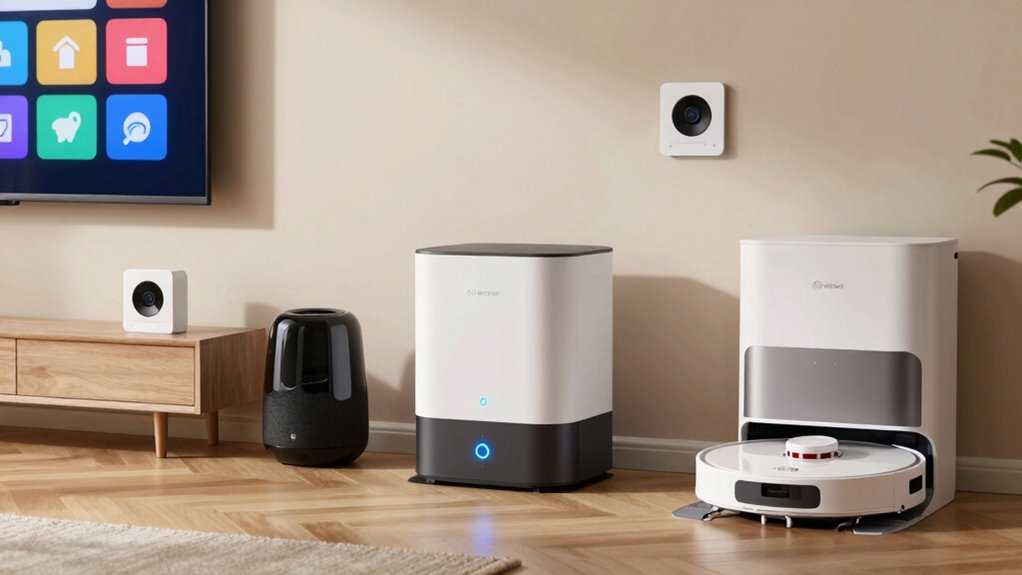

A Matter-compatible smart home hub can connect devices across ecosystems, but Matter support alone does not tell you which products it will control. My best overall pick is the Homey Pro (2026) for its broad mix of protocols, while the Aqara Hub M200 stands out for buyers who want Zigbee, Thread, Wi-Fi, and IR in one hub. The Hubitat Elevation C-8 Pro is a stronger fit for people who value local automations and detailed control. The tradeoffs are protocol coverage, setup effort, and whether a hub supports your specific devices—not just the Matter label. Read on for the full comparison and help matching a hub to your home.

Get furniture and decor delivered free with Prime
- Fast, free delivery on millions of items
- Prime Video, Amazon Music and more included
- Member-only deals all year
Complete the kit


Key Takeaways
- Broad protocol coverage separates the flexible picks: Homey Pro (2026) combines Matter and Thread with Zigbee, Z-Wave Plus, Bluetooth, Wi-Fi, and infrared, while several smaller hubs focus on a narrower set.
- Matter compatibility is not universal device compatibility: check whether the hub supports the device’s underlying protocol and the features you need, especially for sensors, locks, and older accessories.
- Setup effort varies as much as hardware: Homey Pro Mini and Hubitat suit buyers willing to configure automations, while simpler, ecosystem-focused hubs can be a better starting point.
- Some hubs are designed around a specific brand or device family: YEELIGHT E1 is explicitly limited to Yeelight Matter devices, so its scope is much narrower than the general-purpose picks.
- Extra radios can reduce the need for separate bridges: models with Zigbee, Thread, or IR may consolidate devices, but buyers should confirm which protocols work together and what each hub can control.
| SwitchBot Hub 3 (3rd Gen) Smart Home Hub with 2.4″ IPS Screen & Knob Control |  | Best for Hands-On Controls | Display: 2.4-inch IPS screen | Connectivity: 2.4GHz Wi-Fi, Bluetooth, Matter | Supported devices: Infrared appliances, SwitchBot devices, Matter devices | VIEW ON AMAZON | See Our Full Breakdown |
| Aqara Smart Hub M200, Matter Controller with Zigbee, Wi-Fi, IR, Thread Border Router |  | Best Multi-Protocol Value | Protocols and features: Matter Controller, Zigbee, Thread Border Router, Wi-Fi, IR | Device capacity: Up to 40 Aqara Zigbee devices and 40 Thread devices | Connectivity: 2.4/5GHz Wi-Fi, PoE, USB-C, IR, Bluetooth | VIEW ON AMAZON | See Our Full Breakdown |
| Homey Pro Mini | Smart Home Hub for Home Automation with Zigbee, Ethernet, Matter & Thread |  | Best for Local Automation | Supported protocols: Zigbee, Matter, Thread, Ethernet | Voice assistant compatibility: Apple Siri, Amazon Alexa, Google Home | Local control: Local automation without subscription fees | VIEW ON AMAZON | See Our Full Breakdown |
| Aqara Smart Home Hub M3 for Advanced Automation, Matter Controller, IR |  | Best Premium Local-Control Hub | Model: HM-G01E | Supported protocols: Zigbee, Thread, Bluetooth, 2.4/5GHz Wi-Fi, PoE | Matter compatibility: Matter Controller and bridge functionality | VIEW ON AMAZON | See Our Full Breakdown |
| SONOFF Bridge Max Smart Home Hub (Bridge-M) |  | Best for Bridging Existing Zigbee Devices | Device role: Matter bridge and Zigbee gateway; not a Matter Controller | Supported device ecosystems: Zigbee, BTHome, eWeLink | Connectivity: Wi-Fi, Ethernet, Zigbee | VIEW ON AMAZON | See Our Full Breakdown |
| Linkind Matter Smart Hub 2, Real-Time Battery & Energy Tracking |  | Best for Outdoor Lighting | Protocols: Bluetooth, Matter, Wi-Fi | Compatible platforms: Amazon Alexa, Google Home, Apple Home, SmartThings | Supported lights: Up to 200 BLE Mesh outdoor lights | VIEW ON AMAZON | See Our Full Breakdown |
| Homey Pro (2026) | Smart Home Hub with Z-Wave Plus, Zigbee, Wi-Fi, BLE, Infrared, Matter & Thread |  | Best for Multi-Protocol Homes | Protocols: Bluetooth, infrared, Matter, Wi-Fi, Z-Wave, Zigbee | Device compatibility: More than 50,000 devices from over 1,000 brands | Control: App and voice | VIEW ON AMAZON | See Our Full Breakdown |
| Yoolax Zigbee Matter Smart Hub, Compatible with Alexa and Google Home |  | Best for Yoolax Zigbee Devices | Protocols: Matter, Zigbee | Device capacity: Up to 128 smart-home devices; some features limited to 16 | Voice control: Amazon Alexa, Google Assistant | VIEW ON AMAZON | See Our Full Breakdown |
| Matter Smart Home Hub M1 Pro, Thread Border Router, Zigbee and IR Hub |  | Best for Matter, Thread, and IR | Protocols: Matter, Zigbee, Thread | Connectivity: Ethernet, Wi-Fi 5 (802.11n), USB-C | Zigbee device capacity: Up to 128 devices | VIEW ON AMAZON | See Our Full Breakdown |
| Aqara Smart Hub M100 for Home Automation, Matter Controller, Wi-Fi |  | Best for Aqara Zigbee and Thread | Protocols: Zigbee, Thread | Compatible platforms: Apple Home, Amazon Alexa, Home Assistant | Supported devices: Lights, thermostats, plugs, switches, sensors | VIEW ON AMAZON | See Our Full Breakdown |
| Aeotec Smart Home Hub 2 V4 – SmartThings Hub, Zigbee & Matter Gateway, Alexa & Google Assistant compatible (Wi‑Fi only) |  | Best for SmartThings Homes | Model: V4 – Smart Home Hub 2 (2025) | Color: White | Operating system: SmartThings | VIEW ON AMAZON | See Our Full Breakdown |
| Matter Smart Home Hub M6, Zigbee Gateway with Antenna |  | Best for Broad Zigbee Device Capacity | Model: M6 | Protocols and platforms: Zigbee, Matter, Tuya, Google Home, SmartThings | Connectivity: Zigbee, USB, Wi-Fi 802.11ac/ax | VIEW ON AMAZON | See Our Full Breakdown |
| Hubitat Elevation C-8 Pro Smart Home Hub – Z-Wave, Zigbee, Matter, Alexa, Google Home, Apple HomeKit |  | Best for Advanced Local Automation | Dimensions: 2.95 x 3.23 x 0.67 inches | Weight: 2.56 ounces | Protocols: Z-Wave 800 Series with Long Range, Zigbee 3.0, Matter 1.5, Bluetooth | VIEW ON AMAZON | See Our Full Breakdown |
| YEELIGHT E1 Smart Home Hub, Matter Controller and Thread Border Router, Wi-Fi and Ethernet Gateway, Works with Apple Home, Alexa, Google Home and SmartThings, Support YEELIGHT Matter Device Only |  | Best for Yeelight Matter Lighting | Brand: YEELIGHT | Model: YP-0751 | Connectivity technology: Wi-Fi, Ethernet (as stated in product title) | VIEW ON AMAZON | See Our Full Breakdown |
| smart home hub matter compatible | Dimensions | Protocols |
|---|---|---|
| SwitchBot Hub 3 | 3.7 x 1.5 x 4.96 inches | — |
| Aqara Smart Hub M200 | 3.93 x 3.93 x 1.21 inches | — |
| Homey Pro Mini | Smart Home Hu | — | — |
| Aqara Smart Home Hub M3 for Ad | — | — |
| SONOFF Bridge Max Smart Home H | — | — |
| Linkind Matter Smart Hub 2 | 2.5 x 2.5 x 0.9 in | Bluetooth, Matter, Wi-Fi |
| Homey Pro | Listed as 4.9 x 4.9 in; third dimension not provided | Bluetooth, infrared, Matter, Wi-Fi, Z-Wave, Zigbee |
| Yoolax Zigbee Matter Smart Hub | 3.5 x 3.5 x 0.9 in | Matter, Zigbee |
| Matter Smart Home Hub M1 Pro | 95 x 95 x 24 mm | Matter, Zigbee, Thread |
| Aqara Smart Hub M100 for Home | — | Zigbee, Thread |
| Aeotec Smart Home Hub 2 V4 | — | Matter, Zigbee, SmartThings |
| Matter Smart Home Hub M6 | — | — |
| Hubitat Elevation C-8 Pro Smar | 2.95 x 3.23 x 0.67 inches | Z-Wave 800 Series with Long Range, Zigbee 3.0, Matter 1.5, Bluetooth |
| YEELIGHT E1 Smart Home Hub | — | — |
More Details on Our Top Picks
SwitchBot Hub 3 (3rd Gen) Smart Home Hub with 2.4″ IPS Screen & Knob Control
The SwitchBot Hub 3 is a strong fit if you want a visible control point for Matter devices and everyday infrared appliances, rather than a hub that disappears into a closet. Its 2.4-inch screen, knob, and physical buttons make scenes and home readings accessible without opening an app. It also bridges SwitchBot products and a broad range of IR-controlled equipment, which gives it a different role from the Aqara Smart Hub M200: the M200 adds Zigbee and Thread support, while SwitchBot emphasizes direct, tactile control and IR coverage.
The tradeoff is that IR only handles compatible infrared appliances, not RF devices, and the hub relies on 2.4GHz Wi-Fi. Choose it if screen-based control matters; skip it if your priority is a more protocol-dense hub with native Zigbee and Thread support.
Pros:- Bridges Matter-compatible products with SwitchBot devices and a wide range of IR appliances.
- The 2.4-inch IPS screen makes home readings and status visible at a glance.
- Knob and physical buttons provide a direct alternative to app-only control.
- Temperature and humidity sensing adds useful local room information.
Cons:- Infrared support does not cover RF-controlled appliances.
- Requires a 2.4GHz Wi-Fi network for optimal performance.
- Its protocol mix is less extensive than the Aqara Smart Hub M200, which supports Zigbee and Thread.
Best for: Households with SwitchBot devices and IR-controlled TVs or appliances that want quick physical scene controls and a screen for home readings.
Not ideal for: Buyers building around Zigbee or Thread devices, or anyone who needs to control RF appliances rather than infrared models.
- Display:2.4-inch IPS screen
- Connectivity:2.4GHz Wi-Fi, Bluetooth, Matter
- Supported devices:Infrared appliances, SwitchBot devices, Matter devices
- Controls:Knob, physical buttons, app control
- Sensor:Temperature and humidity; stated accuracy ±0.2°C
- Bluetooth range:Up to 200m
- Dimensions:3.7 x 1.5 x 4.96 inches
- Weight:1.1 pounds
Our verdict“Choose the SwitchBot Hub 3 if you value a screen and physical controls alongside Matter and IR bridging more than broad Zigbee and Thread coverage.”
Aqara Smart Hub M200, Matter Controller with Zigbee, Wi-Fi, IR, Thread Border Router
The Aqara Smart Hub M200 stands out for combining the jobs many Matter setups otherwise split across separate devices: it is a Matter Controller, Thread Border Router, Zigbee hub, and IR blaster. That makes it a flexible starting point for homes mixing newer Matter and Thread products with Aqara Zigbee sensors. Compared with the SwitchBot Hub 3, the M200 offers a broader protocol mix, while SwitchBot is the more appealing pick for a built-in screen and tactile knob control.
Local automation can keep supported routines running without an internet connection, and PoE gives installation flexibility beyond a standard wireless placement. The compromises are practical: the power adapter is not included, and some features depend on app or third-party support. Its IR devices may also have limited Matter exposure. Pick it for protocol range and local routines; skip it if you want a simple, complete-in-box setup or a display-led controller.
Pros:- Combines Matter Controller, Thread Border Router, Zigbee hub, and IR blaster functions.
- Supports up to 40 Aqara Zigbee devices and 40 Thread devices.
- Local automation can keep supported routines operating without internet access.
- PoE and USB-C provide flexible installation and power options.
Cons:- Power adapter is not included.
- Some integrations and features depend on third-party app support.
- IR functionality may expose only one device to Matter.
Best for: Smart-home builders combining Aqara Zigbee sensors, Thread devices, and Matter ecosystems who want local automation and optional PoE installation.
Not ideal for: Beginners seeking a ready-to-use package with a supplied power adapter, or buyers who want a screen and physical controls like the SwitchBot Hub 3.
- Protocols and features:Matter Controller, Zigbee, Thread Border Router, Wi-Fi, IR
- Device capacity:Up to 40 Aqara Zigbee devices and 40 Thread devices
- Connectivity:2.4/5GHz Wi-Fi, PoE, USB-C, IR, Bluetooth
- Compatible platforms:Apple HomeKit, Alexa, Google Home, Home Assistant, SmartThings
- Automation:Local automation
- Built-in speaker:Alerts, doorbell sounds, and custom messages
- Dimensions:3.93 x 3.93 x 1.21 inches
- Weight:4.6 ounces
Our verdict“Choose the M200 if you need one hub for Aqara Zigbee, Thread, Matter, and IR, and can accommodate its adapter and integration limits.”
Homey Pro Mini | Smart Home Hub for Home Automation with Zigbee, Ethernet, Matter & Thread
The Homey Pro Mini is aimed at buyers who want a local-first automation hub with Matter, Thread, Zigbee, and Ethernet, rather than a screen or an IR remote built into the hub. Its no-subscription approach and support for major voice assistants make it a compelling option for households that want routines and device control across ecosystems. Compared with the Aqara Smart Hub M200, it shares Zigbee, Thread, and Matter ambitions but does not list IR or PoE; the M200 is the more versatile choice for appliance control and flexible power.
The Homey’s main tradeoff is expansion: Z-Wave, Bluetooth, and infrared require a separately purchased Homey Bridge. Setup and integrations may also ask more of buyers than a straightforward single-brand hub. Choose the Mini if local automation and a subscription-free platform matter most; skip it if you need broad radio coverage from the box or a simpler path to appliance control.
Pros:- Supports Matter, Thread, Zigbee, and Ethernet in one hub.
- Local control and automation are available without a subscription.
- Works with Siri, Alexa, and Google Home.
- Includes real-time energy monitoring and alerts according to the product description.
Cons:- Z-Wave, Bluetooth, and infrared support require a separately purchased Homey Bridge.
- Its integration and setup options may be complex for beginners.
- Unlike the Aqara Smart Hub M200, it does not list built-in IR or PoE.
Best for: Automation-focused households that want local routines, Matter, Thread, Zigbee, and voice-assistant links without a subscription.
Not ideal for: Buyers who need Z-Wave, Bluetooth, or infrared support without extra hardware, or who prefer a simpler setup with built-in IR.
- Supported protocols:Zigbee, Matter, Thread, Ethernet
- Voice assistant compatibility:Apple Siri, Amazon Alexa, Google Home
- Local control:Local automation without subscription fees
- Energy features:Real-time energy monitoring and alerts
- Included components:Homey Pro Mini
- Additional hardware:Homey Bridge required for Z-Wave, Bluetooth, and infrared support
- Model:HOMEY-PRO-MINI-US-01
Our verdict“Pick the Homey Pro Mini for subscription-free, local automation across Matter, Thread, and Zigbee, provided its missing radios are not deal-breakers.”
Aqara Smart Home Hub M3 for Advanced Automation, Matter Controller, IR
The Aqara M3 is the most feature-rich fit here for buyers who want local automation, multiple radios, and wired power in a single hub. Its Matter support sits alongside Zigbee, Thread, Bluetooth, and dual-band Wi-Fi, while the 360° IR blaster with feedback and learning can bring compatible air-conditioning controls into an automation setup. Compared with the M200, the M3 adds encrypted local storage and a more explicitly advanced local-control focus; the M200 remains a lighter option with a similar broad protocol mix and built-in speaker.
The M3’s limits matter: only one air-conditioner device can be exposed to Matter at a time, full Thread capacity requires additional repeaters, and the USB-C adapter is not included. Its lack of a microphone or camera may appeal to privacy-conscious buyers, but this is more hub than a basic Matter household needs. Choose it for advanced local routines and IR control, not simplicity.
Pros:- Combines Matter, Zigbee, Thread, Bluetooth, and dual-band Wi-Fi support.
- Local automation and 8GB encrypted storage support a privacy-focused setup.
- 360° IR blaster offers learning and status feedback for compatible appliances.
- PoE and USB-C provide wired or wireless installation flexibility.
Cons:- Only one air-conditioner device can be exposed to Matter at a time.
- Full Thread capacity requires additional repeaters.
- USB-C power adapter is not included.
Best for: Aqara-centered homes with advanced automation needs that want local processing, IR air-conditioner control, and PoE or USB-C power.
Not ideal for: New smart-home buyers who need a simple hub, or multi-air-conditioner households expecting every IR-controlled unit to appear in Matter.
- Model:HM-G01E
- Supported protocols:Zigbee, Thread, Bluetooth, 2.4/5GHz Wi-Fi, PoE
- Matter compatibility:Matter Controller and bridge functionality
- IR blaster:360° with feedback and learning
- Local storage:8GB encrypted
- Compatible platforms:Apple HomeKit, Alexa, SmartThings, Home Assistant
- Power options:PoE and USB-C
- Warranty:12 months
Our verdict“Choose the Aqara M3 if you want advanced local automation, encrypted storage, and IR control, and can work around its Matter air-conditioner limit.”
SONOFF Bridge Max Smart Home Hub (Bridge-M)
The SONOFF Bridge Max makes the most sense when your goal is to bring an existing Zigbee, BTHome, or eWeLink device collection into Matter platforms, not to add a general-purpose Matter controller. Its local web console avoids cloud dependence, and MQTT support gives Home Assistant users room to build more tailored integrations. Compared with the Aqara M200, the SONOFF is narrower in function: it bridges supported devices but does not add native Matter devices directly, and it is not a Matter Controller.
A built-in 90dB alarm and mobile alerts add a security role that the Homey Pro Mini does not emphasize. The tradeoff is that buyers seeking one hub to commission Matter devices or run a broad multi-protocol setup should choose the Aqara or Homey instead. Pick SONOFF when local bridging and alarm functions match your current devices; skip it if you need a Matter hub first.
Pros:- Bridges Zigbee, BTHome, and eWeLink devices to Matter platforms.
- Local web console provides cloud-independent control.
- Built-in 90dB alarm and mobile alerts add a security function.
- MQTT integration supports Home Assistant setups.
Cons:- Does not function as a Matter Controller or add native Matter devices directly.
- Its bridging role is narrower than the Aqara Smart Hub M200’s multi-protocol hub functions.
- The listed connectivity does not include Thread support.
Best for: Existing SONOFF, Zigbee, BTHome, or eWeLink users who want local Matter-platform bridging and Home Assistant MQTT integration.
Not ideal for: Buyers who need a Matter Controller, want to add native Matter devices directly, or need a broad Thread-capable hub.
- Device role:Matter bridge and Zigbee gateway; not a Matter Controller
- Supported device ecosystems:Zigbee, BTHome, eWeLink
- Connectivity:Wi-Fi, Ethernet, Zigbee
- Wi-Fi standard:IEEE 802.11a/b/g/n/ac/ax
- Zigbee standard:IEEE 802.15.4
- Local integration:Web console and Home Assistant MQTT
- Alarm:90dB built-in alarm with mobile alerts
- Power and weight:5 volts; 2.88 ounces
- Warranty:2 years
Our verdict“Choose the SONOFF Bridge Max to expose compatible existing devices to Matter locally, but not as the central controller for native Matter products.”
Linkind Matter Smart Hub 2, Real-Time Battery & Energy Tracking
I’d choose the Linkind Matter Smart Hub 2 when the main goal is bringing Linkind BLE Mesh outdoor lights into Matter-compatible ecosystems, not building a general-purpose smart home. It connects with Alexa, Google Home, Apple Home, and SmartThings, while battery and energy tracking can help you monitor a large lighting setup. Bulk pairing for up to 200 lights is a more specialized advantage than the Yoolax hub’s broader smart-device capacity, but Linkind’s focus is specifically outdoor lighting. Its compact, USB-powered unit and stated 131-foot range suit setups where lights are spread around a yard. The tradeoff is clear: it does not serve as a hub for indoor devices, and setup depends on 2.4 GHz Wi-Fi. I’d skip it if you need Thread, Zigbee, or a mixed-brand hub.
Pros:- Bridges Linkind BLE Mesh outdoor lights to Matter-compatible major platforms.
- Tracks lighting battery and energy use in real time.
- Supports bulk pairing for up to 200 lights.
- Stated 131-foot range suits distributed outdoor lighting.
Cons:- Limited to outdoor lighting rather than serving as a general smart home hub.
- Depends on 2.4 GHz Wi-Fi for optimal operation.
- Pairing and setup may be less straightforward for smart-home newcomers.
Best for: Homeowners with multiple Linkind BLE Mesh outdoor lights who want Matter access, bulk pairing, and lighting energy or battery monitoring.
Not ideal for: Buyers seeking one hub for indoor sensors, locks, and mixed-protocol devices; this hub is focused on outdoor lighting and requires 2.4 GHz Wi-Fi.
- Protocols:Bluetooth, Matter, Wi-Fi
- Compatible platforms:Amazon Alexa, Google Home, Apple Home, SmartThings
- Supported lights:Up to 200 BLE Mesh outdoor lights
- Connectivity range:131 ft stated range
- Power:Wired; 5 W
- Connector:USB-C
- Dimensions:2.5 x 2.5 x 0.9 in
- Included components:BLE Mesh hub, adapter, USB-C to USB-A cable, instruction manual
Our verdict“Choose Linkind if your Matter priority is managing a large Linkind outdoor-lighting setup, not controlling a diverse collection of home devices.”
Homey Pro (2026) | Smart Home Hub with Z-Wave Plus, Zigbee, Wi-Fi, BLE, Infrared, Matter & Thread
The Homey Pro (2026) is the broadest protocol choice in this group for households that want Matter alongside older or less common device standards. Its listed mix of Matter, Thread, Zigbee, Z-Wave, Bluetooth, Wi-Fi, and infrared can reduce the need for separate bridges, while local processing gives automation less dependence on cloud services. The stated support for more than 50,000 devices across over 1,000 brands makes it a stronger fit for a varied setup than the Aqara M100, which is centered on Aqara Zigbee devices and Thread. That breadth also brings more configuration work: buyers should expect to organize devices and automations rather than plug in a single-purpose bridge and stop. The product data does not give complete dimensions, and this hub may be excessive if a home only needs a few Matter devices.
Pros:- Combines Matter and Thread with Zigbee, Z-Wave, Bluetooth, Wi-Fi, and infrared.
- Listed compatibility spans more than 50,000 devices and 1,000 brands.
- Local processing can reduce reliance on cloud services.
- App control supports device management and automation.
Cons:- Broad compatibility can require time spent configuring devices and automations.
- The supplied product data has incomplete dimensions.
- May be more hub than needed for a small, single-protocol smart home.
Best for: Smart-home enthusiasts with devices from many brands and protocols who want Matter, Thread, Zigbee, and Z-Wave under one automation hub.
Not ideal for: Beginners with a small, mostly Matter-based setup who want a minimal setup process or a clearly documented compact footprint.
- Protocols:Bluetooth, infrared, Matter, Wi-Fi, Z-Wave, Zigbee
- Device compatibility:More than 50,000 devices from over 1,000 brands
- Control:App and voice
- Processing:Local processing
- Mounting:Wall mount
- Connector:Screw terminals
- Color:Black/Grey
- Dimensions:Listed as 4.9 x 4.9 in; third dimension not provided
Our verdict“Pick Homey Pro if you want one capable hub for a mixed-brand, multi-protocol home and are comfortable configuring it.”
Yoolax Zigbee Matter Smart Hub, Compatible with Alexa and Google Home
The Yoolax Zigbee Matter Smart Hub suits buyers building around compatible Yoolax devices such as lights and blinds, with a stated capacity of up to 128 connected devices. Its Matter and Zigbee support, plus Alexa and Google Assistant voice control, offer a simpler path into home automation than the protocol-heavy Homey Pro. That narrower scope is also the key limitation: the listed ecosystem support is less expansive, and the product description notes that some features are limited to 16 devices. I’d check which functions have that cap before planning a large installation. Compared with the Linkind hub, Yoolax is not just an outdoor-lighting bridge, but its device fit and app setup still matter; capacity alone does not guarantee every Zigbee product will work. It is a reasonable fit for a focused Yoolax setup, not a universal hub.
Pros:- Supports up to 128 connected smart-home devices according to the product data.
- Combines Zigbee and Matter connectivity.
- Works with Alexa and Google Assistant voice control.
- Plug-in form factor keeps installation straightforward.
Cons:- Some functions are listed with a 16-device limit.
- Requires app setup and device configuration.
- Its basic design and narrower stated ecosystem may not suit buyers seeking a broad multi-protocol hub.
Best for: Households using compatible Yoolax Zigbee lights or blinds that want voice control through Alexa or Google Assistant.
Not ideal for: Buyers assembling a mixed-brand system who need broad platform coverage, Thread support, or certainty that every feature supports the full 128-device capacity.
- Protocols:Matter, Zigbee
- Device capacity:Up to 128 smart-home devices; some features limited to 16
- Voice control:Amazon Alexa, Google Assistant
- Control method:Voice
- Connector:Plug-in
- Dimensions:3.5 x 3.5 x 0.9 in
- Material:Plastic
- Use cases:Smart lights and blinds
Our verdict“Choose Yoolax if your home centers on compatible Yoolax Zigbee lights or blinds, and verify feature-specific device limits before expanding.”
Matter Smart Home Hub M1 Pro, Thread Border Router, Zigbee and IR Hub
The Zemismart M1 Pro stands out for combining Matter and a Thread border router with Zigbee and infrared control. That mix gives it a different role from the Linkind hub, which is dedicated to outdoor lighting, and adds IR control for compatible appliances that cannot join Matter directly. Local automation is another useful distinction: the product description says routines can run locally during internet outages. Ethernet and Wi-Fi offer placement choices after setup, although the initial setup requires an Ethernet connection, so it is not as simple to deploy as a plug-in-only hub. Its stated Zigbee limit is 128 devices, but compatibility and available features can vary with firmware and ecosystem. I’d favor this model for buyers who specifically need Thread plus IR, rather than those who want the widest protocol list, as offered by Homey Pro.
Pros:- Combines Matter, Thread, Zigbee, and infrared control.
- Supports local automation that can continue during internet outages.
- Offers Ethernet and Wi-Fi connectivity after setup.
- Compact footprint with USB-C power.
Cons:- Initial setup requires an Ethernet connection.
- IR commands can be affected by distance and obstructions.
- Device support and features depend on firmware and the selected ecosystem.
Best for: Buyers adding Thread devices who also want a compact hub for Zigbee devices and infrared-controlled appliances.
Not ideal for: Shoppers unable to connect Ethernet during initial setup, or those who need guaranteed compatibility across an unspecified mix of Zigbee and IR products.
- Protocols:Matter, Zigbee, Thread
- Connectivity:Ethernet, Wi-Fi 5 (802.11n), USB-C
- Zigbee device capacity:Up to 128 devices
- IR frequency:38 kHz
- IR range:Up to 9 m front; 4 m side
- Power:USB-C, 5 V/2 A
- Dimensions:95 x 95 x 24 mm
- Color:Black
Our verdict“Choose the M1 Pro if Thread, Zigbee, and IR control in one hub matter more to you than Homey Pro’s wider protocol range.”
Aqara Smart Hub M100 for Home Automation, Matter Controller, Wi-Fi
The Aqara Smart Hub M100 is best for buyers expanding an Aqara-centered home with Zigbee and Thread devices, rather than those seeking an open hub for every Zigbee brand. Its listed compatibility includes Apple Home, Alexa, and Home Assistant, and local automation can keep supported routines running without an internet connection. Compared with the Zemismart M1 Pro, the M100 lists Wi-Fi 6 and WPA3 but does not list Ethernet or infrared; it also has a more explicit Aqara-device boundary for Zigbee. That makes brand fit more important than protocol count when choosing it. The hub draws power from USB-A, but an adapter is not included, and the product advises keeping it 6 to 19 feet from the router for optimal Wi-Fi connection. I’d favor it for an Aqara ecosystem, not a mixed-brand Zigbee collection.
Pros:- Supports Zigbee and Thread devices within the Aqara ecosystem.
- Lists compatibility with Apple Home, Amazon Alexa, and Home Assistant.
- Local automation can reduce dependence on an internet connection.
- Wi-Fi 6 and WPA3 are listed for network connectivity and security.
Cons:- Zigbee support is limited to Aqara devices according to the product data.
- USB-A power adapter is not included.
- Placement guidance calls for keeping the hub 6 to 19 feet from the router.
Best for: Aqara-device owners who want to add supported Zigbee and Thread accessories with Apple Home, Alexa, or Home Assistant integration.
Not ideal for: Buyers who need third-party Zigbee device support, Ethernet, infrared control, or a hub that includes its own power adapter.
- Protocols:Zigbee, Thread
- Compatible platforms:Apple Home, Amazon Alexa, Home Assistant
- Supported devices:Lights, thermostats, plugs, switches, sensors
- Wi-Fi:Wi-Fi 6 (802.11ax)
- Security:WPA3
- Power:USB-A; 5 V/0.5 A adapter required and not included
- Listed range:1,500–2,000 sq ft
- Operating system:Linux
Our verdict“Pick the M100 if your smart home already relies on Aqara devices and you do not need third-party Zigbee support or IR control.”
Aeotec Smart Home Hub 2 V4 – SmartThings Hub, Zigbee & Matter Gateway, Alexa & Google Assistant compatible (Wi‑Fi only)
The Aeotec Smart Home Hub 2 V4 is a sensible pick for a home built around SmartThings that needs both Matter and Zigbee support. Its local automation execution can keep compatible routines working during an internet outage, a practical advantage over hubs that depend more heavily on cloud access. You can connect over Wi-Fi or Ethernet, giving it more placement flexibility than a Wi-Fi-only setup. Alexa and Google Assistant voice control add familiar ways to manage devices.
The main compromise is protocol coverage: unlike the Hubitat Elevation C-8 Pro, Aeotec does not support Z-Wave, so existing Z-Wave devices may need a separate solution. I’d choose this over a more platform-agnostic hub when SmartThings is already central to the household; buyers assembling a mixed-protocol system should compare Hubitat instead.
Pros:- Supports both Matter and Zigbee devices
- Local automations can continue during internet outages
- Wi-Fi and Ethernet allow flexible network placement
- Compatible with Amazon Alexa and Google Assistant
Cons:- No Z-Wave support for households with existing Z-Wave devices
- Its strongest fit is for buyers comfortable building around SmartThings
Best for: SmartThings households adding Matter and Zigbee devices who want local automations and a choice of Wi-Fi or Ethernet connection.
Not ideal for: Homes with Z-Wave locks, sensors, or switches that need to be managed by the same hub.
- Model:V4 – Smart Home Hub 2 (2025)
- Color:White
- Operating system:SmartThings
- Connectivity:Ethernet, Wi-Fi
- Network type:Hybrid
- Protocols:Matter, Zigbee, SmartThings
- Compatible platforms and devices:Amazon Alexa, Google Assistant, SmartThings, Matter devices, Zigbee devices
Our verdict“Choose Aeotec if SmartThings, Matter, and Zigbee are your priorities; pick the Hubitat Elevation C-8 Pro if you also need Z-Wave.”
Matter Smart Home Hub M6, Zigbee Gateway with Antenna
The M6 Zigbee Gateway targets households that expect to connect many devices: its stated capacity is over 125 devices, and the external antenna and large-home coverage claim may appeal to buyers spanning multiple floors. It supports Zigbee alongside Matter and names Tuya, Google Home, and SmartThings among its integrations. Automatic OTA updates also offer a straightforward route for receiving software changes without managing updates manually.
There is a catch for Matter buyers: the product information says it requires a separate border router, so the hub alone may not complete a Matter setup. Alexa is not currently supported, making it a weaker match for Alexa-centered homes than the Aeotec Smart Home Hub 2 V4. I’d shortlist it for a large Zigbee installation only after checking platform and border-router requirements for the specific devices involved.
Pros:- Stated support for more than 125 smart devices
- Zigbee and Matter support with Tuya, Google Home, and SmartThings integrations listed
- External antenna and stated coverage for large or multi-story homes
- Automatic OTA updates
Cons:- Matter support requires a separate border router
- Alexa is not currently supported
- Platform and device compatibility should be verified before building a large system
Best for: Households building a large Zigbee network across multiple rooms or floors, especially those already using Tuya, Google Home, or SmartThings.
Not ideal for: Alexa-first homes or buyers who expect this hub alone to provide all required Matter border-router functions.
- Model:M6
- Protocols and platforms:Zigbee, Matter, Tuya, Google Home, SmartThings
- Connectivity:Zigbee, USB, Wi-Fi 802.11ac/ax
- Frequency band:Dual-band
- Maximum data transfer rate:4800 Mbps
- Device capacity:Over 125 smart devices
- Coverage:Large or multi-story homes
- Antenna:Yes
Our verdict“Pick the M6 for a high-capacity Zigbee setup if you can supply a separate Matter border router and do not rely on Alexa.”
Hubitat Elevation C-8 Pro Smart Home Hub – Z-Wave, Zigbee, Matter, Alexa, Google Home, Apple HomeKit
The Hubitat Elevation C-8 Pro is the most protocol-flexible choice in this group: it combines Matter, Zigbee, and Z-Wave 800 Series, with Bluetooth also listed. Local processing is its defining advantage for buyers who want automations to respond without relying on an internet connection, and the product requires no subscription for full platform functionality. Compatibility listings include Alexa, Google Home, and Apple HomeKit, giving mixed-platform households more options than the SmartThings-focused Aeotec Hub 2 V4.
That breadth asks more of the owner. Setup and advanced automation may require technical knowledge, so this is less approachable than a simpler gateway such as the M6. I’d rank it highest for protocol range and local control, not ease of use; beginners who want a quick, guided setup may find its learning curve a poor fit.
Pros:- Supports Z-Wave 800 Series, Zigbee 3.0, Matter, and Bluetooth
- Local processing supports fast automations without internet dependence
- No subscription required for full platform functionality
- Listed compatibility with Alexa, Google Home, and Apple HomeKit
Cons:- Setup can be complex for beginners
- Advanced automations may require technical knowledge
- Product information provides limited detail about the user interface
Best for: Technically confident smart-home owners combining Z-Wave, Zigbee, and Matter devices who want local automations without a subscription.
Not ideal for: Beginners seeking a guided setup or anyone who does not want to configure advanced automations themselves.
- Dimensions:2.95 x 3.23 x 0.67 inches
- Weight:2.56 ounces
- Protocols:Z-Wave 800 Series with Long Range, Zigbee 3.0, Matter 1.5, Bluetooth
- Compatibility:Alexa, Google Home, Apple HomeKit, Ring Cameras
- Processing:Local processing
- Automation:AI-assisted automation
- Subscription:No subscription required for full platform functionality
- Wireless range:Extended range with external antennas
Our verdict“Choose the C-8 Pro if you want broad protocol coverage and local control and are comfortable configuring the system yourself.”
YEELIGHT E1 Smart Home Hub, Matter Controller and Thread Border Router, Wi-Fi and Ethernet Gateway, Works with Apple Home, Alexa, Google Home and SmartThings, Support YEELIGHT Matter Device Only
The YEELIGHT E1 is a specialized choice for owners expanding a Yeelight-based setup, rather than a general-purpose hub for every Matter device. Its stated Thread Border Router role, local automation, and support for Apple Home, Alexa, Google Home, and SmartThings make it appealing when those platforms already anchor the home. The claimed capacity of up to 150 devices could also suit a larger installation, though the product description limits some device support to Yeelight and certain color-capable lights.
That ecosystem boundary is the key tradeoff. The Hubitat Elevation C-8 Pro lists broad support across Z-Wave, Zigbee, and Matter, while the E1 is better treated as a Yeelight-focused gateway. Its supplied specifications list Wi-Fi as the supported protocol even though the title describes Thread and Ethernet, so I’d verify the exact connection and device requirements before buying.
Pros:- Designed to work with Apple Home, Alexa, Google Home, and SmartThings
- Local automation is intended to support faster response and privacy
- Stated capacity of up to 150 devices
- Product title identifies a Thread Border Router
Cons:- Some device support is limited to Yeelight and certain color-capable lights
- Supplied specifications list Wi-Fi as the supported protocol, creating uncertainty around Thread and Ethernet details
- Full functionality depends on a compatible smart-home ecosystem
Best for: Yeelight lighting owners who want local automation and a Thread-capable hub within Apple Home, Alexa, Google Home, or SmartThings.
Not ideal for: Buyers seeking an open, multi-brand Matter hub or relying on clearly documented Thread and Ethernet specifications before purchase.
- Brand:YEELIGHT
- Model:YP-0751
- Connectivity technology:Wi-Fi, Ethernet (as stated in product title)
- Wireless compatibility:802.11b
- Supported protocols:Wi-Fi (listed in supplied specifications); product title identifies Matter Controller and Thread Border Router
- Supported platforms:Apple Home, Alexa, Google Home, SmartThings
- Device capacity:Up to 150 devices
- Warranty:1 year
Our verdict“Choose the E1 for a Yeelight-centered setup, but choose a broader hub such as Hubitat if you need verified support across multiple device protocols and brands.”

How We Picked
I ranked these hubs by how well they answer the specific need behind the search: bringing Matter devices into a smart home without overlooking existing devices or creating a setup headache. I weighed stated protocol support, ecosystem compatibility, wired versus Wi-Fi connectivity, local automation options, and the clarity of each product’s intended device scope. A long list of radios helped only when it plausibly broadened the hub’s use; it did not automatically make a model the best choice.
The order favors broad, flexible hubs first, then options with a clear strength for a particular buyer, such as a compact setup, an ecosystem focus, or a specific device family. I also treated limitations as ranking factors: Wi-Fi-only connectivity, narrow brand support, fewer listed protocols, or a greater configuration burden can make a hub less suitable for a general household. Product names and listed capabilities do not confirm support for every Matter device or feature, so I recommend checking current compatibility details before buying.
Factors to Consider When Choosing Smart Home Hub Matter Compatible
Before choosing a hub, match it to the devices and automations you actually plan to use. These broader checks can prevent a common mistake: buying for a protocol list instead of for a working home setup.
Check the Device’s Protocol, Not Just Its Matter Label
Matter is an interoperability standard, not a promise that every hub will control every feature on every device. Start with the devices you already own and note whether each uses Matter over Thread, Matter over Wi-Fi, Zigbee, Z-Wave, or a brand-specific bridge. A hub that supports Matter and Thread may still lack a route for an older Zigbee sensor or Z-Wave lock. Also check the exact functions exposed through the hub, since a device may connect while advanced settings or status details remain unavailable. When a product listing names a protocol without naming your device family, look for a current compatibility list or support confirmation before purchase. This check matters more than choosing the hub with the longest feature list.
Choose an Ecosystem Strategy Before Adding Another Hub
Decide whether you want one main control system or a hub that bridges devices into an ecosystem you already use. Apple Home, Alexa, Google Home, SmartThings, and vendor apps can differ in the devices and controls they expose, even when Matter helps connect them. A hub may act as a Matter controller, a bridge for older devices, or both; those roles are related but not interchangeable. If family members rely on one app or voice assistant, verify that the hub shares the devices and automations they need there. Running several hubs can expand compatibility, but it can also split routines and settings across apps. Prefer a single control path unless a second hub solves a specific device gap.
Treat Thread and Border Router Support as a Home-Network Choice
Thread devices need a suitable Thread network, and a hub with a Thread border router can provide that connection. Before buying, check whether you already have a border router in an existing smart speaker, router, or hub; duplicate hardware may be unnecessary. Multiple Thread-capable products do not automatically create one simple network, so confirm how the devices join and which controller manages them. Placement also matters: a hub tucked in a cabinet or far from devices may not be a good center for wireless coverage. If your home relies heavily on Thread, favor a supported, well-positioned setup rather than assuming the word “Thread” guarantees reliable coverage. For a few Wi-Fi Matter devices, this feature may matter less.
Decide How Much Local Control and Configuration You Want
Local automation can keep routines running with less reliance on cloud services, but it may call for more setup and troubleshooting. Buyers who want detailed rules should look closely at automation tools, supported triggers, and whether routines remain available during an internet outage. A simpler app-led hub may be easier for basic schedules, but offer fewer ways to customize behavior across brands. Do not assume that a hub’s local-control claims apply equally to every connected device or remote feature. Consider who will maintain the system after setup, especially if the household wants straightforward controls. Paying for advanced automation makes sense only if you plan to use it.
Plan for Connectivity, Placement, and the Devices You May Add Later
Hub placement affects wireless connections, while the choice between Ethernet and Wi-Fi affects where the hub can sit and how it joins your network. Wired connectivity can be useful for a fixed automation hub, but Wi-Fi may be simpler when your router is in another room. Check the listed radios against your planned devices rather than buying an expansion feature on speculation. Infrared can help control compatible line-of-sight equipment, but it is not a replacement for a network connection to every appliance. Leave room for future protocols only when you expect to add devices that use them; otherwise, added complexity may not benefit you. Keep the hub’s power, network access, and radio placement in mind before choosing a location.
Verify Ownership Limits, Updates, and Compatibility Scope
Some hubs are general-purpose, while others are designed for a particular brand or a limited device family. Read scope restrictions closely: a hub described as Matter-compatible may still support only selected Matter products or may require its own app for setup. Check how firmware updates are delivered, whether the manufacturer publishes compatibility information, and what support is available for device pairing issues. If the hub is central to lighting, heating, or security routines, a clear update path matters more than a small convenience feature. Avoid assuming that a product’s current protocol support guarantees future support for every new device category. Buy within the hub’s stated boundaries unless you can confirm your intended use is supported.
Frequently Asked Questions
Does a Matter-compatible hub let every Matter device work in every smart home app?
No. Matter can make supported devices easier to share across compatible ecosystems, but the hub, app, device type, and available features still matter. Some products require a specific controller or have features that are not exposed in every app. Check the device maker’s compatibility information for the exact hub and platform combination you plan to use. If you want one app to manage the whole home, confirm that it can control the functions you rely on, not just pair the device.
Do I need a hub with a Thread border router if I already have a Matter hub?
Only if your planned setup needs a Thread network and your existing equipment does not already provide one. Matter devices can use different network transports, including Wi-Fi and Thread, so the word Matter alone does not tell you whether Thread support is required. Check the network type of each device and whether an existing speaker, router, or hub already acts as a Thread border router. If you add a second Thread-capable hub, confirm how it joins your current network before relying on it for coverage.
Can one hub control older Zigbee or Z-Wave devices as well as Matter devices?
Some can, but Matter support by itself does not include Zigbee or Z-Wave radio support. The hub needs the relevant radio and software support, and your particular device may still need a compatible bridge or integration. Compare the protocols listed for the hub with those used by your existing devices. Also check whether the old device’s useful functions are available through the hub, since basic pairing does not guarantee full control.
Should I choose a hub with Ethernet instead of Wi-Fi?
Ethernet can suit a hub that will stay near your router and benefits from a wired network connection. Wi-Fi is more convenient when the router is elsewhere, though it can limit placement to areas with dependable wireless coverage. Neither connection type alone guarantees better device-radio coverage, since Zigbee, Thread, and infrared depend on their own placement and operating conditions. Choose based on your network layout, then place the hub where its supported device radios can reach the equipment it manages.
Is a brand-specific Matter hub a safe choice if I may add other brands later?
It can be a good fit if your current devices are in that brand’s supported range, but it may restrict your options later. A Matter label does not erase stated limits, such as support only for a manufacturer’s own devices. Before buying, check whether the hub can also act as a general Matter controller or bridge and which other brands are listed as compatible. If you expect a mixed-brand home, a general-purpose hub with clear protocol and ecosystem support is usually the more flexible starting point.
Conclusion
For the broadest mix of device protocols in this lineup, I recommend the Homey Pro (2026) as best overall, while recognizing that its wide feature set may be more than a simple setup needs. The best value for a focused setup is the Aqara Smart Hub M100 when its stated Wi-Fi and Matter features match your devices; it is not the pick for buyers who need a wide range of legacy radios. For a best premium, highly customizable option, choose Hubitat Elevation C-8 Pro if you want detailed automations and are prepared to configure them. Beginners should look at the Aqara Hub M200 if its protocol mix fits their devices and they want a single hub for several connection types. For brand-specific lighting, the YEELIGHT E1 makes sense only when Yeelight device support is the priority; for broader mixed-brand control, choose a general-purpose model instead. Before ordering, confirm support for your exact devices and preferred app—those details should decide between the top picks.