The best tablet for elderly users depends on whether the priority is simple setup, a familiar app library, a larger screen, or a lighter device. I rank the Amazon Fire HD 10 as the best overall for its Full HD display and straightforward access to Amazon services, while the GrandPad stands out for seniors who want a more guided experience and the Lenovo Tab One suits those who prefer an easy-to-hold compact size. The main tradeoff is between a standard tablet’s flexibility and a senior-focused device’s simpler interface, with screen size, app compatibility, and ongoing service requirements also shaping the choice. Read on for a comparison of all 15 options and advice for matching a tablet to its owner.

Get furniture and decor delivered free with Prime
- Fast, free delivery on millions of items
- Prime Video, Amazon Music and more included
- Member-only deals all year
Complete the kit


Key Takeaways
- The Fire HD 10 leads for general use: Its 10.1-inch Full HD screen gives video calls, reading, and web pages more room than the 8-inch Fire models, though its app ecosystem differs from standard Android.
- GrandPad is the specialist pick, not the default: Its senior-oriented positioning may suit someone who wants guided access, but buyers should check service terms and app flexibility before choosing it over a conventional tablet.
- Compact tablets trade viewing comfort for easier handling: The Lenovo Tab One and Samsung Galaxy Tab A11 are the clearest small-screen alternatives for users who value portability.
- Samsung’s larger models offer more storage headroom: The Galaxy Tab A11+ configuration listed here has 128GB storage, while the A11 and renewed A9+ listings have less; that difference matters for downloaded media and apps.
- Advertised memory figures on budget Android tablets need context: Some listings combine physical and virtual RAM or emphasize large expansion capacity, so buyers should prioritize screen readability, software support, and return terms over headline numbers.




| tablet for elderly | Display | Storage | Processor | Battery |
|---|---|---|---|---|
| TUOHAITIME Android 16 Tablet 1 | 10.1 inches, 1280 × 800 | 64GB, expandable to 512GB | 2.0GHz octa-core | 6000mAh |
| Amazon Fire HD 10 Tablet | 10.1-inch Full HD | 32GB, expandable to 1TB via microSD | Octa-core | — |
| Coopers 10-inch Android 15 Tab | 10 inches, 1280 × 800 IPS | 32GB ROM, expandable to 1TB via SD card | Quad-core | 6000mAh; approximately 8–10 hours |
| Amazon Fire HD 8 Tablet | 8 inches, 1280 × 800 HD touchscreen | 64GB, expandable to 1TB via microSD | 2.0GHz hexa-core | — |
| Lenovo Tab One | 8.7-inch HD, 60Hz | 64GB | MediaTek Helio G85 | — |
| Samsung Galaxy Tab A11+ | 11 inches, 90 Hz | 128 GB | — | 26.34 Wh |
| Samsung Galaxy Tab A11 WiFi Mo | 8.7 inches, 1340 × 800, 90 Hz | 64 GB | MediaTek Helio G99, octa-core, 2.2 GHz | 5100 mAh, up to 12 hours |
| 7-inch Android 14 Tablet with | 7-inch IPS, 1024 × 600 | 32 GB internal; microSD expansion up to 1 TB | Quad-core | 3000 mAh |
| COLORROOM 2026 Android 16 Tabl | 11 inches, anti-blue-light protection | 128 GB; expandable up to 1 TB | Unisoc T606 octa-core, 1.8 GHz | 8000 mAh |
| GrandPad Easy-to-Use Tablet & | — | — | Qualcomm, 2 GHz | 4550 mAh lithium-ion |
| Samsung Galaxy Tab A9+ 11” 64G | 11 inches | 64GB, expandable up to 1TB via microSD | Snapdragon 695 5G | 7040mAh; listed for up to 13 hours |
| ECOPAD 10.1 Inch Android Table | 10.1-inch IPS touchscreen | 64GB, expandable up to 1TB via SD card | Quad-core ARM, up to 1.2GHz | 6000mAh; listed for up to 8 hours |
| 11 Inch Android 16 Tablet | 11 inches, 1280 x 800 | 128GB, expandable up to 1TB | Unisoc T606 octa-core | 8000mAh |
| Amazon Fire HD 8 Tablet | 8-inch HD touchscreen, 1280 x 800 | 32GB, with 25GB available; expandable up to 1TB via microSD | — | — |
| Android Tablet 10.1 Inch with | 10.1-inch IPS HD touchscreen, 1280 x 800 | 32GB, expandable up to 1024GB | Quad-core 2.0GHz | 6000mAh; listed for about 6–8 hours of continuous use |
More Details on Our Top Picks
TUOHAITIME Android 16 Tablet 10-inch, Octa-Core CPU, Blue
The TUOHAITIME Android 16 suits older adults who want a roomy screen for video calls, reading, and family photos, plus Android’s familiar app environment. Its 10.1-inch display is easier to view than the compact Lenovo Tab One, though the 1280 × 800 resolution is less sharp than the Amazon Fire HD 10’s Full HD screen. Storage starts at 64GB and can expand, which helps keep photos and downloaded content on the device. The stated 6000mAh battery and 18W charging are useful for regular home use, but charging compatibility is limited to 10W or 18W adapters. I’d also treat its 4GB RAM as the dependable figure: the listing’s larger total includes virtual memory. It has no cellular connection, so it depends on Wi-Fi.
Pros:- 10.1-inch screen provides more viewing area than compact tablets such as the Lenovo Tab One.
- Android 16 supports Google apps and Google Kids Space with parental controls.
- 64GB internal storage with expansion up to 512GB.
- 6000mAh battery and support for 18W fast charging.
Cons:- 1280 × 800 resolution is less detailed than the Fire HD 10’s Full HD display.
- No cellular option, so internet access depends on Wi-Fi.
- The RAM listing is confusing, and charging is limited to compatible 10W or 18W adapters.
Best for: Older adults who want a larger Android screen for reading, video calls, and family media, with room to add a microSD card.
Not ideal for: People who need cellular access away from Wi-Fi, or readers who prioritize a sharper display and clear, straightforward memory specifications.
- Display:10.1 inches, 1280 × 800
- Processor:2.0GHz octa-core
- RAM:4GB
- Storage:64GB, expandable to 512GB
- Battery:6000mAh
- Operating system:Android 16
- Connectivity:Wi-Fi 6, Bluetooth 5.0
- Charging:18W fast charging; supports 10W or 18W adapters
Our verdict“Choose the TUOHAITIME if you want a large-screen Android tablet with expandable storage and can accept its modest display resolution and Wi-Fi-only connection.”
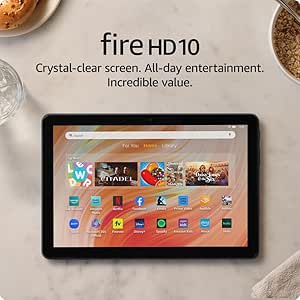
Amazon Fire HD 10 Tablet, 10.1-inch Full HD Display, Octa-core Processor, 4 GB RAM, 32 GB Storage, Black
The Amazon Fire HD 10 is the screen-first choice here: its 10.1-inch Full HD display gives text, photos, and video more detail than the 1280 × 800 screens on the TUOHAITIME Android 16 and Coopers tablets. That can make extended reading and video calls more comfortable, though a larger tablet may be less convenient to hold than the Lenovo Tab One. Up to 13 hours of stated battery life and expandable storage suit long viewing sessions and downloaded shows. Its main tradeoff is the Fire software environment, which differs from standard Android and may not offer the same app access a buyer expects from Google Play. The 32GB base storage is also modest, so a microSD card may matter for storing media. Compared with the Lenovo, this is the better fit for a bigger picture, not portability.
Pros:- 10.1-inch Full HD display offers more detail than the HD screens on several alternatives.
- Up to 13 hours of stated battery life supports long reading or streaming sessions.
- Storage can be expanded with a microSD card up to 1TB.
- 4GB RAM and an octa-core processor are suited to everyday entertainment tasks.
Cons:- Fire software may not provide the Google Play app access some Android users expect.
- Base storage is 32GB, less than the 64GB included with the Lenovo Tab One and TUOHAITIME.
- Its larger size is less convenient for one-handed use than compact options.
Best for: Older adults who mainly read, stream shows, or make video calls at home and prefer a larger, sharper display.
Not ideal for: People who rely on Google Play or specific Android apps, or anyone who finds a 10-inch tablet uncomfortable to hold.
- Display:10.1-inch Full HD
- Processor:Octa-core
- RAM:4GB
- Storage:32GB, expandable to 1TB via microSD
- Battery life:Up to 13 hours
- Front camera:5MP
- Parental controls:Included
Our verdict“Pick the Fire HD 10 for a sharper, larger screen and long viewing sessions if its app ecosystem suits the apps you use.”
Coopers 10-inch Android 15 Tablet, 32GB ROM, 8GB RAM, Quad-Core, 6000mAh Battery, IPS Touch Screen, Dual HD Cameras
The Coopers 10-inch Android 15 is aimed at older adults who want a standard Android tablet for browsing, reading, and keeping a large offline media library. Its microSD expansion up to 1TB exceeds the TUOHAITIME’s stated 512GB limit, while the IPS screen provides wide viewing angles that can help when sharing photos. The tradeoff is a 32GB starting capacity and a lower-resolution 1280 × 800 display; the Fire HD 10 is a stronger choice for sharper video, and the Lenovo Tab One is more compact. The listed 8GB RAM includes expandable virtual memory, so it should not be treated as equivalent to 8GB of physical RAM. Wi-Fi is 802.11n and Bluetooth is 4.2, older standards than the TUOHAITIME’s Wi-Fi 6 and Bluetooth 5.0.
Pros:- Storage expansion up to 1TB accommodates a large offline media collection.
- 10-inch IPS display offers wide viewing angles for shared viewing.
- Includes a 3.5mm headphone jack for wired headphones.
- Android 15 supports Google Mobile Services.
Cons:- 32GB internal storage is limited before adding a memory card.
- 1280 × 800 resolution is less detailed than the Fire HD 10’s Full HD screen.
- The 8GB RAM figure includes virtual memory, and the listed Wi-Fi and Bluetooth standards are older than the TUOHAITIME’s.
Best for: Older adults who use Android apps, save lots of music or video offline, and are comfortable adding a microSD card.
Not ideal for: Buyers who want a sharper screen, newer wireless standards, or simple, unambiguous memory specifications.
- Display:10 inches, 1280 × 800 IPS
- Processor:Quad-core
- RAM:8GB listed (3GB physical plus 5GB expandable)
- Storage:32GB ROM, expandable to 1TB via SD card
- Battery:6000mAh; approximately 8–10 hours
- Operating system:Android 15
- Connectivity:Wi-Fi 802.11n, Bluetooth 4.2, USB Type-C, GPS
- Audio:Dual speakers and 3.5mm headphone jack
Our verdict“Choose the Coopers if expandable media storage and an Android interface matter more than screen sharpness or newer wireless connectivity.”
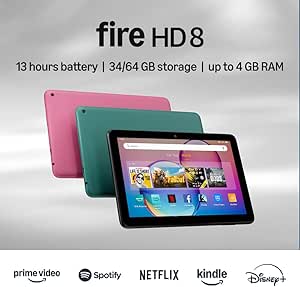
Amazon Fire HD 8 Tablet (Newest Model), 8” HD Display, 4GB RAM, 64GB Storage, Black
The Fire HD 8 is the easier carry for an older adult who wants a tablet for a chair, bedside table, or trips around the house. At 11.88 ounces, it weighs less than the larger Fire HD 10, and its 64GB of storage doubles that model’s listed base capacity. The smaller 8-inch screen is the tradeoff: text and controls occupy less space, so readers with low vision may prefer the Fire HD 10’s larger Full HD panel. Battery life is stated at up to 13 hours, and storage can expand by microSD. Like other Fire tablets, it does not support Google Play Store, which may rule it out for someone who depends on particular Android apps. Compared with the Lenovo Tab One, it is lighter, but the Lenovo’s 8.7-inch screen is larger and runs Android 14.
Pros:- 337-gram weight makes it easier to carry than the 10-inch options.
- 64GB internal storage with expansion up to 1TB via microSD.
- Up to 13 hours of stated battery life.
- USB-C and Bluetooth 5.2 connectivity.
Cons:- The 8-inch screen gives text and controls less room than the Fire HD 10 or Lenovo Tab One.
- No Google Play Store support may limit access to preferred apps.
- Some apps may need to be installed in internal storage.
Best for: Older adults who value a lightweight device for casual browsing, streaming, and video calls, and are comfortable with Fire software.
Not ideal for: Readers who need larger on-screen text or Google Play apps, or users who want a bigger display for video calls.
- Display:8 inches, 1280 × 800 HD touchscreen
- Processor:2.0GHz hexa-core
- RAM:4GB
- Storage:64GB, expandable to 1TB via microSD
- Battery life:Up to 13 hours
- Weight:337g (11.88 ounces)
- Cameras:2MP front, 5MP rear with 1080p video
- Connectivity:Dual-band Wi-Fi, Bluetooth 5.2, USB-C
Our verdict“Choose the Fire HD 8 if a lighter, compact tablet matters more than a large screen or access to Google Play.”
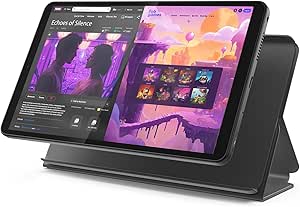
Lenovo Tab One – Lightweight 8.7-inch HD Tablet with 4GB RAM and 64GB Storage
The Lenovo Tab One balances portability with a screen that is a little roomier than the Fire HD 8’s. Its 8.7-inch display and included folio case with stand make it a practical choice for reading at a table or watching video without holding the device continuously. Unlike the Fire HD 8, it runs Android 14, which may suit buyers who want access to the Android app environment rather than Fire software. The stated battery life reaches 12.5 hours, though the 64GB storage may feel tight for people who download many shows or keep extensive photo collections. The Fire HD 8 is lighter at 337 grams, while the Lenovo offers a larger screen and stand case. Neither compact option matches the viewing area of the Fire HD 10, so buyers with low vision may prefer a 10-inch model.
Pros:- 8.7-inch display is larger than the Fire HD 8’s while remaining compact.
- Included folio case has a built-in stand for hands-free viewing.
- Up to 12.5 hours of stated battery life.
- Android 14 offers an Android app environment.
Cons:- 64GB storage may be limiting for large offline video or photo collections.
- No 4G LTE connectivity is specified.
- The screen remains smaller than the 10.1-inch Fire HD 10, which may suit low-vision users better.
Best for: Older adults who want a compact Android tablet for reading and video, especially if a built-in stand case would reduce hand strain.
Not ideal for: People who need a large display for easier text viewing, substantial built-in storage, or cellular connectivity.
- Display:8.7-inch HD, 60Hz
- Processor:MediaTek Helio G85
- RAM:4GB
- Storage:64GB
- Battery life:Up to 12.5 hours
- Operating system:Android 14
- Brightness:480 nits
- Included accessory:Folio case with built-in stand
Our verdict“Pick the Lenovo Tab One for a compact Android tablet with a stand case, but choose a 10-inch model if larger text is the priority.”
Samsung Galaxy Tab A11+ (6 GB RAM, 128 GB storage) – Gray
I’d put the Galaxy Tab A11+ near the top for older adults who want a conventional Android tablet with room for readable text, video calls, and entertainment. Its 11-inch display gives menus and videos more breathing room than the smaller Galaxy Tab A11, while 6 GB of RAM and 128 GB of storage provide a more comfortable starting point for apps and photos. Four Dolby Atmos speakers are another advantage for following dialogue without relying only on headphones. The tradeoff is that this is a standard tablet, not a senior-specific interface like the GrandPad; someone who wants simplified menus and a managed calling service may find GrandPad easier. I’d also factor in the separate 25 W charger and the lack of an included stylus.
Pros:- 11-inch screen offers more space for large text and on-screen controls than the 8.7-inch Galaxy Tab A11.
- 6 GB RAM and 128 GB storage provide more headroom for apps, photos, and downloaded media than the smaller Tab A11 configuration.
- Four Dolby Atmos speakers can make spoken content easier to hear across a room.
- microSD expansion and fast-charging support add flexibility for storage and charging.
Cons:- Standard Android menus may take more setup and support than GrandPad’s senior-focused interface.
- 25 W fast charger is sold separately.
- No stylus is included for handwriting or precise tapping.
Best for: Older adults comfortable with standard Android who want a roomy screen for video calls, reading, and streaming, with family available to help set up accessibility options.
Not ideal for: People who need a simplified senior-first interface, or buyers who want an included stylus or fast charger.
- Display:11 inches, 90 Hz
- RAM:6 GB
- Storage:128 GB
- Expandable storage:microSD, sold separately
- Battery:26.34 Wh
- Audio:Dolby Atmos quad speakers
- Front camera:5 MP
- Warranty:2 years
Our verdict“Choose the Galaxy Tab A11+ if a large, capable Android screen matters more than a senior-specific interface or bundled accessories.”
Samsung Galaxy Tab A11 WiFi Model, 8.7 inches, 64GB + 4GB, Gray
The Galaxy Tab A11 suits an older adult who values a tablet that is easier to hold and carry than an 11-inch model. Its 8.7-inch, 90 Hz screen is smaller than the Galaxy Tab A11+ display, but the compact format can be more manageable for reading in a chair or taking on trips. The 3.5 mm headphone jack is useful for people who prefer familiar wired headphones, and microSD expansion helps offset the modest 64 GB built-in storage. Its 4 GB of RAM is less generous than the A11+, so I’d choose the larger model for heavier multitasking or frequent video calls. This listing also specifies an international version without a domestic warranty, and it is Wi-Fi only with no charger included—meaning support and setup deserve extra attention.
Pros:- Compact 8.7-inch size may be easier to hold than the 11-inch Galaxy Tab A11+.
- 90 Hz display and dual Dolby speakers support smooth viewing and clear entertainment audio.
- 3.5 mm headphone jack works with wired headphones.
- microSD expansion supports additional storage for photos and media.
Cons:- 64 GB storage and 4 GB RAM offer less headroom than the Galaxy Tab A11+.
- Wi-Fi only, with no cellular connection for use away from wireless networks.
- International version is listed without a domestic warranty, and the charger is not included.
Best for: Older adults who want a smaller Samsung tablet for reading, casual video, and use around the home, especially if they already own wired headphones.
Not ideal for: Buyers seeking a domestic warranty, cellular access away from Wi-Fi, a large screen, or a charger in the box.
- Display:8.7 inches, 1340 × 800, 90 Hz
- Processor:MediaTek Helio G99, octa-core, 2.2 GHz
- RAM:4 GB
- Storage:64 GB
- Battery:5100 mAh, up to 12 hours
- Cameras:8 MP rear autofocus; 5 MP front
- Connectivity:Wi-Fi, Bluetooth 5.3, USB-C 2.0
- Audio:Dual Dolby speakers and 3.5 mm headphone jack
Our verdict“Pick this compact Samsung if portability and a headphone jack matter more than the larger screen, stronger memory, and warranty clarity of the A11+.”
7-inch Android 14 Tablet with HD IPS Touchscreen, Quad-Core, 8GB (5GB virtual) RAM, 32GB ROM, up to 1TB Expandable Storage, Dual 2MP + 5MP Camera, WiFi 6, Bluetooth, 3000mAh Battery, Case (Navy Blue)
This 7-inch Android tablet is the smallest and most bundled option here, with a protective case and screen protector already included. That can appeal to an older adult who wants a lightweight device for basic browsing or video calls and whose family wants extra protection against everyday drops. Google Play is pre-installed, unlike a tightly managed device such as the GrandPad, so app choice is broader but the setup is less guided. The small 1024 × 600 screen is the main compromise: text and controls have less room than on the Samsung Galaxy Tab A11, and fine print may be harder to read. Its 3000 mAh battery is also rated for around eight hours of typical use, so I’d choose it for shorter sessions rather than all-day viewing.
Pros:- Included drop-proof case and pre-installed screen protector add protection without separate purchases.
- Google Play and popular social apps are available for a familiar Android app selection.
- Expandable storage supports a microSD card up to 1 TB.
- Compact 7-inch body is easier to carry than the 11-inch COLORROOM or Samsung tablets.
Cons:- 1024 × 600 resolution gives text and images less detail than the Samsung Galaxy Tab A11’s display.
- 3000 mAh battery is listed for around eight hours of typical use.
- 2 MP rear camera is limited for taking clear photos.
Best for: Older adults who need a very compact tablet for occasional calls and simple apps, with a family member able to adjust text size and help manage setup.
Not ideal for: People who need a large, sharp screen for reading, long sessions between charges, or a senior-specific interface with guided navigation.
- Display:7-inch IPS, 1024 × 600
- Operating system:Android 14
- Processor:Quad-core
- RAM:8 GB total, including 5 GB virtual memory
- Storage:32 GB internal; microSD expansion up to 1 TB
- Battery:3000 mAh
- Cameras:2 MP rear; 5 MP front
- Included protection:Drop-proof case and pre-installed screen protector
Our verdict“Choose this model for a protected, very compact device used in short sessions, but opt for a larger screen if reading comfort is the priority.”
COLORROOM 2026 Android 16 Tablet 11-inch, Face Unlock, 18W Fast Charge, Blue
The COLORROOM 11-inch tablet pairs a large viewing area with an 8000 mAh battery, making it a plausible fit for an older adult who watches shows or joins long video calls away from a power outlet. Its 128 GB storage and claimed microSD expansion to 1 TB offer room for downloaded media, while the 18 W fast-charge support can shorten charging time with a suitable charger. Compared with the Samsung Galaxy Tab A11+, it offers a larger listed battery and face unlock, but the product information gives less clarity about software support and does not specify included accessories. The advertised 32 GB RAM figure also differs from typical tablet configurations, so I would not treat that number as a reason to choose it. Buyers who value a well-documented brand experience may prefer Samsung.
Pros:- 11-inch display provides a generous area for video and enlarged interface elements.
- 8000 mAh battery capacity is larger than the listed battery capacities of the Samsung tablets in this group.
- 128 GB storage with stated expansion up to 1 TB gives space for apps and downloaded media.
- Face unlock and 18 W fast-charge support are listed features.
Cons:- Software update and support details are not provided, unlike the more clearly specified Samsung options.
- Included accessories are not specified, so buyers may need to source a case or charger separately.
- The advertised 32 GB RAM figure is unusual and should not be relied on without clarification.
Best for: Older adults who mainly watch video or make calls on a large screen and want a high-capacity battery, with family support available for setup and troubleshooting.
Not ideal for: Buyers who prioritize clearly documented software support, a known accessory bundle, or dependable brand and warranty details.
- Display:11 inches, anti-blue-light protection
- Operating system:Android 16
- Processor:Unisoc T606 octa-core, 1.8 GHz
- RAM:32 GB advertised
- Storage:128 GB; expandable up to 1 TB
- Battery:8000 mAh
- Charging:18 W fast charging
- Cameras:8 MP rear; 5 MP front
- Connectivity and audio:Wi-Fi 6; dual stereo speakers
Our verdict“Consider the COLORROOM for its large screen and high-capacity battery, but choose the Samsung Galaxy Tab A11+ if clearer product details matter more.”
GrandPad Easy-to-Use Tablet & Phone for Seniors
The GrandPad is the clearest choice here for an older adult who finds ordinary tablet menus confusing or wants a device centered on family contact. Large icons, easy navigation, video calls, photo sharing, and a private network designed to block spam and scams set it apart from the standard Android tablets, including the Samsung Galaxy Tab A11+. Its included wireless charging cradle, case, and stylus also make the package more ready to use. The tradeoff is control and ongoing cost: full functionality depends on an active plan, and it is not compatible with Consumer Cellular or other wireless carriers. Compared with the COLORROOM or Samsung options, it offers a more guided experience but less freedom to install and manage apps as on a conventional tablet.
Pros:- Senior-focused interface uses large icons and simplified navigation.
- Private network is designed to block spam and scams.
- Supports video calls, photo sharing, and multiplayer games.
- Wireless charging cradle, protective case, and stylus are included.
Cons:- Full functionality requires an active plan, adding an ongoing service commitment.
- Not compatible with Consumer Cellular or other wireless carriers.
- Less open-ended than standard Android tablets such as the Samsung Galaxy Tab A11+.
Best for: Older adults who want large, simple controls for family calls and photo sharing, especially when a relative can help with activation and plan management.
Not ideal for: Independent users who want a general-purpose Android tablet, avoid subscription plans, or need compatibility with their existing wireless carrier.
- Generation:2nd generation
- Processor:Qualcomm, 2 GHz
- Battery:4550 mAh lithium-ion
- Listed battery life:8 hours
- Cameras:5 MP rear and 5 MP front; 720p HD
- Included components:Wireless charging cradle, protective case, stylus
- Network and service:Private network; active plan required for full functionality
- Model year:2019
Our verdict“Choose GrandPad when simplicity and supported family communication outweigh subscription dependence and the flexibility of a standard Android tablet.”
Samsung Galaxy Tab A9+ 11” 64GB Wi-Fi Android Tablet, Navy (Renewed)
For an older adult who wants a roomy screen for video calls, reading, and streaming, the 11-inch display is the main draw. Its quad speakers with Dolby Atmos can make spoken content easier to hear than on the smaller, simpler speakers of the Amazon Fire HD 8, though individual hearing needs vary. The 90Hz refresh rate makes scrolling feel smooth, while microSD support gives families space for photos and downloaded shows without relying only on the included storage.
Compared with the ECOPAD 10.1-inch tablet, this Samsung has a larger display and a more recognizable product line, but it is a renewed device, so condition and warranty coverage deserve attention. It suits light daily use rather than demanding work or gaming. Skip it if you want a new tablet with clearly stated warranty terms or a compact device that is easier to hold one-handed.
Pros:- Large 11-inch display provides more room for text and video than the 8-inch Fire HD 8.
- Quad speakers with Dolby Atmos are useful for watching shows and listening to spoken content.
- MicroSD expansion supports up to 1TB for photos and downloaded media.
- 7040mAh battery is listed for up to 13 hours of use.
Cons:- Renewed condition may vary, and warranty coverage may be limited.
- 64GB built-in storage may feel tight without adding a microSD card.
- Performance is intended for everyday tasks, not demanding games or professional workloads.
Best for: Older adults who mainly use a tablet at home for video calls, streaming, and reading, and who prefer a larger display with expandable storage.
Not ideal for: Buyers who require a new device, predictable warranty coverage, or a compact tablet for extended one-handed use.
- Display:11 inches
- Refresh rate:90Hz
- Storage:64GB, expandable up to 1TB via microSD
- Processor:Snapdragon 695 5G
- Battery:7040mAh; listed for up to 13 hours
- Audio:Quad speakers with Dolby Atmos
- Connectivity:Wi-Fi, 4G, Bluetooth 5.1
- Model year:2023
Our verdict“Choose this renewed Samsung if a large screen and stronger built-in audio matter more than new-device certainty or compact size.”
ECOPAD 10.1 Inch Android Tablet, 12GB RAM, 64GB Storage, 1280×800 IPS Touchscreen, 6000mAh Battery, Bluetooth 5.0, Dual Cameras, GMS, Dual Band WiFi, Black
The ECOPAD makes sense for an older adult who wants a straightforward screen for video calls, web browsing, and casual viewing without needing a premium display. Its 10.1-inch IPS screen is a comfortable size for reading and seeing call participants, and the front camera gives it a clear everyday purpose. A stated one-year warranty is a useful distinction from the renewed Samsung Galaxy Tab A9+, whose warranty coverage may be limited.
The tradeoff is that its 1280×800 resolution and quad-core processor keep expectations modest; the advertised 12GB RAM figure does not change the processor’s stated limits. Samsung offers a larger screen and quad speakers, while the ECOPAD’s appeal is its warranty and basic video-call setup. Choose it for simple tasks, not demanding apps, and plan to add a microSD card if 64GB proves insufficient.
Pros:- 10.1-inch IPS touchscreen offers a broad viewing area for calls and reading.
- Front and rear cameras support video calls and basic photos.
- Storage can be expanded up to 1TB with an SD card.
- Product data lists a one-year warranty.
Cons:- 1280×800 resolution is less sharp than a higher-resolution display.
- Quad-core processor rated up to 1.2GHz is better suited to light tasks than demanding multitasking.
- The SD card needed for expansion is not included, and software update details are limited.
Best for: Older adults who want a medium-large tablet mainly for video calls, browsing, and casual media, with a stated one-year warranty.
Not ideal for: Buyers who need crisp high-resolution text, strong performance for demanding apps, or ample built-in storage without adding a card.
- Display:10.1-inch IPS touchscreen
- Resolution:1280 x 800
- Processor:Quad-core ARM, up to 1.2GHz
- Memory:12GB RAM
- Storage:64GB, expandable up to 1TB via SD card
- Battery:6000mAh; listed for up to 8 hours
- Cameras:2MP front, 8MP rear
- Connectivity:Dual-band Wi-Fi, Bluetooth 5.0
- Warranty:1 year
Our verdict“Pick the ECOPAD for basic calls and browsing with stated warranty coverage, but choose the Samsung Galaxy Tab A9+ for a bigger screen and stronger audio.”
11 Inch Android 16 Tablet, Octa Core, 28GB RAM, 128GB ROM, 1TB Expand, Blue
The WXUNJA C5 is the battery-focused choice here: its 8000mAh capacity and stated 18W PD fast-charging support suit someone who watches shows or makes calls away from an outlet. Its 11-inch screen gives older users a generous viewing area, while 128GB storage provides more room out of the box than the 64GB ECOPAD or Samsung Galaxy Tab A9+. Face recognition and wireless casting add convenience for users who prefer fewer steps to unlock or display content.
Those advantages come with a basic 1280×800 resolution, which may not render small text as crisply as a sharper screen. The listed 28GB RAM includes 24GB of virtual expansion alongside 4GB of physical RAM, so it should not be read as 28GB of dedicated memory. Compared with the Fire HD 8, it is larger and offers more storage, but build-quality concerns in the supplied data make careful handling and seller support worth weighing.
Pros:- 8000mAh battery and PD 18W fast-charging support suit longer viewing sessions.
- 128GB built-in storage exceeds the 64GB ECOPAD and Samsung Galaxy Tab A9+ configurations listed here.
- 11-inch display provides ample space for video and larger interface elements.
- Face recognition and wireless casting offer convenient access and display options.
Cons:- 1280×800 resolution is basic for an 11-inch screen and may make small text less crisp.
- The 28GB RAM figure includes virtual expansion; physical RAM is listed as 4GB.
- Supplied product information notes concerns about build quality.
Best for: Older adults who want an 11-inch screen, generous built-in storage, and a larger battery for extended home or travel use.
Not ideal for: Buyers who prioritize a high-resolution screen, verified build durability, or memory suited to heavy multitasking.
- Display:11 inches, 1280 x 800
- Processor:Unisoc T606 octa-core
- Memory:28GB listed: 4GB RAM plus 24GB expansion
- Storage:128GB, expandable up to 1TB
- Battery:8000mAh
- Charging:Supports PD 18W fast charging
- Cameras:5MP front, 8MP rear
- Connectivity:Wi-Fi, Bluetooth 5.0, GPS
- Additional features:Widevine L1, split-screen, wireless casting, face recognition, FM radio
Our verdict“Choose the WXUNJA if battery capacity and 128GB storage lead your priorities, but look elsewhere for sharper text or firmer build-quality reassurance.”
Amazon Fire HD 8 Tablet (Newest Model), 8” HD Display, 3GB RAM, 32GB Storage, Black
At 11.88 ounces, the Fire HD 8 is the easiest option in this group to carry around or hold for shorter reading sessions. Its 8-inch screen is smaller than the Samsung Galaxy Tab A9+ and ECOPAD, but that compact size can suit an older adult who values light handling over a broad viewing area. Alexa voice commands can help with supported tasks, and the stated battery life of up to 13 hours reduces how often it needs charging.
The main compromise is Amazon’s app ecosystem: Google Play Store is not supported, so people who rely on specific Android apps should check availability in the Amazon Appstore before buying. The 32GB base storage is also less than the WXUNJA’s 128GB, though microSD expansion helps. This is a better fit for casual media and basic use than for users who need a large screen, broad app choice, or frequent video calls with more capable cameras.
Pros:- Light 11.88-ounce body is easier to carry and hold than the 10- and 11-inch tablets here.
- Battery life is listed for up to 13 hours.
- MicroSD slot supports storage expansion up to 1TB.
- Alexa voice commands can simplify supported tasks.
Cons:- Google Play Store is not supported; apps must be available through the Amazon Appstore.
- 8-inch display gives less room for text and video than the Samsung Galaxy Tab A9+ or ECOPAD.
- 32GB built-in storage and basic cameras may limit use for photo-heavy households or frequent video calls.
Best for: Older adults who want a lightweight tablet for casual reading, streaming, and Alexa voice commands, and are comfortable with Amazon’s app selection.
Not ideal for: People who need Google Play apps, a large screen for easier reading, or more than basic camera capability.
- Display:8-inch HD touchscreen, 1280 x 800
- Dimensions:7.94 x 5.40 x 0.37 inches
- Weight:11.88 ounces
- Processor and memory:Hexa-core 2.0GHz, 3GB RAM
- Storage:32GB, with 25GB available; expandable up to 1TB via microSD
- Battery life:Up to 13 hours
- Cameras:2MP front, 5MP rear with 1080p video
- Connectivity:Dual-band Wi-Fi, Bluetooth 5.2
- Ports and audio:USB-C, microSD slot, 3.5mm stereo jack, built-in speakers
Our verdict“Choose the Fire HD 8 for lightweight handling and Alexa, but pick a larger Android tablet if screen space or Google Play access matters.”
Android Tablet 10.1 Inch with Case and Stylus, 8GB RAM, 32GB Storage, Support 1TB Expansion, 6000mAh Battery, IPS HD Touchscreen, Dual Camera, Wi-Fi 6, Bluetooth 5.0
The clearest reason to choose this 10.1-inch Android tablet is what comes in the box: a protective case and stylus give a new owner basic protection and another way to interact with the touchscreen. That can be helpful for someone learning tablet gestures or who prefers tapping with a pen-like tool. Its IPS display and Android 15 offer a familiar general-purpose setup, while Wi-Fi 6 support is a listed connectivity advantage over the Fire HD 8, which does not support Wi-Fi 6.
It is not the strongest choice for long sessions or large media libraries: the battery is listed at 6000mAh, with supplied information putting continuous use around 6–8 hours, and built-in storage is only 32GB. The ECOPAD also offers 64GB storage and a stated one-year warranty, while this tablet’s included accessories are its main differentiator. Choose it for a bundled case and stylus, not for assured performance under heavy multitasking.
Pros:- Included case offers basic out-of-box protection.
- Included stylus provides an alternative to finger tapping.
- 10.1-inch IPS touchscreen offers more viewing space than the Fire HD 8.
- Wi-Fi 6 is listed, alongside storage expansion up to 1TB.
Cons:- 32GB built-in storage is limited compared with the ECOPAD’s 64GB and WXUNJA’s 128GB.
- Listed continuous use of about 6–8 hours is shorter than the Fire HD 8’s stated up-to-13-hour battery life.
- Quad-core processor and product data indicate performance may vary with multitasking.
Best for: Older adults who want a 10.1-inch Android tablet with a case and stylus included, especially as a first device for home use.
Not ideal for: Frequent travelers who need longer stated battery life, or users who want ample built-in storage and predictable performance under heavy multitasking.
- Display:10.1-inch IPS HD touchscreen, 1280 x 800
- Processor:Quad-core 2.0GHz
- Memory:8GB RAM
- Storage:32GB, expandable up to 1024GB
- Battery:6000mAh; listed for about 6–8 hours of continuous use
- Cameras:2MP front, 8MP rear
- Connectivity:Wi-Fi 6, Bluetooth 5.0, GPS
- Operating system:Android 15
- Included components:Case, stylus, Type-C cable
Our verdict“Pick this tablet if the included case and stylus make setup easier, but choose the ECOPAD for more built-in storage and stated warranty coverage.”

How We Picked
I ranked these tablets around the tasks that commonly matter to older users: reading text, making video calls, browsing, watching shows, and getting through setup without unnecessary friction. I weighed display size and resolution, portability, storage, stated memory, battery capacity where supplied, operating-system ecosystem, and how clearly the product’s intended use is described. I also gave weight to practical support questions, such as whether the interface is familiar and whether the listing leaves uncertainty about software or service requirements.
The order favors options with a clearer balance of usability, flexibility, and useful specifications over models whose listings rely mainly on ambitious memory claims or vague feature bundles. A senior-focused interface can be a better fit for a new or less confident user, but it does not automatically outrank a standard tablet if app choice and independence matter more. The list includes distinct roles, from a larger everyday screen to compact devices and a guided senior-oriented option; buyers should confirm current software support, accessibility settings, and any subscription or connectivity terms before ordering.
Factors to Consider When Choosing Tablet For Elderly
Choosing a tablet for an older adult is less about chasing the highest specification and more about removing the friction that will stop the owner from using it. I would start with how the person plans to use the device, then match screen size, interface, and setup support to that routine.
Choose screen size for the main task
A larger display can make text, video calls, and on-screen controls easier to see, but it also adds weight and can be tiring to hold for long periods. An 8- to 8.7-inch tablet is often easier to carry and manage one-handed, while a 10- or 11-inch screen works better on a table or stand. Buyers sometimes pick the biggest screen without checking whether the owner will hold it, prop it up, or keep it beside a chair. Before buying, consider the usual viewing distance and whether a case with a stand would help. Screen resolution matters too: a sharper display can make small text and photos look cleaner, though larger default text and display scaling may matter more for readability.
Match the interface to the owner’s confidence
A standard Android tablet offers broad app choice and settings, but that flexibility can also mean more menus, notifications, and setup decisions. Amazon Fire tablets provide a more Amazon-centered experience, which can feel simple for users already comfortable with Kindle, Prime Video, or Alexa, but app availability differs from Google Play tablets. A dedicated senior-focused device may reduce navigation steps, yet it can limit choice or rely on a particular service arrangement. Do not assume a tablet is easy just because the listing uses senior-friendly language. Ask the owner what they already use, and check whether a family member can help with setup and account recovery.
Set up accessibility before judging usability
Text size, magnification, contrast, captions, voice control, and touch-and-hold timing can change how manageable a tablet feels. These settings vary by operating system, so check that the features the owner needs are available and easy to reach. A common mistake is to buy a device based on its default screen appearance without testing larger text or simplified home-screen layouts. If vision is the main concern, a larger screen and adjustable display settings may help more than extra storage or memory. If hearing is the priority, confirm that captions work in the apps the owner plans to use and that the tablet pairs with their preferred headphones or hearing accessories.
Check app compatibility and ongoing service needs
Make a short list of must-have apps before choosing a platform: video calling, email, library services, medication tools, or a preferred streaming app. Standard Android tablets and Fire tablets do not offer identical app libraries, and a dedicated senior tablet may have its own communication tools or service conditions. Buyers can overlook this until after setup, when a familiar app is missing or a service requires an account. Confirm whether the device needs Wi-Fi for the intended tasks and whether calls work through an app rather than ordinary cellular service. If family members will provide remote help, check which support tools are compatible and whether the owner is comfortable granting access.
Treat memory and storage claims carefully
Storage determines how much room the tablet has for apps, photos, and downloaded shows; memory affects how smoothly apps can remain open. Some budget listings combine physical RAM with virtual memory, so a large advertised total may not mean the same thing as that amount of physical RAM. Expandable storage can help with photos or media, but it does not necessarily add room for every app or make a slow tablet faster. Think about whether the owner streams content or saves it for offline use, then choose storage accordingly. For a simple video-call and browsing routine, easy controls and stable software may matter more than a headline memory figure.
Plan for holding, charging, and family support
Weight, grip, charging habits, and the place where the tablet will live can make a bigger difference than a small specification gap. A protective case can improve grip and reduce worry about drops, while a stand can make video calls and reading more comfortable. Check where the charging port sits and whether the owner can connect the cable without awkward hand movements. A long battery claim is less useful if charging is difficult or the device is frequently left in another room. If a relative will provide help, arrange a simple home screen, written charging instructions, and a saved list of important contacts before handing the tablet over.
Frequently Asked Questions
Is a senior-focused tablet better than a regular Android tablet?
It can be, if the owner benefits from a guided interface and a smaller set of familiar tasks. A standard Android tablet usually offers more app choice and more control over settings, but that freedom can add complexity. Before choosing a dedicated model, check how its communication tools work, whether a recurring service is required, and which apps are available. If the owner already uses Android phones or Google services, a conventional Android tablet may feel more familiar. The better choice is the one that fits the person’s abilities and daily habits, not the one labeled for seniors.
Should I choose an 8-inch or a 10-inch tablet for an older adult?
Choose based on where and how the tablet will be used. A smaller model is easier to carry and may feel less tiring to hold, while a larger display gives more room for text, video calls, and touch targets. If the owner mainly uses the tablet at a table or in a chair, a larger screen with a stand can be comfortable. For reading while moving around the home, a compact tablet may be more practical. When possible, compare the device with the owner’s preferred text size and a case attached, since both affect the real handling experience.
Will an Amazon Fire tablet run the same apps as an Android tablet?
No. Fire tablets use Amazon’s Fire OS and do not offer the same app storefront and selection as a typical Google Play Android tablet. Many common entertainment and reading tasks may be covered, but a specific video-call, health, or banking app should be checked before purchase. Do not rely on the product title alone to confirm compatibility. If the owner already depends on Google apps or a particular Android app, a standard Android model may be the safer fit. Also check whether the owner is comfortable using Amazon accounts and services.
How much storage does an elderly user really need?
It depends on whether the owner streams content or saves files and shows on the device. Someone who mainly browses and makes video calls can often get by with less storage than a person who keeps many photos, books, or downloaded videos. Expandable storage can be useful, but it may not move every app or replace internal storage. Check the actual available capacity and how the tablet handles memory cards, rather than relying only on a maximum expansion figure. For a family-shared tablet, leave room for system updates and future apps instead of filling storage at setup.
What should I check before buying a tablet as a gift?
First, confirm the owner’s preferred apps, Wi-Fi access, and comfort with the tablet’s operating system. Check the return policy, software support information, included accessories, and whether any senior-focused service carries ongoing terms. Consider whether the owner can manage passwords and charging independently or will need family help. A case, stand, or prearranged home screen may make the gift more useful than a specification upgrade. If possible, involve the recipient in choosing screen size and interface so the device fits their routine rather than adding a new one.
Conclusion
For most buyers, I would start with the Amazon Fire HD 10 as the best overall balance of a roomy screen and accessible everyday entertainment, provided its app ecosystem fits the owner. The best value pick is the Amazon Fire HD 8 with 3GB RAM and 32GB storage for a compact, straightforward device when basic use matters more than extra capacity. For a best premium direction, the Samsung Galaxy Tab A11+ has the strongest listed storage configuration here and suits buyers who want a larger standard Android tablet. The GrandPad is my best for beginners when guided senior-oriented use matters more than broad app flexibility; check its service details first. For specific needs, choose the Lenovo Tab One or Samsung Galaxy Tab A11 for portability, and favor a larger-screen model when reading and video calls are the main tasks. The right choice is the one the owner can see, hold, and use with confidence.