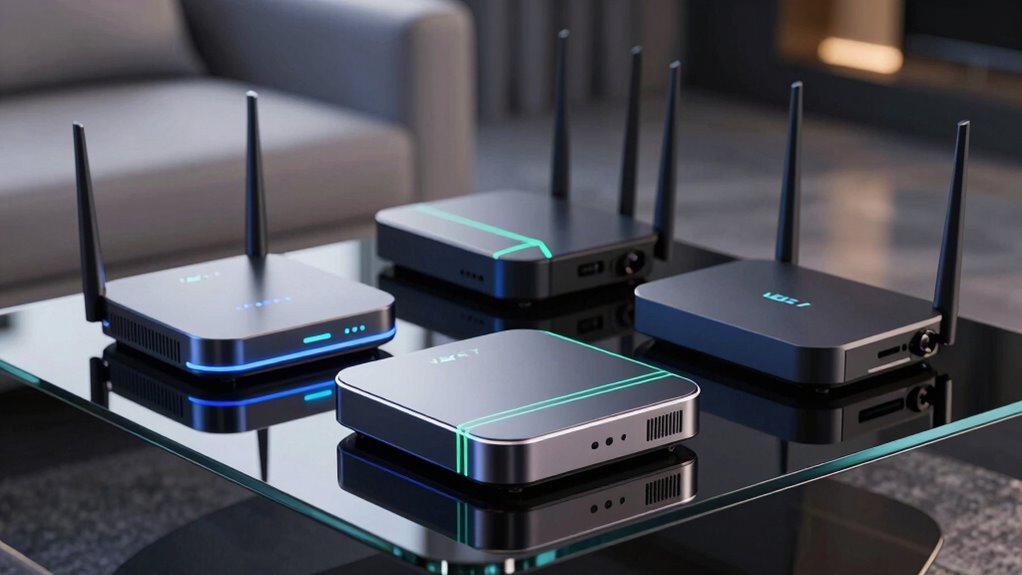
A WiFi 7 router can help a busy home handle newer devices, fast local connections and demanding wireless traffic, but the right pick depends on your layout and internet plan. My best overall choice is the TP-Link Archer BE550, which balances tri-band support with a more approachable feature set than the premium models. The NETGEAR Nighthawk RS700S stands out for buyers prioritizing high-end performance and broad coverage, while the Deco 7 mesh system suits homes where one router may not reach every room. The main tradeoffs are dual-band versus tri-band or quad-band designs, single-router simplicity versus mesh coverage, and advanced capacity versus setup and cost. Read on for the full comparison and guidance on which features matter most for your home.

Get furniture and decor delivered free with Prime
- Fast, free delivery on millions of items
- Prime Video, Amazon Music and more included
- Member-only deals all year
Complete the kit


Key Takeaways
Tri-band models are the roundup’s strongest all-rounders: the Archer BE550, Archer BE550 Pro, Archer BE600 and ASUS RT-BE9700 offer more band flexibility than the dual-band options.
Headline speed is not the same as whole-home coverage: the RS700S is positioned for larger coverage, but the Deco 7 mesh system is the more natural fit when dead zones span multiple rooms or floors.
Dual-band routers suit simpler networks: models such as the Archer BE230 and BE260 can make sense for smaller homes and everyday workloads, but buyers should not expect them to offer the same band capacity as tri-band picks.
The premium tier serves specific demands: the quad-band ASUS ROG Rapture GT-BE98 Pro is aimed at gaming and advanced networking, while many households may get more practical value from a simpler tri-band router.
Choosing by model role beats choosing by WiFi generation alone: this list spans compact entry-level routers, higher-capacity single units, mesh coverage and gaming-focused hardware, so the best fit depends on layout, devices and wired needs.
| TP-Link Tri-Band BE9700 WiFi 7 Router (Archer BE600) |  | Best Overall for Multi-Gig Homes | Wi-Fi generation: Wi-Fi 7 | Bands: Tri-band: 2.4 GHz, 5 GHz, and 6 GHz | Combined wireless rate: Up to 9.7 Gbps | VIEW ON AMAZON | See Our Full Breakdown |
| NETGEAR Nighthawk WiFi 7 Router, Up to 2,500 sq ft, 9.3 Gbps |  | Best for App-Led Setup | Wi-Fi generation: Wi-Fi 7 | Bands: Tri-band: 2.4 GHz, 5 GHz, and 6 GHz | Combined wireless rate: Up to 9.3 Gbps | VIEW ON AMAZON | See Our Full Breakdown |
| TP-Link Tri-Band WiFi 7 Router (Archer BE550) |  | Best for EasyMesh Expansion | Model: BE9300 / Archer BE550 | Wi-Fi generation: Wi-Fi 7 | Bands: Tri-band | VIEW ON AMAZON | See Our Full Breakdown |
| TP-Link Dual-Band WiFi 7 Router, Archer BE260 |  | Best Value for Wi-Fi 7 Basics | Wi-Fi generation: Wi-Fi 7 | Bands: Dual-band: 2.4 GHz and 5 GHz | Maximum wireless rates: Up to 4,324 Mbps on 5 GHz and 688 Mbps on 2.4 GHz | VIEW ON AMAZON | See Our Full Breakdown |
| NETGEAR Nighthawk WiFi 7 Router RS700S, Up to 3,500 sq ft, 19 Gbps |  | Best Premium for Large Homes | Wi-Fi generation: Wi-Fi 7 | Bands: Tri-band | Combined wireless rate: Up to 19 Gbps | VIEW ON AMAZON | See Our Full Breakdown |
| Deco 7 Dual-Band BE5000 WiFi 7 Mesh System, 4-Stream, 5 Gbps |  | Best for Large Homes | Wi-Fi standard: Wi-Fi 7 (802.11be) | Frequency bands: Dual-band | Maximum speed: 5 Gbps | VIEW ON AMAZON | See Our Full Breakdown |
| TP-Link Archer BE12000 Tri-Band Wi-Fi 7 Router |  | Best for Multi-Band Throughput | Wi-Fi standard: Wi-Fi 7 | Frequency bands: Tri-band: 6 GHz, 5 GHz, 2.4 GHz | Maximum listed band speeds: 5,765 Mbps (6 GHz), 5,765 Mbps (5 GHz), 688 Mbps (2.4 GHz) | VIEW ON AMAZON | See Our Full Breakdown |
| ASUS ROG Rapture GT-BE98 Pro WiFi 7 Gaming Router – Quad-Band, 30Gbps, Mesh |  | Best for Gaming and Wired Backbones | Wi-Fi standard: Wi-Fi 7 (802.11be) | Frequency bands: Quad-band | Maximum speed: Up to 30 Gbps | VIEW ON AMAZON | See Our Full Breakdown |
| ASUS RT-BE9700 WiFi 7 Tri-Band Router |  | Best for Flexible Home Networking | Wi-Fi standard: Wi-Fi 7 (802.11be) | Frequency bands: Tri-band: 6 GHz, 5 GHz, 2.4 GHz | Maximum speed: Up to 9,700 Mbps | VIEW ON AMAZON | See Our Full Breakdown |
| TP-Link Dual-Band BE3600 Wi-Fi 7 Router, Archer BE230 |  | Best Value-Style Wi-Fi 7 Entry | Wi-Fi standard: Wi-Fi 7 (802.11be) | Frequency bands: Dual-band; no 6 GHz band | Maximum speeds: 2,882 Mbps (5 GHz), 688 Mbps (2.4 GHz) | VIEW ON AMAZON | See Our Full Breakdown |
| NETGEAR Nighthawk WiFi 7 Router RS90, Up to 2,000 sq ft, 3.6 Gbps |  | Best for Straightforward Wi-Fi 7 Coverage | Wi-Fi generation: Wi-Fi 7 | Wireless speed: Up to 3.6 Gbps | Bands: Dual-band | VIEW ON AMAZON | See Our Full Breakdown |
| TP-Link BE6500 Dual-Band WiFi 7 Router (BE400) |  | Best Value for a Connected Household | Wi-Fi generation: Wi-Fi 7 | Total wireless bandwidth: Up to 6.5 Gbps | Bands: Dual-band | VIEW ON AMAZON | See Our Full Breakdown |
| TP-Link Tri-Band WiFi 7 Router, Archer BE550 Pro |  | Best for Multi-Gig Wired Setups | Wi-Fi generation: Wi-Fi 7 | Wireless speed: Up to 9.7 Gbps | Bands: Tri-band: 2.4 GHz, 5 GHz, and 6 GHz | VIEW ON AMAZON | See Our Full Breakdown |
| wifi 7 router | Coverage | Wi-Fi generation | Bands | Ethernet ports |
|---|---|---|---|---|
| TP-Link Tri-Band BE9700 WiFi 7 | — | Wi-Fi 7 | Tri-band: 2.4 GHz, 5 GHz, and 6 GHz | 1x 10 Gbps WAN/LAN, 1x 2.5 Gbps WAN/LAN, 3x 2.5 Gbps LAN |
| NETGEAR Nighthawk WiFi 7 Route | Up to 2,500 sq. ft. | Wi-Fi 7 | Tri-band: 2.4 GHz, 5 GHz, and 6 GHz | 2x 2.5 Gigabit Ethernet and 2x 1 Gigabit Ethernet |
| TP-Link Tri-Band WiFi 7 Router | Up to 2,000 sq. ft. | Wi-Fi 7 | Tri-band | 1x 2.5G WAN and 4x 2.5G LAN |
| TP-Link Dual-Band WiFi 7 Route | Up to 2,400 sq. ft. | Wi-Fi 7 | Dual-band: 2.4 GHz and 5 GHz | 1x 2.5 Gbps WAN and 3x 1 Gbps LAN |
| NETGEAR Nighthawk WiFi 7 Route | — | Wi-Fi 7 | Tri-band | 5 total: 1x 10 Gigabit WAN and 4 LAN ports |
| Deco 7 Dual-Band BE5000 WiFi 7 | Up to 6,600 sq. ft. | — | — | — |
| TP-Link Archer BE12000 Tri-Ban | Up to 3,000 sq. ft. | — | — | — |
| ASUS ROG Rapture GT-BE98 Pro W | Up to 3,500 sq. ft. | — | — | — |
| ASUS RT-BE9700 WiFi 7 Tri-Band | 2,750 sq. ft. | — | — | — |
| TP-Link Dual-Band BE3600 Wi-Fi | Up to 2,000 sq. ft. | — | — | — |
| NETGEAR Nighthawk WiFi 7 Route | Up to 2,000 sq ft | Wi-Fi 7 | Dual-band | 4 Gigabit LAN; 1 2.5G WAN |
| TP-Link BE6500 Dual-Band WiFi | Up to 2,400 sq ft | Wi-Fi 7 | Dual-band | 1 2.5 Gbps WAN/LAN, 1 2.5 Gbps LAN, 3 Gigabit LAN |
| TP-Link Tri-Band WiFi 7 Router | Up to 2,000 sq ft | Wi-Fi 7 | Tri-band: 2.4 GHz, 5 GHz, and 6 GHz | 1 10 Gbps WAN; 4 2.5 Gbps LAN |
More Details on Our Top Picks
TP-Link Tri-Band BE9700 WiFi 7 Router (Archer BE600)
The Archer BE600 earns my best-overall spot by pairing tri-band Wi-Fi 7 with a particularly useful wired layout: a 10 Gbps WAN/LAN port and three 2.5 Gbps LAN ports. That gives multi-gig internet and wired devices room to benefit, unlike the Archer BE260, whose 1 Gbps LAN ports limit wired transfers. Its stated 2,600-square-foot coverage and support for up to 120 devices suit a busy household, while the 6 GHz band gives compatible devices access to a less crowded lane. The tradeoff is that the 6 GHz signal can be less forgiving through walls, and buyers with ordinary broadband or few Wi-Fi 7 devices may not use its bandwidth advantages. Compared with the pricier, higher-capacity Nighthawk RS700S, the BE600 is a more restrained fit for homes that do not need 3,500-square-foot coverage.
Pros:- Tri-band Wi-Fi 7 includes a 6 GHz band and support for 320 MHz channels
- 10 Gbps WAN/LAN port plus three 2.5 Gbps LAN ports supports multi-gig wired setups
- Rated for coverage up to 2,600 square feet and as many as 120 devices
- Tether app, VPN client and server support, and HomeShield security features
Cons:- The 6 GHz band’s reach can be reduced by walls and floors
- Some security and parental-control features may depend on HomeShield service options
- Its Wi-Fi 7 capacity is difficult to use fully without compatible devices and fast internet service
Best for: Households with multi-gig internet, several wired devices, and newer Wi-Fi 7 phones or laptops across a medium-to-large home
Not ideal for: People with basic broadband, mostly older Wi-Fi devices, or a home layout where a single router cannot reach distant rooms
- Wi-Fi generation:Wi-Fi 7
- Bands:Tri-band: 2.4 GHz, 5 GHz, and 6 GHz
- Combined wireless rate:Up to 9.7 Gbps
- 6 GHz rate:Up to 5,765 Mbps
- Coverage and device capacity:Up to 2,600 sq. ft.; up to 120 devices
- Ethernet ports:1x 10 Gbps WAN/LAN, 1x 2.5 Gbps WAN/LAN, 3x 2.5 Gbps LAN
- USB:1x USB 3.0
- Antennas:6 internal antennas
Our verdict“Choose the Archer BE600 for a well-connected multi-gig household that wants tri-band Wi-Fi 7 without stepping up to the RS700S’s larger coverage class.”
NETGEAR Nighthawk WiFi 7 Router, Up to 2,500 sq ft, 9.3 Gbps
This Nighthawk Wi-Fi 7 router is a sensible pick for buyers who want tri-band capacity but prefer a guided setup through NETGEAR’s Nighthawk app. Its stated 9.3 Gbps combined rate and 2,500-square-foot coverage place it near the Archer BE600 on paper, though the supplied port details are less suited to a wired multi-gig network: it has two 2.5 Gigabit Ethernet ports and two 1 Gigabit ports, rather than the BE600’s 10 Gbps port and three 2.5 Gbps LAN ports. The three bands can help separate compatible devices from older gear, but the stated maximum is not a promise of individual-device speed. NETGEAR Armor starts with a 30-day trial, so ongoing security features may involve a subscription. I would skip it if multi-gig wired expansion matters more than straightforward app management.
Pros:- Tri-band Wi-Fi 7 supports 2.4 GHz, 5 GHz, and 6 GHz devices
- Stated coverage of up to 2,500 square feet suits many larger homes
- Two 2.5 Gigabit Ethernet ports accommodate select multi-gig wired connections
- Nighthawk app provides setup and network management
Cons:- Only two of the listed Ethernet ports are 2.5 Gigabit; the other two are 1 Gigabit
- Continued NETGEAR Armor security after the 30-day trial may require a subscription
- Coverage and throughput can fall with distance, walls, interference, and client-device limits
Best for: Households seeking a tri-band Wi-Fi 7 router with app-guided installation and a mix of wireless and wired devices
Not ideal for: Multi-gig households needing several high-speed Ethernet connections or buyers who want ongoing security features without a subscription
- Wi-Fi generation:Wi-Fi 7
- Bands:Tri-band: 2.4 GHz, 5 GHz, and 6 GHz
- Combined wireless rate:Up to 9.3 Gbps
- Coverage:Up to 2,500 sq. ft.
- Ethernet ports:2x 2.5 Gigabit Ethernet and 2x 1 Gigabit Ethernet
- Security:NETGEAR Armor, with a 30-day free trial
- Management:NETGEAR Nighthawk app
Our verdict“Pick this Nighthawk if easy app setup and tri-band Wi-Fi matter more to you than the Archer BE600’s more extensive multi-gig port selection.”
TP-Link Tri-Band WiFi 7 Router (Archer BE550)
The Archer BE550 makes the most sense for buyers who may expand coverage with EasyMesh rather than replace their router later. Its tri-band Wi-Fi 7, 320 MHz channel support, and six internal antennas offer a strong foundation for compatible devices, while the stated 2,000-square-foot coverage is more modest than the Archer BE600’s 2,600 square feet. It also provides four 2.5G LAN ports, a useful advantage for several wired computers or access points; the BE600 has a faster 10 Gbps port, but fewer 2.5G LAN ports. EasyMesh compatibility gives the BE550 a path to broader coverage, though an added node means more equipment and setup. Buyers who value a faster uplink or larger single-router coverage may prefer the BE600, while people with simpler broadband may not need this tri-band bandwidth.
Pros:- Tri-band Wi-Fi 7 supports 320 MHz channels and Multi-Link Operation
- Four 2.5G LAN ports provide ample multi-gig wired connectivity
- EasyMesh compatibility supports adding coverage with compatible devices
- WPA3 and HomeShield provide security and network-management features
Cons:- Stated coverage is up to 2,000 square feet, less than the Archer BE600
- No 10 Gbps port is listed, limiting its appeal for faster wired uplinks
- Adding mesh equipment increases setup needs and hardware requirements
Best for: People planning a compatible EasyMesh setup, especially households with several wired devices and Wi-Fi 7 clients
Not ideal for: Buyers who need the largest single-router coverage or a 10 Gbps Ethernet port for a multi-gig connection
- Model:BE9300 / Archer BE550
- Wi-Fi generation:Wi-Fi 7
- Bands:Tri-band
- Combined wireless rate:Up to 9.2 Gbps
- Channel width:Up to 320 MHz
- Coverage:Up to 2,000 sq. ft.
- Ethernet ports:1x 2.5G WAN and 4x 2.5G LAN
- Antennas:6 internal antennas
- Mesh and security:EasyMesh; WPA3 and HomeShield
Our verdict“Choose the Archer BE550 if four 2.5G LAN ports and an EasyMesh expansion path matter more than the BE600’s larger coverage and 10 Gbps port.”
TP-Link Dual-Band WiFi 7 Router, Archer BE260
The Archer BE260 is the straightforward choice for buyers who want Wi-Fi 7 features without paying for a 6 GHz radio they may not need. Its dual-band design tops out at 4,324 Mbps on 5 GHz and 688 Mbps on 2.4 GHz, with a stated range of up to 2,400 square feet. That makes it a different kind of value pick from the tri-band Archer BE550: the BE260 gives up the 6 GHz band and 320 MHz 6 GHz channel option, but still offers 2.5 Gbps WAN, beamforming, and EasyMesh compatibility. Three 1 Gbps LAN ports are the clear limit for wired speed, especially beside the BE550’s four 2.5G LAN ports. Choose it for typical streaming, gaming, and smart-home traffic; skip it if you need 6 GHz capacity or multi-gig wired clients.
Pros:- Dual-band Wi-Fi 7 offers a simpler fit for homes that do not need tri-band operation
- Stated coverage reaches up to 2,400 square feet
- 2.5 Gbps WAN port can accept a multi-gig internet connection
- Five external antennas, beamforming, and EasyMesh support help with coverage options
Cons:- No 6 GHz band, unlike the Archer BE550 and BE600
- Three LAN ports are limited to 1 Gbps each
- A 2.5 Gbps WAN port does not raise the speed ceiling of its 1 Gbps LAN ports
Best for: Households upgrading to Wi-Fi 7 for everyday streaming and gaming that do not need 6 GHz or multi-gig LAN ports
Not ideal for: Homes with Wi-Fi 7 devices that need 6 GHz access, or users with several wired devices faster than 1 Gbps
- Wi-Fi generation:Wi-Fi 7
- Bands:Dual-band: 2.4 GHz and 5 GHz
- Maximum wireless rates:Up to 4,324 Mbps on 5 GHz and 688 Mbps on 2.4 GHz
- Coverage:Up to 2,400 sq. ft.
- Antennas:5 external antennas
- Ethernet ports:1x 2.5 Gbps WAN and 3x 1 Gbps LAN
- Security and VPN:TP-Link HomeShield and VPN support
- Mesh and voice compatibility:EasyMesh; Alexa and Google Assistant
Our verdict“Choose the Archer BE260 for a simpler Wi-Fi 7 upgrade with broad stated coverage, but move to the BE550 if you need 6 GHz and multi-gig LAN connections.”
NETGEAR Nighthawk WiFi 7 Router RS700S, Up to 3,500 sq ft, 19 Gbps
For a large household with many connected devices, the Nighthawk RS700S is the high-capacity choice in this group. Its claimed 19 Gbps combined rate, coverage up to 3,500 square feet, and support for up to 200 devices put it ahead of the Archer BE600 on stated scale. The 10 Gigabit Ethernet WAN port also suits a very fast internet connection, though the listing does not specify the speed of its four LAN ports, so buyers should verify wired requirements before choosing it for a multi-gig workstation network. Compared with the BE600, the RS700S is better aimed at sprawling, device-dense homes; it is excessive for a smaller household with ordinary broadband. NETGEAR Armor includes a 30-day trial, and ongoing use may involve subscription costs. No single router can promise the advertised coverage through every floor plan.
Pros:- Tri-band Wi-Fi 7 with a stated combined rate up to 19 Gbps
- Coverage rated up to 3,500 square feet and support for up to 200 devices
- 10 Gigabit Ethernet WAN port supports a very fast compatible internet connection
- Quad-core 2.6 GHz processor and WPA3 security
Cons:- Requires a separate modem or gateway for internet service
- NETGEAR Armor features may require a subscription after the 30-day trial
- The supplied specifications do not state LAN port speeds, so wired multi-gig needs require verification
Best for: Large, device-dense homes with fast internet service, Wi-Fi 7 clients, and a need for broad single-router coverage
Not ideal for: Smaller homes, basic broadband plans, or buyers needing confirmed multi-gig speeds on several LAN ports
- Wi-Fi generation:Wi-Fi 7
- Bands:Tri-band
- Combined wireless rate:Up to 19 Gbps
- Coverage and device capacity:Up to 3,500 sq. ft.; up to 200 devices
- Ethernet ports:5 total: 1x 10 Gigabit WAN and 4 LAN ports
- Processor:Quad-core 2.6 GHz
- Security:WPA3; Advanced Router Protection and NETGEAR Armor with a 30-day free trial
- Antenna count:3
Our verdict“Choose the RS700S when broad coverage and capacity for a large connected home matter more than the Archer BE600’s clearly specified multi-gig LAN layout.”
Deco 7 Dual-Band BE5000 WiFi 7 Mesh System, 4-Stream, 5 Gbps
The Deco 7 is the clear coverage pick here: its mesh design is rated for up to 6,600 sq. ft. and more than 150 connected devices, making it better suited to a spread-out home than the single-router Archer BE230, whose stated coverage is 2,000 sq. ft. AI-Roaming helps devices move between Deco units without manually switching networks, a practical benefit for busy households with phones, TVs, and smart-home gear. Its dual-band Wi-Fi 7 setup keeps the system simpler than the tri-band Archer BE12000, but it does not provide a listed 6 GHz band. The two-port layout also gives you fewer wired connection options than the standalone routers with larger port arrays. A separate modem is required, and advanced settings may take more work for less technical users.
Pros:- Mesh coverage rated for up to 6,600 sq. ft.
- Supports more than 150 devices, suited to busy connected homes.
- AI-Roaming helps devices maintain connectivity while moving between mesh units.
- Includes 2.5 Gbps Ethernet for a fast wired connection.
Cons:- Dual-band design lacks a listed 6 GHz band, unlike tri-band options such as the Archer BE12000.
- Only two ports are listed, limiting wired connections compared with standalone routers with larger port arrays.
- Requires a separate modem, and advanced features may challenge less technical users.
Best for: Households in large or multi-level homes that need mesh coverage for many devices and have a separate modem.
Not ideal for: Buyers who want a single router with a dedicated 6 GHz band or several wired ports; this system is dual-band and lists only two ports.
- Wi-Fi standard:Wi-Fi 7 (802.11be)
- Frequency bands:Dual-band
- Maximum speed:5 Gbps
- Coverage:Up to 6,600 sq. ft.
- Device capacity:Over 150 devices
- Ethernet speed:2.5 Gbps
- Ports:2
- Security:WPA3, WPA2, WPA-Personal
Our verdict“Choose the Deco 7 if broad mesh coverage matters more than a 6 GHz band or a large selection of wired ports.”
TP-Link Archer BE12000 Tri-Band Wi-Fi 7 Router
The Archer BE12000 earns its place through a tri-band layout and unusually broad wired connectivity for a home Wi-Fi 7 router. Its listed 6 GHz and 5 GHz bands each reach up to 5,765 Mbps, while the 2.4 GHz band handles up to 688 Mbps; that gives compatible newer devices another band to use alongside the 5 GHz network. Compared with the dual-band Archer BE230, it offers more wireless band capacity and a 10 Gbps WAN/LAN port, though the BE230 covers a smaller, simpler home network and also has dual 2.5 Gbps ports. The BE12000 is rated for up to 3,000 sq. ft., so it is not the mesh-scale coverage choice represented by the Deco 7. Six antennas and app-based setup are helpful, but its feature set may be more than casual users need.
Pros:- Tri-band operation includes 6 GHz, 5 GHz, and 2.4 GHz bands.
- 10 Gbps WAN/LAN port supports fast internet or wired networking.
- Additional 2.5 Gbps WAN/LAN and three 1 Gbps LAN ports provide flexible connections.
- Six high-gain antennas and app-based setup are suited to a conventional home network.
Cons:- Coverage is rated up to 3,000 sq. ft., well below the Deco 7 mesh system’s stated 6,600 sq. ft.
- Requires a separate modem.
- The advanced band and port configuration may be unnecessary or confusing for casual users.
Best for: Households with Wi-Fi 7-capable devices, multi-gig internet, and several wired devices that can use its high-speed ports.
Not ideal for: Casual users with basic broadband or a small network who would not benefit from tri-band capacity and advanced port options.
- Wi-Fi standard:Wi-Fi 7
- Frequency bands:Tri-band: 6 GHz, 5 GHz, 2.4 GHz
- Maximum listed band speeds:5,765 Mbps (6 GHz), 5,765 Mbps (5 GHz), 688 Mbps (2.4 GHz)
- Coverage:Up to 3,000 sq. ft.
- Antennas:6 high-gain antennas
- Ports:1 x 10 Gbps WAN/LAN, 1 x 2.5 Gbps WAN/LAN, 3 x 1 Gbps LAN, USB 3.0
- Security:WPA3 and advanced cybersecurity features
- Compatibility:Compatible with Wi-Fi routers and internet providers
Our verdict“Pick the Archer BE12000 if tri-band Wi-Fi 7 and high-speed wired ports matter more than mesh-scale coverage.”
ASUS ROG Rapture GT-BE98 Pro WiFi 7 Gaming Router – Quad-Band, 30Gbps, Mesh
The ROG Rapture GT-BE98 Pro is the specialist choice for demanding gaming setups, not a sensible default for every home. Its quad-band Wi-Fi 7 design, Multi-Link Operation, and Game Boost aim to keep traffic responsive when gaming and streaming compete for bandwidth. The standout difference from the tri-band ASUS RT-BE9700 is a larger wired provision: two 10G ports and four 2.5G ports give a capable home network more room for fast NAS, PC, or internet connections. Its stated 30 Gbps maximum is a combined headline figure, not a promise that one device will reach that speed. Coverage is rated up to 3,500 sq. ft., but the feature depth can make setup and tuning harder than with the Archer BE230. I would skip it if your household has ordinary broadband and few high-speed wired devices.
Pros:- Quad-band Wi-Fi 7 with Multi-Link Operation supports demanding concurrent connections.
- Two 10G and four 2.5G ports provide substantial wired capacity.
- Game Boost, QoS, VPN support, and parental controls offer detailed network management.
- Coverage is rated up to 3,500 sq. ft.
Cons:- Complex controls and setup can overwhelm users who want a simple home router.
- The 30 Gbps figure is a maximum aggregate rate, not a single-client speed guarantee.
- Its specialized gaming features and high-speed ports are excessive for ordinary broadband use.
Best for: Gaming households and home-lab users with fast broadband, Wi-Fi 7 clients, and multiple multi-gig wired devices.
Not ideal for: People seeking a straightforward router for basic browsing and streaming; its extensive gaming controls and high-speed port array may go unused.
- Wi-Fi standard:Wi-Fi 7 (802.11be)
- Frequency bands:Quad-band
- Maximum speed:Up to 30 Gbps
- Coverage:Up to 3,500 sq. ft.
- Antennas:8
- Ports:2 x 10G, 4 x 2.5G
- Additional features:Game Boost, VPN support, parental control, QoS
- Control methods:App, touch, web GUI
Our verdict“Choose the GT-BE98 Pro for a high-demand gaming or home-lab network that can make use of quad-band Wi-Fi and multiple multi-gig ports.”
ASUS RT-BE9700 WiFi 7 Tri-Band Router
The RT-BE9700 is a versatile middle ground for buyers who want tri-band Wi-Fi 7 without the GT-BE98 Pro’s quad-band gaming focus. It covers 6 GHz, 5 GHz, and 2.4 GHz, with a stated maximum of 9,700 Mbps, and supports AiMesh so compatible ASUS equipment can extend coverage later. Its router, access-point, repeater, and AiMesh-node modes make it a better fit for adapting an existing network than a basic single-purpose router. The USB port can also support 4G/5G tethering, adding a backup connection option. Compared with the Archer BE12000, it has fewer listed antennas and ports, while its stated coverage is slightly smaller at 2,750 sq. ft. Its 1,000 Mbps wired speed specification may limit the appeal for buyers who need multi-gig wired throughput.
Pros:- Tri-band support includes 6 GHz, 5 GHz, and 2.4 GHz.
- AiMesh support allows compatible ASUS devices to extend the network.
- Router, AiMesh node, access point, and repeater modes support varied setups.
- USB tethering supports a 4G/5G connection option.
Cons:- Listed wired speed is 1,000 Mbps, below the multi-gig port capability of the Archer BE12000.
- Coverage is rated at 2,750 sq. ft., less than the Deco 7 mesh system’s stated reach.
- Multiple modes and security settings may be difficult for beginners to configure.
Best for: ASUS users who want a tri-band Wi-Fi 7 router that can later serve as an AiMesh node, access point, or backup-connected network device.
Not ideal for: Buyers with multi-gig wired internet or a large home requiring extensive coverage from one unit; the listed wired speed is 1,000 Mbps and coverage is 2,750 sq. ft.
- Wi-Fi standard:Wi-Fi 7 (802.11be)
- Frequency bands:Tri-band: 6 GHz, 5 GHz, 2.4 GHz
- Maximum speed:Up to 9,700 Mbps
- Coverage:2,750 sq. ft.
- Ports:6
- Antenna count:4
- Wired speed:1,000 Mbps
- Features:AiMesh, AiProtection, VPN, WPA3, USB 4G/5G tethering
Our verdict“Choose the RT-BE9700 if you value ASUS network flexibility and AiMesh expansion more than multi-gig wired throughput.”
TP-Link Dual-Band BE3600 Wi-Fi 7 Router, Archer BE230
The Archer BE230 is the straightforward entry point in this group for households that want Wi-Fi 7 features without moving to a tri-band or gaming-focused router. Its dual-band design reaches up to 2,882 Mbps on 5 GHz and 688 Mbps on 2.4 GHz, with Multi-Link Operation and EasyMesh support for compatible expansion. That makes it simpler than the tri-band Archer BE12000, but it gives up the 6 GHz band, so it is less suited to homes looking to spread newer devices across three bands. The two 2.5 Gbps ports are a useful step beyond basic gigabit connectivity, while three 1 Gbps LAN ports cover common wired devices. Rated coverage is up to 2,000 sq. ft. and 60 devices, making it a better fit for a moderate home than the Deco 7 mesh system’s much larger claimed reach.
Pros:- Wi-Fi 7 features include Multi-Link Operation, Multi-RU, and 4K-QAM.
- Two 2.5 Gbps ports support faster-than-gigabit WAN or LAN connections.
- EasyMesh compatibility allows supported routers and extenders to expand coverage.
- Rated for up to 2,000 sq. ft. and 60 connected devices.
Cons:- Dual-band only, with no 6 GHz support, unlike the Archer BE12000 and ASUS RT-BE9700.
- Coverage is limited to a stated 2,000 sq. ft., far less than the Deco 7 mesh system.
- Requires a separate modem.
Best for: Households with a moderate-sized home, a mix of older and Wi-Fi 7 devices, and a need for a couple of multi-gig wired connections.
Not ideal for: Buyers who need 6 GHz Wi-Fi, whole-home coverage across a large or multi-level property, or tri-band capacity for many demanding clients.
- Wi-Fi standard:Wi-Fi 7 (802.11be)
- Frequency bands:Dual-band; no 6 GHz band
- Maximum speeds:2,882 Mbps (5 GHz), 688 Mbps (2.4 GHz)
- Coverage:Up to 2,000 sq. ft.
- Device capacity:Up to 60 devices
- Ports:1 x 2.5 Gbps WAN/LAN, 1 x 2.5 Gbps LAN, 3 x 1 Gbps LAN
- Antennas:4 internal antennas
- Features:MLO, EasyMesh, HomeShield, parental controls
Our verdict“Pick the Archer BE230 for an uncomplicated Wi-Fi 7 upgrade with multi-gig ports, provided you do not need 6 GHz or expansive mesh coverage.”
NETGEAR Nighthawk WiFi 7 Router RS90, Up to 2,000 sq ft, 3.6 Gbps
The Nighthawk RS90 is a sensible fit for households that want Wi-Fi 7 and app-based setup without stepping up to a tri-band router. Its stated 3.6 Gbps wireless speed and coverage up to 2,000 square feet suit everyday streaming, gaming, and connected-home traffic, while support for up to 50 devices gives it room for a typical busy household. Compared with the TP-Link Archer BE400, the RS90 lists fewer supported devices and less coverage, but its four Gigabit LAN ports provide several wired connections alongside a 2.5G WAN port. The tradeoff is that this is a dual-band router, not the pick for households seeking a dedicated 6 GHz band or heavier multi-gig wired networking. It also needs a separate modem, and some security features may require a subscription after a trial.
Pros:- Wi-Fi 7 wireless speeds listed up to 3.6 Gbps
- Coverage listed up to 2,000 square feet
- Four Gigabit Ethernet LAN ports plus a 2.5G WAN port
- Nighthawk app provides setup and network management
Cons:- Dual-band design lacks a 6 GHz band
- Requires a separate modem or gateway for internet service
- Some security features may require a subscription after the trial
Best for: Households seeking an app-managed Wi-Fi 7 router for a home up to 2,000 square feet, with a few wired devices and up to 50 connected devices.
Not ideal for: Buyers who need tri-band 6 GHz Wi-Fi, more than 2,000 square feet of coverage, or multiple multi-gig wired connections.
- Wi-Fi generation:Wi-Fi 7
- Wireless speed:Up to 3.6 Gbps
- Bands:Dual-band
- Coverage:Up to 2,000 sq ft
- Device capacity:Up to 50 devices
- Ethernet ports:4 Gigabit LAN; 1 2.5G WAN
- Processor:Quad-core 2.0 GHz
- Security:WPA3; Advanced Router Protection
Our verdict“Choose the RS90 for app-managed Wi-Fi 7 in a moderate-size home, but pick the Archer BE400 for greater stated device capacity and coverage.”
TP-Link BE6500 Dual-Band WiFi 7 Router (BE400)
The Archer BE400 makes a strong case for buyers who want broad device support and practical wired upgrades without moving to a tri-band model. Its listed coverage reaches 2,400 square feet, and it supports up to 90 devices—more headroom than the NETGEAR RS90’s 50-device specification. Wi-Fi 7 features such as Multi-Link Operation can help compatible devices maintain faster, steadier connections, while two 2.5 Gbps ports give a multi-gig modem and a wired device more bandwidth than Gigabit-only LAN connections. The limit is its dual-band layout: it does not offer a 6 GHz band like the tri-band Archer BE550 Pro. EasyMesh can extend coverage with compatible equipment, but it does not work with TP-Link Deco mesh systems. It also requires a separate modem, and some HomeShield functions may depend on the service plan.
Pros:- Coverage listed up to 2,400 square feet and support for up to 90 devices
- Two 2.5 Gbps ports support multi-gig WAN and wired networking
- Wi-Fi 7 features include Multi-Link Operation, Multi-RUs, and 4K-QAM
- EasyMesh compatibility allows expansion with compatible routers or extenders
Cons:- Dual-band design has no 6 GHz band
- Not compatible with TP-Link Deco mesh systems
- Requires a separate modem for internet access
Best for: Families, remote workers, or smart-home households that need coverage up to 2,400 square feet, support for many devices, and two 2.5 Gbps ports.
Not ideal for: Buyers who want tri-band Wi-Fi with 6 GHz, or owners who need this router to join a TP-Link Deco mesh system.
- Wi-Fi generation:Wi-Fi 7
- Total wireless bandwidth:Up to 6.5 Gbps
- Bands:Dual-band
- Coverage:Up to 2,400 sq ft
- Device capacity:Up to 90 devices
- Ethernet ports:1 2.5 Gbps WAN/LAN, 1 2.5 Gbps LAN, 3 Gigabit LAN
- Antennas:6 fixed antennas
- Security:WPA3; TP-Link HomeShield
- Mesh compatibility:EasyMesh; not compatible with Deco mesh systems
Our verdict“Pick the Archer BE400 for high device capacity and two 2.5 Gbps ports, but choose the tri-band Archer BE550 Pro if 6 GHz connectivity matters more.”
TP-Link Tri-Band WiFi 7 Router, Archer BE550 Pro
With a listed 9.7 Gbps wireless capacity and a 10 Gbps WAN port, the Archer BE550 Pro is the standout here for homes built around fast wired internet and compatible Wi-Fi 7 devices. Four 2.5 Gbps LAN ports give gaming PCs, storage, or other wired gear more than the Gigabit LAN connections on the NETGEAR RS90. Its tri-band design includes 6 GHz, unlike the dual-band Archer BE400, giving compatible devices another band to use. That extra capacity comes with a narrower practical audience: older devices cannot take full advantage of Wi-Fi 7, and the listed coverage is still up to 2,000 square feet, not a substitute for a mesh system in a larger or difficult layout. Setup may also feel more involved for less technical buyers, and its physical size and power supply need room.
Pros:- Tri-band Wi-Fi 7 includes the 6 GHz band
- 10 Gbps WAN and four 2.5 Gbps LAN ports support multi-gig wired setups
- Listed wireless capacity reaches 9.7 Gbps
- Supports up to 120 devices, with beamforming from six antennas
Cons:- Wi-Fi 7 speeds depend on compatible client devices
- Coverage is listed at up to 2,000 square feet, which may not suit larger homes
- Setup and physical placement may be less convenient for non-technical buyers
Best for: Homes with multi-gig internet, several wired high-bandwidth devices, and newer Wi-Fi 7 clients that can use the tri-band network.
Not ideal for: Buyers with mostly older Wi-Fi devices, homes larger than the stated coverage, or anyone seeking a simple low-complexity router.
- Wi-Fi generation:Wi-Fi 7
- Wireless speed:Up to 9.7 Gbps
- Bands:Tri-band: 2.4 GHz, 5 GHz, and 6 GHz
- Coverage:Up to 2,000 sq ft
- Device capacity:Up to 120 devices
- Ethernet ports:1 10 Gbps WAN; 4 2.5 Gbps LAN
- USB:1 USB 3.0 port
- Antennas:6 with beamforming
- Security:WPA3 encryption
Our verdict“Choose the Archer BE550 Pro for multi-gig wired connections and tri-band Wi-Fi 7, while the Archer BE400 is a better fit if broader stated coverage and device capacity matter more.”
How We Picked
I compared these routers by the factors that change the buying decision: band configuration, stated speed class, coverage claims, wired connectivity, setup approach and intended use. A faster headline number did not automatically earn a higher position; the router also had to make sense for a real household, with the right balance of capacity, usability and flexibility. I treated single-router models and mesh systems as different solutions rather than direct substitutes, since extra wireless capacity cannot always solve a coverage problem.
The ranking favors products with a clear fit for a broad set of homes, then gives distinct places to models suited to tighter budgets, larger spaces, gaming and simpler setups. Tri-band options generally rank ahead of basic dual-band models when versatility is the priority, while premium routers earn a place when their added capacity or specialized features match a buyer’s needs. Since model configurations and regional bundles can vary, check the exact hardware and port details before purchasing.
| wifi 7 router | Bands |
|---|---|
| TP-Link Tri-Band BE9700 WiFi 7 | Tri-band: 2.4 GHz, 5 GHz, and 6 GHz |
| NETGEAR Nighthawk WiFi 7 Route | Tri-band: 2.4 GHz, 5 GHz, and 6 GHz |
| TP-Link Tri-Band WiFi 7 Router | Tri-band |
| TP-Link Dual-Band WiFi 7 Route | Dual-band: 2.4 GHz and 5 GHz |
| NETGEAR Nighthawk WiFi 7 Route | Tri-band |
| Deco 7 Dual-Band BE5000 WiFi 7 | — |
| TP-Link Archer BE12000 Tri-Ban | — |
| ASUS ROG Rapture GT-BE98 Pro W | — |
| ASUS RT-BE9700 WiFi 7 Tri-Band | — |
| TP-Link Dual-Band BE3600 Wi-Fi | — |
| NETGEAR Nighthawk WiFi 7 Route | Dual-band |
| TP-Link BE6500 Dual-Band WiFi | Dual-band |
| TP-Link Tri-Band WiFi 7 Router | Tri-band: 2.4 GHz, 5 GHz, and 6 GHz |
Factors to Consider When Choosing Wifi 7 Router
WiFi 7 is a useful starting point, not a complete buying decision. I’d match the router to the shape of the home, the devices that can use newer wireless features and the wired connections you actually need. These broader checks can prevent paying for capacity that sits unused—or buying a powerful router that still leaves rooms without a reliable signal.
Match Band Count to Your Device Mix
Dual-band and tri-band routers serve different traffic patterns. A dual-band model may be enough when the home has a modest number of active devices and ordinary streaming, browsing and calls. Tri-band gives the router another band to distribute compatible devices and busy traffic, which can help in a crowded household. That extra band does not make every phone or laptop faster; client support and signal conditions still matter. Avoid paying for more bands just because the number sounds future-proof if few devices will use them. Check which bands the router supports and whether your devices can connect to them.
Plan for Coverage Before Chasing Speed
Coverage depends on the building, not only the router’s speed class. Thick walls, multiple floors and distant rooms can weaken a signal even when the router has strong specifications. A single high-capacity router can be a good fit for an open layout, while a mesh system may be a better answer for separated zones or persistent dead areas. Do not assume a mesh kit is automatically faster; its benefit is spreading access points through the home. Place a router centrally and away from obstructions before deciding that you need more hardware. If you expect to expand, check whether the model supports compatible mesh nodes.
Check Your Internet Plan and Wired Devices
Your internet plan sets a ceiling on internet speed gains. A faster WiFi link can still help with local transfers and multiple simultaneous connections, but it will not turn a slower broadband service into a faster one. Look at the router’s WAN and LAN ports if you use multi-gig internet, a wired desktop, network storage or a switch. A mismatch between the service plan and the router’s WAN port can limit the connection before WiFi performance matters. Count the wired devices you intend to connect so you do not overlook port capacity. Choose ports for your current equipment and likely next upgrade, rather than relying on the WiFi 7 label alone.
Confirm Your Devices Can Use WiFi 7 Features
A WiFi 7 router can serve older devices, but they do not gain every WiFi 7 benefit. Phones, laptops and other clients need compatible wireless hardware to use the newest capabilities. Older devices can still connect, so replacing an entire device collection is not required to upgrade a router. The most immediate benefit may come from improved network capacity or coverage rather than a dramatic speed change on every device. Check the specifications of your primary computers and phones before paying extra for a model aimed at the highest wireless performance. Also consider how long you plan to keep the router and whether new compatible devices are likely to join your network.
Choose the Right Level of Complexity
More advanced hardware can bring more setup choices to manage. Gaming-focused and high-band routers can suit buyers who want detailed controls, multiple wired connections or more capacity for demanding traffic. A simpler router may be easier to configure and maintain for a household that mainly needs stable access and basic network controls. Mesh systems add placement and node-management decisions, though they can simplify coverage across a large home. Before buying, check whether the app or web interface supports the controls you expect, including guest access and parental settings. Pay for advanced features only when someone in the household will use them.
Think About Placement, Updates and Long-Term Use
Router upkeep affects the experience after installation. A good location with airflow and minimal obstruction can matter more than moving up one speed tier. Check the manufacturer’s update policy and support information, since security fixes and software maintenance matter throughout the router’s life. Consider whether the device’s size and design will fit where it needs to sit; hiding it in a cabinet can undermine signal quality. If the router will be difficult to reach, app-based management may make routine changes easier. A sensible purchase leaves room for network growth without adding hardware or complexity you do not need now.
Frequently Asked Questions
Should I replace my current router if most of my devices are not WiFi 7 compatible?
Not necessarily. Older phones and computers can connect to a WiFi 7 router, but they will not use features that require WiFi 7 client support. An upgrade may still help if your current router struggles with many active devices, lacks suitable wired ports or cannot cover your home. If your network already works well and your devices are older, waiting until your next device refresh may make better sense. Compare the cost and likely benefit against the problem you are trying to fix.
Is a tri-band router better than a mesh system for a large home?
They solve different problems. A tri-band router offers more wireless band capacity from one location, which may help a busy home with a strong central signal. Mesh adds access points in other parts of the home, which is often more useful when distance, floors or walls create weak spots. Some mesh systems also use multiple bands, so the choice is not always a strict either-or. Decide whether your main issue is network congestion or physical coverage, then choose the design that addresses it.
Will a WiFi 7 router make my internet plan faster?
No router can raise the speed supplied by your internet plan. A WiFi 7 model may improve the wireless connection between compatible devices and the router, and it can help distribute traffic across a busy home. But the connection to the internet remains limited by your service, modem or gateway, and the router’s WAN link. Local transfers between devices can benefit separately from internet speed. Check the plan and port specifications before treating a higher router speed class as a reason to upgrade.
When should I choose a dual-band WiFi 7 router instead of a tri-band model?
A dual-band router can be a sensible fit for a smaller home, a moderate number of devices and everyday use where simplicity matters more than extra wireless capacity. It may also suit buyers who want WiFi 7 support without paying for bands they are unlikely to use. Tri-band becomes more appealing when many devices are active at once or when the household wants more flexibility for distributing compatible clients. Neither design guarantees better coverage by itself. Compare your layout and device load before treating band count as a shortcut to performance.
Is a gaming-focused router worth choosing if I mostly stream and work from home?
Usually only if you also want the extra controls, ports or capacity that come with the gaming model. A dedicated gaming design may offer useful traffic management for a household with several players, but streaming and video calls do not automatically require gaming-focused hardware. A well-matched mainstream tri-band router can handle a broad range of home use without the additional complexity. Check which features you would actually use, such as traffic prioritization or advanced network settings. If none answer a specific need, a simpler pick may be the more sensible choice.
Conclusion
For most households, I’d choose the TP-Link Archer BE550 as the best overall because its tri-band design offers a versatile middle ground in this lineup. Buyers seeking the best value should compare the dual-band Archer BE230 or BE260 against their device load and wired needs, rather than paying for unused capacity. For a best premium pick, the ASUS ROG Rapture GT-BE98 Pro is the specialist option for demanding gaming and advanced networking, while the NETGEAR RS700S is aimed at buyers prioritizing a high-end single-router setup. Beginners may prefer a simpler dual-band model or the Deco 7 system if app-led mesh coverage fits their home. For specific needs, choose the Deco 7 for room-to-room coverage, a tri-band router for a busier device mix, and a gaming-focused model only when its added controls match how you play. Match the router to your home and connection before choosing by the largest speed number.