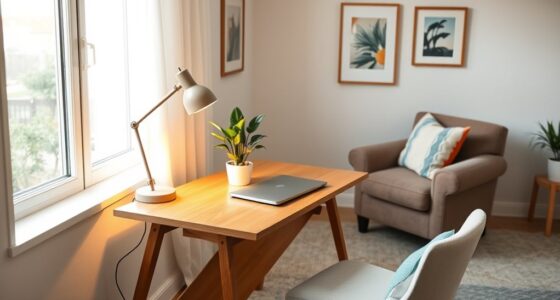
To clear your desk and boost productivity, focus on ergonomic furniture that supports good posture and reduces fatigue. Keep cables organized with clips or trays, and store less-used items away to prevent clutter. Maximize natural light and add adjustable lamps to reduce eye strain. Regularly clean your workspace to maintain hygiene and mental clarity. Creating designated zones for essentials keeps your workspace tidy. Continue exploring tips to transform chaos into clarity and stay focused on your goals.
Key Takeaways
- Implement cable management solutions to reduce clutter and create a clean, organized workspace.
- Designate specific zones for different tasks to enhance focus and workflow efficiency.
- Use ergonomic furniture to promote comfort, maintain good posture, and boost energy levels throughout the day.
- Maximize natural light and incorporate adjustable lighting to improve visual comfort and reduce eye strain.
- Maintain regular cleaning and decluttering routines to sustain a tidy environment and support mental clarity.

Creating an organized home office can boost your productivity and reduce stress. When your workspace is tidy and well-designed, you’ll find it easier to focus and get things done. One of the first steps to achieving this is investing in ergonomic furniture. Comfortable, supportive chairs and adjustable desks aren’t just about comfort—they help prevent strain and fatigue, keeping you energized throughout your workday. Proper ergonomic furniture encourages good posture, reducing aches and pains that can distract you from your tasks. When your body feels good, your mind stays sharper, and you’ll be more motivated to tackle your to-do list.
An organized home office boosts productivity and reduces stress through ergonomic furniture and thoughtful design.
Next, pay attention to cable management. Tangled cords and wires not only look messy but can also create safety hazards and make it harder to find what you need quickly. Use cable clips, sleeves, or under-desk trays to organize and hide cables neatly. This simple step clears up visual clutter, giving your workspace a cleaner, more professional appearance. Plus, with cables properly managed, plugging and unplugging devices becomes easier, and you avoid accidental disconnections or damage to cords. An organized cable setup minimizes distractions, allowing you to concentrate on your work instead of untangling wires or searching for misplaced chargers.
Creating a designated zone for your essentials is also key. Keep only what you need within arm’s reach—your computer, a notepad, a pen holder, and maybe a few important reference materials. Store less frequently used items elsewhere, perhaps in drawers or shelves. This not only maximizes your workspace but also helps prevent clutter from accumulating. When your desk is clear of unnecessary items, you’re less likely to be distracted and more inclined to stay focused on your tasks.
Lighting plays a vital role in your home office setup. Natural light is ideal, so position your desk near a window if possible. Supplement with a good quality, adjustable desk lamp to reduce eye strain during late hours. Proper lighting enhances focus and helps maintain your energy levels, making it easier to stay productive. Additionally, considering the use of appropriate projector technology can help create a more engaging and versatile workspace, especially if visual presentations or large displays are part of your routine.
Finally, establish a cleaning routine. Regularly wiping down surfaces and tidying up your workspace keeps dust and clutter at bay. A clean desk invites clearer thinking and improves your overall well-being. When you combine ergonomic furniture, effective cable management, a clutter-free environment, and good lighting, you create a workspace that supports your productivity and reduces stress. An organized home office isn’t just visually appealing—it’s a smart investment in your efficiency and peace of mind.
Frequently Asked Questions
How Often Should I Declutter My Home Office?
You should declutter your home office at least once a month to maintain an organized space. Regular decluttering helps you avoid clutter buildup, supports a digital detox, and keeps your ergonomic setup effective. Take time to review your supplies, files, and tech to guarantee everything’s in order. Consistent upkeep reduces stress and boosts productivity, making your workspace more inviting and efficient. Remember, a tidy office benefits your mind and overall focus.
What Storage Solutions Are Best for Small Spaces?
When choosing storage for small spaces, prioritize vertical shelving to maximize height and free up valuable floor area. Multi-purpose furniture, like an ottoman with storage or desks with built-in drawers, helps you save space while keeping essentials organized. You should regularly assess your needs and adjust your storage solutions accordingly. These options keep your home office tidy, functional, and clutter-free, making your workspace more efficient and comfortable.
How Can I Prevent Clutter From Accumulating?
Did you know clutter can reduce your productivity by up to 40%? To prevent it, embrace digital minimalism by decluttering your digital files regularly and organizing your workspace efficiently. Maintain an ergonomic setup to make tidying easier and more comfortable. Set aside a few minutes daily to put things back in their place, and avoid letting paper or tech piles build up. Small, consistent habits keep clutter at bay and boost your focus.
What Are Quick Tips for Maintaining Organization Daily?
To maintain organization daily, you should adopt digital minimalism by decluttering your digital workspace regularly and deleting unnecessary files. Keep your ergonomic setup in mind by tidying your physical space and arranging essentials within reach. Develop a habit of a quick end-of-day clean-up, putting items back in their designated spots. These practices help prevent clutter from piling up, keeping your home office efficient and stress-free.
How Do I Organize Cables and Electronic Devices Effectively?
To organize cables and electronic devices effectively, focus on cable management by using clips, sleeves, or zip ties to keep cords neat and prevent tangling. Group similar devices together, like all chargers or peripherals, to streamline access. Label cables for quick identification, and consider using a cable box or organizer to hide excess cords. This approach keeps your workspace tidy and makes device setup and troubleshooting much easier.
Conclusion
A tidy desk sparks focus, yet an organized mind fuels creativity. When you clear your clutter, you create space for ideas to flow freely. It’s easy to think productivity depends solely on tools or technology, but sometimes, it’s the simple act of tidying that opens your best work. So, embrace the contrast: a clean desk may look minimalist, but it’s your mind’s boundless potential that truly drives success.