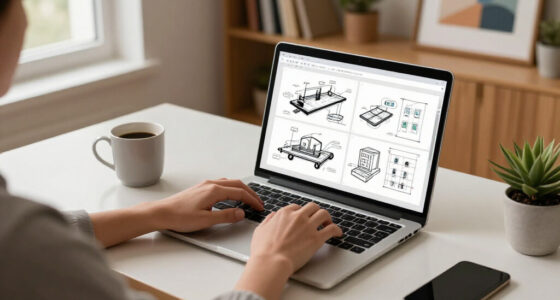
To study smarter at home, invest in key tech gadgets like an ergonomic adjustable chair and sit-stand desk to boost comfort and posture. Use digital organization tools like cloud storage and task managers to keep files and deadlines in check. Add a monitor stand for better eye health and a supportive keyboard pad to reduce strain. Keep your workspace tidy and clutter-free for better focus. Stay tuned to discover how these gadgets can transform your study space even further.

Get furniture and decor delivered free — and shop member deals
- Fast, free delivery on millions of items
- Access to Prime Big Deal Days deals on October 6–7
- Prime Video, Amazon Music and more included
Key Takeaways
- Adjustable ergonomic chairs and sit-stand desks promote proper posture and reduce fatigue during long study sessions.
- Digital organization tools like note-taking apps and task managers streamline study materials and deadlines.
- Monitor stands and ergonomic accessories enhance visual comfort and minimize physical strain.
- Cloud storage and digital folders keep files accessible, organized, and clutter-free for efficient study flow.
- Screen filters and adjustable brightness settings reduce eye strain, supporting sustained focus and visual health.
Creating an efficient home workspace is essential for students aiming to study smarter, not harder. When you set up your area with the right tools, you can boost your focus, reduce discomfort, and stay organized. One key aspect is investing in ergonomic accessories. These items, like adjustable chairs, sit-stand desks, and supportive keyboard pads, help maintain proper posture during long study sessions. By prioritizing comfort, you prevent strain on your neck, back, and wrists, which can otherwise lead to fatigue and distraction. Ergonomic accessories aren’t just about comfort—they also improve your productivity by allowing you to work more efficiently without unnecessary discomfort. Pairing these with a well-thought-out digital organization system makes your workspace even more effective. Digital organization involves using apps and software to keep your files, notes, and schedules neatly arranged. When everything is in its place, you spend less time searching and more time studying or completing assignments. Tools like cloud storage services, note-taking apps, and task managers help you stay on top of your workload and prevent clutter from piling up on your desktop. Setting up folders, labels, and digital calendars ensures you can quickly locate important documents or remember deadlines. In your home workspace, make a habit of decluttering regularly—delete unnecessary files and keep your desktop clean. This simple step maintains your digital environment tidy and minimizes distractions. Additionally, integrating digital organization tools with your ergonomic accessories enhances your overall study environment. For example, using a monitor stand to position your screen at eye level not only promotes better posture but also creates space for digital tools like dual monitors or a tablet for note-taking. Combining comfort with organization allows you to focus entirely on your studies without physical or mental clutter interfering. Remember, the goal is to create a seamless workflow where technology supports your learning, not complicates it. Ergonomic accessories and good digital organization are investments that pay off by making your study sessions more productive and enjoyable. When your workspace is optimized for comfort and efficiency, you’ll find it easier to stay motivated, remember information better, and complete tasks with less stress. So, take the time to set up your home workspace thoughtfully—choose ergonomic accessories that suit your needs and implement digital organization strategies that keep everything accessible. Doing so will help you study smarter, giving you the edge to excel academically while maintaining your well-being. Incorporating color accuracy in your setup can also make a significant difference in reducing eye strain and improving visual clarity during long study sessions.
ergonomic adjustable office chair for students
As an affiliate, we earn on qualifying purchases.
As an affiliate, we earn on qualifying purchases.
Frequently Asked Questions
How Do These Gadgets Improve Focus and Concentration?
These gadgets boost your focus and concentration by blocking out distractions with noise cancellation, helping you stay immersed in your tasks. Their ergonomic design ensures comfort during long study sessions, reducing fatigue and physical strain. By creating a dedicated, comfortable workspace, you can maintain mental clarity and stay motivated. Together, noise cancellation and ergonomic features make it easier for you to concentrate and work efficiently without interruptions.
Are These Tech Gadgets Suitable for All Age Groups?
Sure, these gadgets are perfect for everyone… if you ignore age-specific needs and accessibility features. While tech can boost focus, not all devices suit every age group. Younger kids might struggle with complex interfaces, and older adults may need larger screens or voice controls. So, before you get gadgets for everyone, consider their unique needs, ensuring accessibility features are in place for a truly inclusive workspace.
What Is the Budget Range for These Gadgets?
The price range for these tech gadgets varies widely, making affordability accessible for most budgets. You can find basic options that cost under $50, perfect for students on a tight budget. Mid-range gadgets typically fall between $50 and $150, offering better features and durability. Premium devices may go over $150, providing advanced functionality. Overall, there’s a range to suit different affordability levels, so you can choose what’s best for your needs and budget.
Can These Devices Help With Time Management?
Yes, these devices can boost your time management skills. By using productivity apps, you can create schedules, set reminders, and track deadlines easily. They also support digital decluttering by organizing your files and notifications. This helps you stay focused and efficient, minimizing distractions. With the right gadgets, you’ll find it simpler to manage your time, stay on top of assignments, and improve your overall study workflow.
Are There Any Compatibility Issues With Different Devices?
Device compatibility and cross-platform integration are essential for smooth functioning across your gadgets. You might face issues if devices don’t support the same operating systems or software. To avoid this, choose gadgets that are designed for cross-platform compatibility, ensuring they work seamlessly together regardless of brand or OS. This way, you can focus on studying without worrying about technical setbacks or device conflicts disrupting your workflow.
Conclusion
Just like Athena’s wisdom guided the ancient scholars, these gadgets will elevate your study game. Embrace these tools to turn your workspace into a modern-day agora of productivity and focus. With the right tech, you can conquer assignments with ease, transforming your learning journey into a legendary quest. So, equip yourself wisely—because in the domain of knowledge, smarter is always better. Your future self will thank you for making these wise choices today.
Fall Picks
fall essentials
As an affiliate, we earn on qualifying purchases.