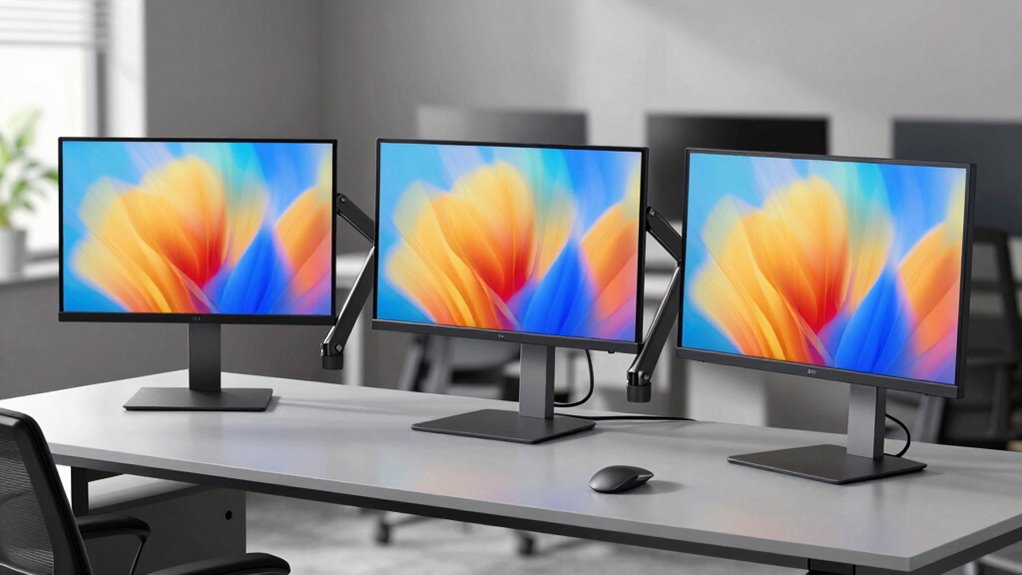
A triple monitor arm mount can free desk space and bring three screens into a more usable position, but screen size, arm capacity, and desk compatibility narrow the field quickly. My best overall pick is the heavy-duty gas-spring mount rated for screens up to 49 inches, thanks to its stated 44-pound capacity and clamp or grommet mounting options. For three standard-size displays, the VIVO pneumatic mount stands out for adjustable arms, while the WALI free-standing stand suits desks where clamping is not practical. The main tradeoffs are support for larger or heavier screens versus a simpler, more compact setup, and clamp mounting versus a freestanding base. Read on for the full breakdown, selection criteria, and guidance on matching a mount to your desk and displays.

Get furniture and decor delivered free with Prime
- Fast, free delivery on millions of items
- Prime Video, Amazon Music and more included
- Member-only deals all year
Complete the kit


Key Takeaways
The roundup’s strongest large-screen fit is the 49-inch gas-spring mount, which lists a 44-pound overall capacity and both clamp and grommet installation; check each arm’s individual limit before mounting your displays.
For screens up to 32 inches, several options share a stated 19.8-pound-per-arm limit, so mount style, arm movement, and exact screen fit may matter more than the capacity figure alone.
The WALI freestanding model is the clearest choice when a desk cannot accept a clamp or grommet installation, though its base needs usable surface area and may not suit every desk layout.
Screen-size ranges vary substantially: some mounts stop at 27 inches, while others list support up to 32 or 49 inches. A screen’s weight, VESA pattern, and width still need checking alongside the diagonal measurement.
The lineup spans pneumatic or gas-spring arms, standard adjustable arms, and a freestanding stand; choose based on how often you reposition screens, not just the number of supported displays.
| Triple Monitor Mount up to 49 inches Fully Adjustable Heavy Duty 3 Monitor Arm with Gas Spring Desk Mount for 3 Screens C-Clamp & Grommet Base Holds 44 lbs Black |  | Best for Large Screens | Screen size range: 17–49 inches | Weight capacity: 44 lbs per monitor | VESA compatibility: 75x75mm and 100x100mm | VIEW ON AMAZON | See Our Full Breakdown |
| WALI Triple Monitor Mount for 13-34 inch Screens, 19.8 lbs per Arm |  | Best for Flexible Positioning | Screen size range: 13–34 inches | Weight capacity: 19.8 lbs per arm | VESA compatibility: 75x75mm and 100x100mm | VIEW ON AMAZON | See Our Full Breakdown |
| HUANUO Triple Monitor Mount for 17 to 32 inch Screens, Adjustable Gaming Stand with Swivel, Tilt, Rotation, Clamp & Grommet Kit |  | Best for Standard-Size Setups | Screen size range: 17–32 inches | Weight capacity: 4.4–17.6 lbs per arm | VESA compatibility: 75x75mm and 100x100mm | VIEW ON AMAZON | See Our Full Breakdown |
| MOUNT PRO Triple Monitor Mount for 13-32 inch Screens, Adjustable Desk Mount with Tilt, Swivel, Rotation, VESA Compatible |  | Best for Broad Tilt Adjustment | Screen size range: 13–32 inches | Maximum load: 19.8 lbs per arm | VESA compatibility: 75x75mm and 100x100mm | VIEW ON AMAZON | See Our Full Breakdown |
| WALI Triple Monitor Mount for 13-32 inch Screens, up to 19.8 lbs per Arm |  | Best for Wooden Desks | Screen size range: 13–32 inches | Weight capacity: 19.8 lbs per arm | VESA compatibility: 75x75mm and 100x100mm | VIEW ON AMAZON | See Our Full Breakdown |
| VIVO Triple Pneumatic Monitor Mount for 3 Screens up to 32 inches, Fully Adjustable, Heavy Duty Desk Stand with C-Clamp, Black |  | Best for Smooth, Frequent Adjustments | Supported screen size: 17–32 inches | Maximum weight per monitor: 17.6 lbs | VESA compatibility: 75x75mm, 100x100mm | VIEW ON AMAZON | See Our Full Breakdown |
| Triple Monitor Desk Mount for 13-32 inch Screens |  | Best for Mounting Flexibility | Screen size range: 13–32 inches | Maximum weight per arm: 19.8 lbs | VESA compatibility: 75x75mm, 100x100mm | VIEW ON AMAZON | See Our Full Breakdown |
| Mount Pro Triple Monitor Mount for Max 32″ Screens, Up to 19.8 lbs Each |  | Best for Aluminum Construction | Screen size range: 13–32 inches | Maximum weight per monitor: 19.8 lbs | VESA compatibility: 75x75mm, 100x100mm | VIEW ON AMAZON | See Our Full Breakdown |
| HUANUO Triple Monitor Mount for 13-27 inch Screens with Adjustable Arms, VESA Compatibility |  | Best for a Compact Three-Screen Setup | Compatible screen size: 13–27 inches | Maximum load per arm: 19.8 lbs | VESA patterns: 75x75mm, 100x100mm | VIEW ON AMAZON | See Our Full Breakdown |
| WALI Triple Monitor Stand for 13-27 inch Screens, Free Standing, Adjustable, Full Motion with Tilt, Swivel, Rotation, Grommet Base, VESA 75/100mm |  | Best for Desks That Cannot Take a Clamp | Screen size range: 13–27 inches | Maximum supported weight: 22 lbs per arm | VESA compatibility: 75x75mm, 100x100mm | VIEW ON AMAZON | See Our Full Breakdown |
| VIVO Triple Ultrawide Monitor Desk Mount for Up to 49-inch Screens, Heavy Duty Clamp, Black |  | Best for Triple Ultrawide Setups | Supported screen sizes: 24–49 inches | Weight capacity per arm: 5.5–44 lbs | VESA compatibility: 75 × 75 mm and 100 × 100 mm | VIEW ON AMAZON | See Our Full Breakdown |
| MOUNTUP Triple Monitor Stand Mount – Fits 3 Monitors Up to 27 inch, Heavy Duty Desk Mount with Adjustable Arms |  | Best for 27-Inch Monitor Setups | Maximum screen size: 27 inches | Maximum weight per arm: 19.8 lbs | VESA compatibility: 75 × 75 mm and 100 × 100 mm | VIEW ON AMAZON | See Our Full Breakdown |
| ErGear Triple Monitor Mount for 13-32 Inch Screens, 19.8 lbs per Arm |  | Best for Flexible 32-Inch Setups | Monitor size compatibility: 13–32 inches | Maximum weight per arm: 19.8 lbs | VESA compatibility: 75 × 75 mm and 100 × 100 mm | VIEW ON AMAZON | See Our Full Breakdown |
| WALI Adjustable Triple Monitor Mount for 13-27 inch Screens, 22 lbs per Arm |  | Best for Lightweight Three-Screen Desks | Monitor size compatibility: 13–27 inches | Maximum weight per arm: 22 lbs | Number of monitors: 3 | VIEW ON AMAZON | See Our Full Breakdown |
| MOUNTUP Triple Monitor Mount for 17-32 inch Screens, Full Motion Desk Stand, Holds 4.4-19.8 lbs per Monitor, Clamp & Grommet Mount, Black |  | Best for a Simple 32-Inch Upgrade | Screen size compatibility: 17–32 inches | Weight capacity per monitor: 4.4–19.8 lbs | VESA compatibility: 75 × 75 mm and 100 × 100 mm | VIEW ON AMAZON | See Our Full Breakdown |
| triple monitor arm mount | VESA compatibility | Tilt | Screen size range |
|---|---|---|---|
| Triple Monitor Mount up to 49 | 75x75mm and 100x100mm | ±35° | 17–49 inches |
| WALI Triple Monitor Mount for | 75x75mm and 100x100mm | — | 13–34 inches |
| HUANUO Triple Monitor Mount fo | 75x75mm and 100x100mm | — | 17–32 inches |
| MOUNT PRO Triple Monitor Mount | 75x75mm and 100x100mm | +90° to -90° | 13–32 inches |
| WALI Triple Monitor Mount for | 75x75mm and 100x100mm | +45°/-45° | 13–32 inches |
| VIVO Triple Pneumatic Monitor | 75x75mm, 100x100mm | ±90° | — |
| Triple Monitor Desk Mount for | 75x75mm, 100x100mm | 90° up/down | 13–32 inches |
| Mount Pro Triple Monitor Mount | 75x75mm, 100x100mm | — | 13–32 inches |
| HUANUO Triple Monitor Mount fo | — | ±45° | — |
| WALI Triple Monitor Stand for | 75x75mm, 100x100mm | — | 13–27 inches |
| VIVO Triple Ultrawide Monitor | 75 × 75 mm and 100 × 100 mm | -25° to 55° | — |
| MOUNTUP Triple Monitor Stand M | 75 × 75 mm and 100 × 100 mm | -45° to +90° | — |
| ErGear Triple Monitor Mount fo | 75 × 75 mm and 100 × 100 mm | -50° to +80° | — |
| WALI Adjustable Triple Monitor | 75 × 75 mm and 100 × 100 mm | 90 degrees | — |
| MOUNTUP Triple Monitor Mount f | 75 × 75 mm and 100 × 100 mm | — | — |
More Details on Our Top Picks
Triple Monitor Mount up to 49 inches Fully Adjustable Heavy Duty 3 Monitor Arm with Gas Spring Desk Mount for 3 Screens C-Clamp & Grommet Base Holds 44 lbs Black
For a triple-monitor setup built around oversized displays, this mount has a clear advantage over the WALI 13–34-inch model: it supports screens up to 49 inches and allows up to 44 pounds per monitor. That higher capacity makes it a more plausible fit for large, heavy screens, though buyers still need to check each display’s weight and VESA pattern. Tilt, swivel, and full rotation give you room to shape the arrangement around your seating position or portrait-oriented side screens. The tradeoff is its scale: three large monitors and a heavy-duty mount call for a sturdy, spacious desk, not a compact workstation. I’d choose it for a large-screen array, but not for a typical three-screen setup where a smaller mount like the HUANUO HNTS3B is a better-sized match.
Pros:- Supports screens up to 49 inches, broader than the other listed mounts.
- 44-pound capacity per monitor accommodates heavier displays within the stated limit.
- C-clamp and grommet mounting options suit different desk setups.
- Tilt, swivel, and rotation allow flexible screen positioning.
Cons:- Its heavy-duty size may overwhelm small desks and compact work areas.
- Large monitors can make a three-screen arrangement difficult to fit, even when each screen is within the stated limit.
Best for: Buyers building a three-screen workstation with large displays up to 49 inches and compatible VESA mounts.
Not ideal for: Users with small or lightweight desks, or anyone whose monitors exceed the mount’s stated size, weight, or VESA limits.
- Screen size range:17–49 inches
- Weight capacity:44 lbs per monitor
- VESA compatibility:75x75mm and 100x100mm
- Mounting options:C-clamp and grommet
- Tilt:±35°
- Swivel:±90°
- Rotation:360°
- Material and color:Cast aluminum, black
Our verdict“Choose this mount for a sturdy desk and three large, VESA-compatible displays; pick a smaller model if your monitors are standard-sized.”
WALI Triple Monitor Mount for 13-34 inch Screens, 19.8 lbs per Arm
The WALI’s standout advantage is its stated reach: a 32.1-inch pole, height up to 41.4 inches, and extension up to 20.3 inches give buyers useful positioning range for a mixed-size desk setup. Compared with the MOUNT PRO 13–32-inch mount, it also accommodates displays up to 34 inches, while retaining a 19.8-pound capacity per arm. Its wide tilt range and 180-degree swivel offer room to angle screens for different tasks; 360-degree rotation also supports portrait orientation. That flexibility comes with assembly and desk-fit checks: the pole and arms need space, and the mount’s clamp or grommet must suit the desktop. I’d favor it over the more compact HUANUO HNTS3B when reach and 34-inch compatibility matter, but not for a minimal desk or screens above its per-arm limit.
Pros:- Supports screens from 13 to 34 inches.
- Long pole and up to 20.3 inches of extension provide substantial positioning flexibility.
- C-clamp and grommet mounting options accommodate different desk setups.
- Full-motion adjustment includes tilt, swivel, and 360-degree rotation.
Cons:- Assembly and arm adjustment may take time to get three screens aligned.
- The tall pole and extended arms can be excessive for compact desks.
- Each arm is limited to 19.8 pounds.
Best for: People arranging three displays of different sizes who need extra height and extension for screen placement.
Not ideal for: Owners of monitors heavier than 19.8 pounds per arm or users with limited room for a tall pole and extended arms.
- Screen size range:13–34 inches
- Weight capacity:19.8 lbs per arm
- VESA compatibility:75x75mm and 100x100mm
- Maximum height:41.4 inches
- Pole length:32.1 inches
- Maximum extension:20.3 inches
- Tilt and swivel:+70° to -45° tilt; 180° swivel
- Rotation:360°
- Mounting and warranty:C-clamp or grommet; 10 years
Our verdict“Pick this WALI when positioning range and 34-inch screen support matter more than a compact, simple setup.”
HUANUO Triple Monitor Mount for 17 to 32 inch Screens, Adjustable Gaming Stand with Swivel, Tilt, Rotation, Clamp & Grommet Kit
The HUANUO HNTS3B suits buyers whose three monitors fit the common 17–32-inch range and whose priority is clearing desk space without stepping up to a large-screen mount. Its C-clamp and grommet options give it more desk compatibility than the WALI model that uses a dual C-clamp, while the stated clamp range helps buyers check fit before ordering. The main limit is load: each arm supports 4.4–17.6 pounds, below the WALI 13–34-inch mount’s 19.8-pound capacity. That makes monitor weight a key compatibility check, particularly for heavier displays. It offers tilt, swivel, and rotation, though the supplied specifications do not define a swivel range. I’d choose it for three standard-size screens that stay within the weight range, but skip it for heavier monitors or ultrawides.
Pros:- C-clamp and grommet mounting support different desk installation needs.
- Tilt, swivel, and rotation offer options for aligning landscape and portrait screens.
- Alloy steel construction and a tabletop mount keep the setup anchored to the desk.
- The listed desk-thickness ranges help buyers check mounting fit in advance.
Cons:- The 17.6-pound per-arm ceiling rules out some heavier monitors.
- Limited to screens 32 inches and smaller.
- The specifications do not state a swivel range, making precise movement comparison harder.
Best for: Desk users with three 17–32-inch monitors that weigh between 4.4 and 17.6 pounds each and have VESA 75×75 or 100×100 mounts.
Not ideal for: Owners of heavier displays, monitors larger than 32 inches, or desks outside the listed clamp and grommet thickness ranges.
- Screen size range:17–32 inches
- Weight capacity:4.4–17.6 lbs per arm
- VESA compatibility:75x75mm and 100x100mm
- C-clamp desk thickness:0.39–3.15 inches
- Grommet desk thickness:0.39–2.36 inches
- Movement:Articulating, tilt, swivel, and rotation
- Maximum tilt:90 degrees
- Material and color:Alloy steel, black
Our verdict“Choose the HUANUO for a standard three-monitor setup when every screen fits its size and comparatively modest weight limits.”
MOUNT PRO Triple Monitor Mount for 13-32 inch Screens, Adjustable Desk Mount with Tilt, Swivel, Rotation, VESA Compatible
The MOUNT PRO is a strong fit when screen angle matters as much as screen placement: its listed +90° to -90° tilt range gives more specified vertical adjustment than the HUANUO HNTS3B, whose data lists a maximum tilt angle but no range. It also supports monitors up to 32 inches and 19.8 pounds per arm, matching the capacity of the WALI 13–32-inch model while offering both C-clamp and grommet installation. A 36.3-inch maximum height and 28-inch pole provide a defined setup envelope, and cable management can help keep three-screen wiring orderly. The notable compatibility caveat is its stated exclusion of 1000R curved screens; buyers with those displays should look elsewhere. I’d favor this over the HUANUO for heavier compatible screens, but not if curved-monitor compatibility is essential.
Pros:- Supports up to 19.8 pounds per arm.
- Specified tilt range spans +90° to -90°.
- C-clamp and grommet mounting options provide installation flexibility.
- Cable management helps organize cords across three displays.
Cons:- Not compatible with 1000R curved screens.
- Three monitors and fully extended arms require sufficient desk space.
- Supports screens only up to 32 inches, unlike the 34-inch WALI option.
Best for: Users with up to three 32-inch, VESA-compatible monitors who want broad tilt adjustment and a choice of desk mounting methods.
Not ideal for: Owners of 1000R curved monitors, or anyone without enough desktop space to spread out three screens.
- Screen size range:13–32 inches
- Maximum load:19.8 lbs per arm
- VESA compatibility:75x75mm and 100x100mm
- Maximum height:36.3 inches
- Pole length:28 inches
- Mounting options:C-clamp and grommet
- Tilt:+90° to -90°
- Swivel and rotation:180° swivel; 360° rotation
Our verdict“Choose this MOUNT PRO for broad tilt adjustment on compatible screens, but skip it if you use 1000R curved monitors.”
WALI Triple Monitor Mount for 13-32 inch Screens, up to 19.8 lbs per Arm
This WALI is the straightforward choice in this group for a wooden desk with no underside crossbeam: its dual C-clamp is designed around that kind of mounting surface, and the stated thickness range reaches 3.54 inches. Compared with the newer WALI 13–34-inch mount, it gives up support for larger screens and extra pole reach, but keeps the setup within the familiar 13–32-inch range and provides 19.8 pounds of capacity per arm. Tilt, swivel, and full rotation cover common ergonomic adjustments, while cable management helps with the extra wiring a triple display brings. Its main drawback is desk specificity, so it is a less flexible pick than the clamp-and-grommet alternatives. I’d choose it when the desk fits its clamp requirements, not for a desk with a crossbeam or an installation that needs a grommet.
Pros:- Dual C-clamp provides a specified mounting option for compatible desks.
- Supports monitors up to 32 inches and 19.8 pounds per arm.
- Tilt, swivel, and 360-degree rotation enable varied screen positioning.
- Built-in cable management helps control wiring across the setup.
Cons:- The clamp is recommended only for wooden desks without crossbeams underneath.
- No grommet mounting option is listed, limiting installation flexibility.
- The 32-inch screen limit is lower than the newer WALI model’s 34-inch limit.
Best for: Buyers mounting three 13–32-inch monitors on a compatible wooden desk without an underside crossbeam.
Not ideal for: People with desks that have crossbeams beneath the clamp area, non-wooden desks, or monitors heavier than 19.8 pounds each.
- Screen size range:13–32 inches
- Weight capacity:19.8 lbs per arm
- VESA compatibility:75x75mm and 100x100mm
- Mounting:Dual C-clamp
- Desk thickness:0.39–3.54 inches
- Swivel:+90°/-90°
- Tilt:+45°/-45°
- Rotation and cable management:360° rotation; cable management included
- Material:Metal
Our verdict“Pick this WALI if your wooden desk matches its clamp requirements; choose a clamp-and-grommet model for a less restrictive installation.”
VIVO Triple Pneumatic Monitor Mount for 3 Screens up to 32 inches, Fully Adjustable, Heavy Duty Desk Stand with C-Clamp, Black
The VIVO stands out for its dual pneumatic arms, which make it a better fit for people who often reposition screens than a fixed-height or more basic triple mount. It supports three displays up to 32 inches and 17.6 pounds each, with broad tilt, swivel, and rotation adjustment. Compared with the Triple Monitor Desk Mount for 13-32 inch Screens, it has a lower stated load limit and only a C-clamp mounting option, but its pneumatic adjustment is the clearer advantage when screen positions change during the day. The clamp attaches without drilling and fits desks up to 3.25 inches thick. Its tradeoffs are the narrower weight margin and the possibility that arm tension will need readjustment, so I would not choose it for heavier displays or a setup that must stay perfectly fixed without occasional tuning.
Pros:- Dual pneumatic arms suit frequent height and position changes.
- Supports three screens up to 32 inches with full articulation.
- Steel and aluminum construction provides a substantial frame.
- C-clamp installation avoids drilling into the desk.
Cons:- The 17.6-pound limit per monitor is lower than the 19.8-pound limits of several comparable mounts.
- Only a C-clamp mounting method is listed.
- Arm tension may need periodic readjustment.
Best for: People with three compatible, lighter monitors who regularly change screen height or position and want a clamp-mounted setup without drilling.
Not ideal for: Buyers with monitors above 17.6 pounds each, desks thicker than 3.25 inches, or a preference for both clamp and grommet mounting options.
- Supported screen size:17–32 inches
- Maximum weight per monitor:17.6 lbs
- VESA compatibility:75x75mm, 100x100mm
- Mounting type:C-clamp tabletop mount
- Maximum clamp thickness:3.25 inches
- Tilt:±90°
- Swivel:180°
- Rotation:360°
- Material:Steel and aluminum
Our verdict“Choose the VIVO if smooth, frequent screen repositioning matters more than a higher per-arm weight limit or grommet mounting.”
Triple Monitor Desk Mount for 13-32 inch Screens
This mount is the most flexible choice here for shoppers who need to match an existing desk: it offers both C-clamp and grommet mounting, while the VIVO Triple Pneumatic Monitor Mount lists only a clamp. Its stated 19.8-pound capacity per arm also gives it more room for heavier screens than the VIVO’s 17.6-pound limit. All three arms support displays from 13 to 32 inches and allow rotation, swivel, and tilt, so the range covers mixed-size setups as well as three matching monitors. Cable management is included, though the description does not specify its material or the desk-thickness limits for either mount. Assembly may take more effort than a straightforward clamp-only setup, and a sturdy desk is still needed to support three extended monitors. I’d pick it for mounting choice, not for a particularly simple installation.
Pros:- Offers both C-clamp and grommet mounting.
- Supports monitors up to 32 inches and 19.8 pounds per arm.
- Provides 360-degree rotation, 180-degree swivel, and tilt.
- Includes cable management.
Cons:- Assembly may be complex for some buyers.
- Requires a sturdy desk for a three-monitor setup.
- Desk-thickness limits are not provided in the product data.
Best for: Desk owners choosing between clamp and grommet installation who want three displays up to 32 inches and need up to 19.8 pounds of capacity per arm.
Not ideal for: Buyers seeking pneumatic height adjustment, a stated desk-thickness range, or the simplest possible assembly.
- Screen size range:13–32 inches
- Maximum weight per arm:19.8 lbs
- VESA compatibility:75x75mm, 100x100mm
- Mounting options:C-clamp, grommet
- Rotation:360°
- Swivel:180°
- Tilt:90° up/down
- Material:Metal
- Color:Black
Our verdict“Choose this model if clamp-versus-grommet flexibility and a 19.8-pound arm capacity matter more than pneumatic adjustment or detailed mounting limits.”
Mount Pro Triple Monitor Mount for Max 32″ Screens, Up to 19.8 lbs Each
The Mount Pro is a solid match for shoppers who prioritize an aluminum frame and want both clamp and grommet installation. Its 13-to-32-inch range and 19.8-pound limit per arm resemble the Triple Monitor Desk Mount for 13-32 inch Screens, so the distinction is less about capacity and more about the specified material and desk-fit details. This model gives separate thickness limits for its two mounting methods, helping buyers check desk compatibility before assembly. It also lifts screens off the work surface and includes cable management. The compromises are a potentially involved build and a warning that heavier monitors may need a reinforcement plate for stability. Compared with the VIVO Triple Pneumatic Monitor Mount, it does not list pneumatic arms; I’d favor it for material and mounting information rather than frequent repositioning.
Pros:- Aluminum construction is specified.
- Supports screens from 13 to 32 inches and up to 19.8 pounds per arm.
- Includes both C-clamp and grommet mounting options.
- Lists desk-thickness limits for both mounting methods.
Cons:- Assembly may be complex.
- Heavier monitors may need a reinforcement plate for stability.
- The maximum supported screen size is 32 inches.
Best for: Home-office and gaming users who want an aluminum triple mount, need clamp or grommet installation, and can verify their desk against the listed limits.
Not ideal for: Owners of monitors over 32 inches or buyers who want a pneumatic arm system for frequent, effortless screen changes.
- Screen size range:13–32 inches
- Maximum weight per monitor:19.8 lbs
- VESA compatibility:75x75mm, 100x100mm
- Mounting options:C-clamp, grommet
- Clamp desk thickness:0.39–3.15 inches
- Grommet desk thickness:0.39–1.97 inches
- Material:Aluminum
Our verdict“Pick the Mount Pro if aluminum construction and clearly stated clamp or grommet fit limits suit your desk better than pneumatic adjustment.”
HUANUO Triple Monitor Mount for 13-27 inch Screens with Adjustable Arms, VESA Compatibility
With a 13-to-27-inch screen range, this HUANUO is aimed at compact three-monitor desks rather than users planning to mount larger panels. Its 12.2 inches of height adjustment and 19.8-pound capacity per arm make it more suitable for repositioning typical smaller displays than the VIVO Triple Pneumatic Monitor Mount, while avoiding that model’s 17.6-pound limit. The stated ±45-degree tilt and ±90-degree swivel offer useful angle changes, and 360-degree rotation supports portrait orientation where the monitor allows it. Desk thickness is listed from 0.39 to 3.15 inches. The main tradeoff is its 27-inch ceiling: the Mount Pro, for example, supports displays up to 32 inches. I’d select this HUANUO for a desk built around smaller screens, not as a flexible choice for future upgrades to larger monitors.
Pros:- Provides 12.2 inches of height adjustment.
- Supports up to 19.8 pounds per arm.
- Offers 360-degree rotation and ±90-degree swivel.
- Lists a desk-thickness range of 0.39 to 3.15 inches.
Cons:- Limited to screens up to 27 inches, unlike the Mount Pro’s 32-inch range.
- Assembly and fine adjustment may take time.
- Tilt is limited to the stated ±45-degree range.
Best for: People setting up three 13-to-27-inch monitors who want a stated height-adjustment range and a mount that fits desks up to 3.15 inches thick.
Not ideal for: Buyers using or planning to upgrade to monitors larger than 27 inches, or those who need tilt beyond the stated ±45 degrees.
- Compatible screen size:13–27 inches
- Maximum load per arm:19.8 lbs
- VESA patterns:75x75mm, 100x100mm
- Desk thickness:0.39–3.15 inches
- Tilt:±45°
- Swivel:±90°
- Rotation:360°
- Height adjustment:12.2 inches
Our verdict“Choose this HUANUO for three smaller monitors when its height adjustment and 19.8-pound capacity matter more than support for 32-inch screens.”
WALI Triple Monitor Stand for 13-27 inch Screens, Free Standing, Adjustable, Full Motion with Tilt, Swivel, Rotation, Grommet Base, VESA 75/100mm
The WALI’s main distinction is its free-standing or grommet-base setup, which gives buyers an alternative when a desk edge cannot accept a clamp. It also has the highest stated per-arm capacity in this group at 22 pounds, above the HUANUO’s 19.8 pounds, though both models cap screen size at 27 inches. Height, tilt, swivel, and rotation adjustment support basic ergonomic positioning, and cable guides help keep the workspace tidier. The free-standing option comes with a practical cost: its four-inch-diameter base occupies desk surface, which may matter more on a shallow desk than the space saved by lifting monitors. It also lacks a stated screen-size advantage over the HUANUO. I’d choose it for mounting flexibility and load capacity, but skip it if desk real estate is already tight.
Pros:- Offers free-standing and grommet-base mounting.
- Supports up to 22 pounds per arm.
- Provides height, tilt, swivel, and rotation adjustments.
- Includes cable management guides.
Cons:- The four-inch base takes up desk surface in free-standing mode.
- Supports screens only up to 27 inches.
- Assembly may be complex for some users.
Best for: Users with a desk that cannot accept a clamp who want a free-standing or grommet-mounted triple setup for monitors up to 27 inches.
Not ideal for: Owners of larger-than-27-inch displays or people with limited desk depth who cannot spare space for the free-standing base.
- Screen size range:13–27 inches
- Maximum supported weight:22 lbs per arm
- VESA compatibility:75x75mm, 100x100mm
- Mounting type:Free-standing or grommet base
- Base diameter:4 inches
- Adjustments:Height, tilt, swivel, rotation
- Material:Metal
- Color:Black
Our verdict“Choose the WALI if you need a clamp-free mounting option and value its 22-pound arm capacity over a smaller desk footprint.”
VIVO Triple Ultrawide Monitor Desk Mount for Up to 49-inch Screens, Heavy Duty Clamp, Black
I’d choose this VIVO when the defining requirement is fitting three ultrawide screens, including one as large as 49 inches. Its stated 5.5-to-44-pound arm capacity and pneumatic height adjustment set it apart from the MOUNTUP and ErGear mounts, which are limited to 32-inch screens and 19.8 pounds per arm. That added range gives buyers more room to configure a demanding display setup, while tilt, swivel, and 360-degree rotation allow substantial positioning changes.
The tradeoff is the footprint and installation effort: a heavy-duty mount built for large screens can be cumbersome to assemble and leaves less flexibility on a cramped desk. Check both your desktop’s available space and each screen’s VESA pattern and weight before choosing it. I’d skip it for three ordinary-sized monitors if a smaller mount would meet your needs.
Pros:- Supports screens from 24 to 49 inches, including one as large as 49 inches.
- Broad 5.5-to-44-pound capacity per arm accommodates a wider range of screen weights than the other listed mounts.
- Pneumatic height adjustment plus tilt, swivel, and full rotation allow extensive positioning.
- Detachable VESA plates can make attaching screens easier.
Cons:- Heavy, bulky construction can make assembly and later repositioning difficult.
- Requires ample desktop area for installation and three large screens.
- The stated weight range starts at 5.5 pounds per arm, so unusually light monitors may fall outside its supported range.
Best for: People building a three-screen ultrawide workstation who need support for a screen up to 49 inches and have a sturdy, spacious desk.
Not ideal for: Users with small or lightweight desks, or anyone mounting three standard-size monitors who does not need the additional screen capacity and reach.
- Supported screen sizes:24–49 inches
- Weight capacity per arm:5.5–44 lbs
- VESA compatibility:75 × 75 mm and 100 × 100 mm
- Tilt:-25° to 55°
- Swivel:180°
- Rotation:360°
- Mounting:Tabletop clamp; desk thickness up to 2 inches
- Materials:Steel, aluminum, and plastic
Our verdict“Choose this VIVO for a large, weighty triple-ultrawide arrangement; pick the ErGear or MOUNTUP models instead for smaller screens and a less demanding desk setup.”
MOUNTUP Triple Monitor Stand Mount – Fits 3 Monitors Up to 27 inch, Heavy Duty Desk Mount with Adjustable Arms
For a conventional three-monitor desk, I’d put this MOUNTUP ahead of the ultrawide-focused VIVO: it supports screens up to 27 inches and offers both C-clamp and grommet installation, so buyers can match the mount to their desk. Its heavy-gauge steel construction and 19.8-pound-per-arm limit suit many standard displays, while tilt, swivel, and rotation help set different viewing angles across the row. Cable management also helps keep a crowded workstation more orderly.
The distinction from the WALI 13–27-inch mount is its installation flexibility and stated load capacity, while the WALI’s listed 10-year warranty is longer than this model’s two-year warranty. Neither is a choice for larger screens: the 27-inch ceiling is a firm constraint. Assembly may also take patience, and its 14.7-pound item weight is worth factoring in if you have a small desk or expect to move the setup often.
Pros:- Supports three monitors up to 27 inches and 19.8 pounds per arm.
- Offers both C-clamp and grommet mounting.
- Tilt, swivel, and rotation allow varied screen positioning.
- Cable management helps reduce visible wire clutter.
Cons:- Screen support stops at 27 inches, unlike the 32-inch ErGear and MOUNTUP models.
- The listed two-year warranty is shorter than the WALI model’s 10-year warranty.
- Its 14.7-pound weight and multi-arm assembly can be cumbersome on small desks or for first-time installers.
Best for: Buyers arranging three VESA-compatible monitors up to 27 inches who want a choice between clamp and grommet mounting.
Not ideal for: People with screens larger than 27 inches, a desk that cannot accept either mounting method, or anyone prioritizing a longer listed warranty.
- Maximum screen size:27 inches
- Maximum weight per arm:19.8 lbs
- VESA compatibility:75 × 75 mm and 100 × 100 mm
- Mounting options:C-clamp and grommet
- Tilt:-45° to +90°
- Swivel:±90°
- Rotation:360°
- Item weight:14.7 lbs
- Warranty:2 years
Our verdict“Pick this MOUNTUP for a flexible mounting choice with three standard-size screens, but look to ErGear or MOUNTUP’s 17–32-inch model if your monitors exceed 27 inches.”
ErGear Triple Monitor Mount for 13-32 Inch Screens, 19.8 lbs per Arm
The ErGear is my pick for buyers who want room to grow beyond 27-inch monitors without moving into the much larger capacity class of the VIVO ultrawide mount. It fits screens from 13 to 32 inches and supports up to 19.8 pounds per arm, making it a practical middle ground for a varied three-screen workstation. Its 20.7-inch extension reach and 36.6-inch maximum height give more scope to arrange the displays, and the dual C-clamp base is described as a stability aid.
Compared with the MOUNTUP 27-inch model, ErGear accepts larger screens and lists a longer five-year warranty; compared with the MOUNTUP 17–32-inch model, it supports smaller monitors too. That flexibility comes with setup work, and the 19.8-pound limit rules out heavier displays. Check individual screen weight and VESA fit before buying rather than relying on diagonal size alone.
Pros:- Supports a broad 13-to-32-inch screen range.
- Provides 20.7 inches of extension reach and a listed maximum height of 36.6 inches.
- Includes C-clamp and grommet installation options.
- Cable management and a listed five-year warranty add practical workspace support.
Cons:- The 19.8-pound-per-arm limit excludes heavier monitors.
- Installation may take effort to position and secure correctly.
- The VIVO model is better suited to screens larger or heavier than this mount’s stated range.
Best for: Workstation owners mixing 13-to-32-inch VESA monitors who want extended reach, two desk-mounting options, and a stated five-year warranty.
Not ideal for: Owners of screens heavier than 19.8 pounds per arm or larger than 32 inches, and buyers seeking a mount that needs little setup.
- Monitor size compatibility:13–32 inches
- Maximum weight per arm:19.8 lbs
- VESA compatibility:75 × 75 mm and 100 × 100 mm
- Installation options:C-clamp and grommet
- Maximum height:36.6 inches
- Extension reach:20.7 inches
- Tilt:-50° to +80°
- Swivel and rotation:±90° swivel; 360° rotation
- Warranty:5 years
Our verdict“Choose ErGear when your three monitors vary in size and you want 32-inch compatibility with generous reach, provided every screen stays within the per-arm weight limit.”
WALI Adjustable Triple Monitor Mount for 13-27 inch Screens, 22 lbs per Arm
I’d favor this WALI when your three displays are no larger than 27 inches and you want a straightforward full-motion mount with a notably high stated 22-pound capacity per arm. That exceeds the 19.8-pound limits on both the MOUNTUP 27-inch and ErGear models, giving it more headroom for heavier screens within its size range. Tilt, swivel, and rotation help tailor the layout, while built-in cable management addresses the visual clutter that often comes with three monitors.
The boundary is clear: this is not the step-up option for larger screens. ErGear and the 17–32-inch MOUNTUP cover monitors up to 32 inches, while this WALI stops at 27. Its listed 10-pound weight is lighter than the MOUNTUP 27-inch mount’s 14.7 pounds, but it is still not a mount I’d choose for frequent moving. VESA mounting holes are required, so check the backs of all three displays first.
Pros:- Supports up to 22 pounds per arm, more than the 19.8-pound limit on the listed MOUNTUP and ErGear mounts.
- Accommodates three monitors from 13 to 27 inches.
- Full-motion positioning and cable management support an adjustable, tidier setup.
- Lists a 10-year warranty.
Cons:- The 27-inch maximum screen size excludes monitors supported by the 32-inch ErGear and MOUNTUP models.
- Requires compatible 75 × 75 mm or 100 × 100 mm VESA mounting holes.
- Its 10-pound build may still be inconvenient to move once the three screens are installed.
Best for: Users with three VESA-compatible screens from 13 to 27 inches who want more per-arm weight capacity than the other listed standard-screen mounts.
Not ideal for: Owners of 28-to-32-inch displays, monitors without 75 × 75 mm or 100 × 100 mm VESA holes, or people who regularly relocate their setup.
- Monitor size compatibility:13–27 inches
- Maximum weight per arm:22 lbs
- Number of monitors:3
- VESA compatibility:75 × 75 mm and 100 × 100 mm
- Tilt:90 degrees
- Material:Metal
- Mount weight:10 lbs
- Warranty:10 years
Our verdict“Choose this WALI when your monitors fit within 27 inches but need more than 19.8 pounds of capacity per arm; choose ErGear for larger screens.”
MOUNTUP Triple Monitor Mount for 17-32 inch Screens, Full Motion Desk Stand, Holds 4.4-19.8 lbs per Monitor, Clamp & Grommet Mount, Black
This MOUNTUP suits buyers replacing a three-monitor stand capped at 27 inches with one that accepts 17-to-32-inch screens, while keeping installation choices simple: use the clamp or grommet mount. Each arm is rated for 4.4 to 19.8 pounds, and the height, tilt, swivel, and rotation adjustments provide useful flexibility for arranging a mixed-size desk. Compared with the MOUNTUP 27-inch model, it accommodates larger displays; compared with ErGear, it shares the 32-inch ceiling but has a listed assembly time under 20 minutes.
That quick assembly claim does not erase desk-fit concerns. The desk must be 0.39 to 3.15 inches thick, and a thin surface may need a reinforcement plate that is not included. The minimum supported monitor weight is also 4.4 pounds, so very light screens may not fit the stated range. ErGear is the stronger match if you need support for 13-inch monitors or greater extension reach.
Pros:- Fits screens from 17 to 32 inches, exceeding the 27-inch limit of the other MOUNTUP model.
- Supports both clamp and grommet installation.
- Height, swivel, tilt, and rotation adjustments help tailor the arrangement.
- Lists assembly in under 20 minutes and includes cable management.
Cons:- The 4.4-to-19.8-pound range excludes monitors that are too light or too heavy.
- Thin desks may need a reinforcement plate, which is not included.
- Desk thickness must fall between 0.39 and 3.15 inches.
Best for: People upgrading to three 17-to-32-inch monitors who want clamp or grommet mounting and a stated assembly time under 20 minutes.
Not ideal for: Users with monitors under 17 inches, screens heavier than 19.8 pounds per arm, or thin desks that cannot be reinforced.
- Screen size compatibility:17–32 inches
- Weight capacity per monitor:4.4–19.8 lbs
- VESA compatibility:75 × 75 mm and 100 × 100 mm
- Mounting options:Clamp and grommet
- Adjustments:Height, swivel, tilt, and rotation
- Maximum tilt:90 degrees
- Desk thickness:0.39–3.15 inches
- Assembly time:Less than 20 minutes
- Warranty:3 years
Our verdict“Pick this MOUNTUP for three 17-to-32-inch screens and a quick, flexible mounting setup, but choose ErGear if you need compatibility with smaller monitors or more reach.”

How We Picked
I compared these mounts through the needs that most often determine whether a three-screen setup will fit and stay practical: stated screen-size range, weight capacity, mounting method, adjustability, and VESA compatibility. I gave added weight to clearly stated per-arm limits and installation options because an overall capacity can conceal an unsuitable limit for one heavier display. I also separated products for large screens from those aimed at standard 13-to-32-inch monitors, rather than treating their size claims as interchangeable.
The ranking favors options with a useful combination of fit, capacity, and setup flexibility, then gives specialized picks their place where they solve a distinct problem. Models with similar stated limits are differentiated by mounting style, screen-size range, or arm mechanism; where the supplied product details do not specify a feature, I do not assume it. Before buying, verify the individual product’s current specifications, your monitors’ weights and VESA patterns, and your desk’s thickness and construction.
Factors to Consider When Choosing Triple Monitor Arm Mount
Choosing a three-screen mount is less about finding the longest feature list and more about avoiding mismatches between your monitors, desk, and preferred layout. I would check these factors before deciding, especially when one screen is larger or heavier than the other two.
Match capacity to each monitor, not just the full setup
Start with the weight of each monitor without its original stand, then compare that figure with the mount’s per-arm capacity. A mount advertised for three screens may still be a poor fit if one display exceeds the limit for its arm. Leave some margin for accessories or later monitor changes rather than treating a published maximum as a target. Also check whether the stated capacity applies equally to all three arms. A heavier central display can affect balance and positioning even when the combined weight appears acceptable. If the listing gives only an overall limit, seek a clear arm-by-arm specification before purchasing.
Treat screen size as a fit clue, not a guarantee
Diagonal measurements alone do not tell you whether three monitors will sit comfortably side by side. Bezel width, screen aspect ratio, and arm reach all affect how much desk width the arrangement needs. Ultrawide displays can be much wider and heavier than standard monitors with the same diagonal, so verify explicit support for that shape rather than relying on a general size range. Consider whether your outer screens need to angle inward; a setup with limited side-arm reach may leave them too far apart or poorly aligned. Measure the combined width of your screens and leave room for the arms to move. This check can prevent buying a mount that technically supports each display but cannot create your preferred layout.
Check VESA fit before deciding on an arm
Most monitor arms attach through a VESA mounting pattern, but not every display uses the same spacing or includes accessible mounting holes. Check the monitor manual for its pattern and compare it with the mount’s listed compatibility. Some displays need an adapter, and a curved or unusually shaped rear housing can limit access to the mounting plate. Remove the stand only after confirming that the monitor can be attached securely with the intended hardware. If you are mixing different monitor models, verify all three rather than assuming one matching display means the rest will fit. A few minutes spent checking patterns can prevent a return or an improvised attachment.
Choose a desk attachment that suits the furniture
A clamp mount keeps the desk surface mostly open, while a grommet mount uses a hole through the desk and a freestanding model avoids edge clamping. Each option has limits: a clamp needs an accessible, sturdy edge; a grommet needs a suitable opening; and a freestanding base occupies desk space. Measure desktop thickness and inspect any lip, apron, cable tray, or raised edge that could block the clamp. Thin, hollow, glass, or fragile surfaces may need a different mounting approach or reinforcement. Do not assume that an included clamp makes a mount suitable for every desk material. The attachment method should fit the furniture as carefully as the arm fits the monitors.
Decide how much repositioning you actually need
Gas-spring and pneumatic arms can make frequent height and position changes easier, while simpler adjustable arms may suit a layout that stays put. That convenience matters most when you switch between seated and standing positions or regularly share screens. It matters less if the monitors will remain aligned in one fixed arrangement, where a straightforward mount may be sufficient. For three screens, check how independently each arm moves and whether one screen can be adjusted without pushing its neighbors out of place. More joints and movement can also mean more setup and adjustment work. Pick the mechanism for your routine, not simply because a feature list sounds more flexible.
Plan the layout, cables, and available desk depth
Before ordering, sketch the intended arrangement: one central screen with two angled sides, three screens in a line, or a mixed layout with an ultrawide. Desk depth and viewing distance can limit how far the screens can sit from you, particularly when monitor arms extend behind the desk edge. Check whether the arms and their mounting hardware leave room for cable routing, a keyboard, and other desk equipment. Cable clips can help, but they do not remove the need to allow slack for screen movement. A crowded desk may favor an arm mount over a wide stand, while a shallow desk may make a large three-screen arc uncomfortable. Planning the footprint first makes the product specifications easier to compare.
Frequently Asked Questions
Can a mount listed for three 32-inch monitors hold three ultrawide screens?
Not necessarily. A 32-inch limit describes diagonal size, but ultrawide monitors are wider and may weigh more than standard screens of the same diagonal. Check the mount’s stated support for ultrawide displays, the weight limit for each arm, and the arm reach needed to position all three. Confirm that each monitor’s VESA pattern is compatible as well. If the listing does not clearly cover your screen type and weight, do not rely on the diagonal measurement alone.
Should I choose a clamp, grommet, or freestanding triple monitor mount?
Choose based on your desk, not just the mount’s convenience features. A clamp can preserve desk space but needs a solid, unobstructed edge with compatible thickness. A grommet mount can provide a secure attachment through a suitable desk hole, but drilling or an existing opening may be required. A freestanding stand avoids clamping the desk yet takes up surface area and can limit where other items sit. Check the desk structure and available space before choosing among these styles.
Is a 19.8-pound-per-arm limit enough for my monitors?
It may be, but compare that figure with each monitor’s weight after removing its original stand. The limit applies per arm, so a heavy screen cannot be balanced by two lighter ones. Leave a margin rather than choosing a mount whose stated maximum exactly matches the display weight. Check the monitor’s VESA pattern and shape too, since a compatible weight does not guarantee a compatible attachment. If your display is near the limit or its weight is unclear, look for a model with a higher clearly stated arm capacity.
Do I need a gas-spring or pneumatic arm if I rarely move my monitors?
Probably not. These mechanisms are most useful when you often reposition screens, adjust for different users, or change between working postures. If your three monitors will stay in one arrangement, a simpler adjustable arm may meet your needs without paying for movement you seldom use. You should still check how the mount handles initial positioning and whether its arms can align your particular screen sizes. Choose a more adjustable mechanism for a real workflow need, not as a substitute for checking fit.
What should I measure before ordering a triple monitor arm mount?
Measure the desk’s thickness and edge clearance, then check for an apron, cable tray, or frame that could interfere with a clamp. Measure your monitors’ width, height, and weight, and note each VESA pattern. Work out how much desk width and depth your preferred arrangement needs, including room to angle the side screens. For a freestanding mount, measure the base footprint; for a grommet mount, check whether the desk has a usable hole. These measurements help confirm that the mount can attach securely and place all three screens where you want them.
Conclusion
For most buyers with a large or mixed-size setup, I would start with the 49-inch heavy-duty gas-spring mount, whose listed 44-pound capacity and clamp-or-grommet options give it the broadest stated fit in this roundup. For best value among standard-size displays, compare the WALI, ErGear, MOUNT PRO, and MOUNTUP models that list support up to 32 inches and 19.8 pounds per arm; pick based on the mounting method and arm features that suit your desk. The VIVO pneumatic mount is my pick for buyers who want an adjustable three-screen setup, while the WALI freestanding stand is best when desk-edge clamping is not workable. Beginners with three conventional monitors should favor a clearly specified 13-to-32-inch model and verify weight and VESA fit before installation. For large ultrawides, prioritize explicit screen-size support and arm capacity over general-purpose flexibility; verify the individual display fit before committing.
Fall Picks

eufy Security Essential Alarm System, 7-Piece
As an affiliate, we earn on qualifying purchases.