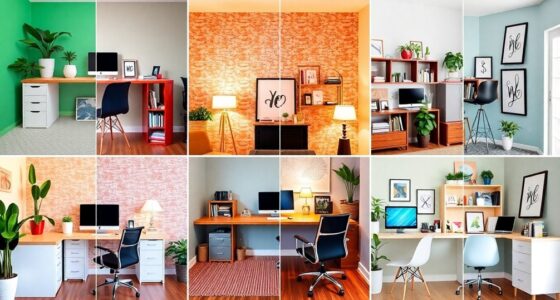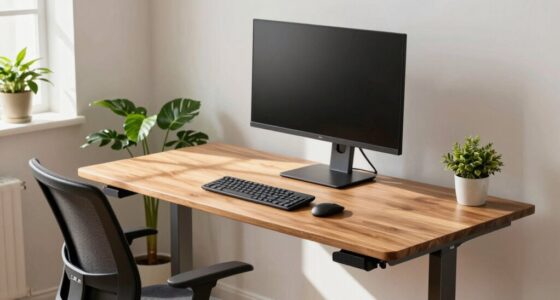
Avoid facing windows with frequent activity or placing your desk near noisy areas, as distractions break your focus. Positioning your workspace where glare or clutter can cause eye strain and discomfort also hurts productivity. Make sure your monitor is at eye level and your chair offers proper support to prevent physical strain. Good lighting, especially natural light, boosts focus, but facing away from bright windows reduces glare. Stick with these adjustments to improve your setup, and you’ll discover even more ways to stay productive.
Key Takeaways
- Placing your desk near windows facing busy areas causes distractions and glare.
- Positioning the desk directly in front of cluttered or noisy zones reduces concentration.
- Facing natural light sources can lead to glare and eye strain, impairing focus.
- Cluttered or disorganized surroundings at your desk increase mental distraction.
- Incorrect desk placement that overlooks distraction zones hampers productivity and concentration.
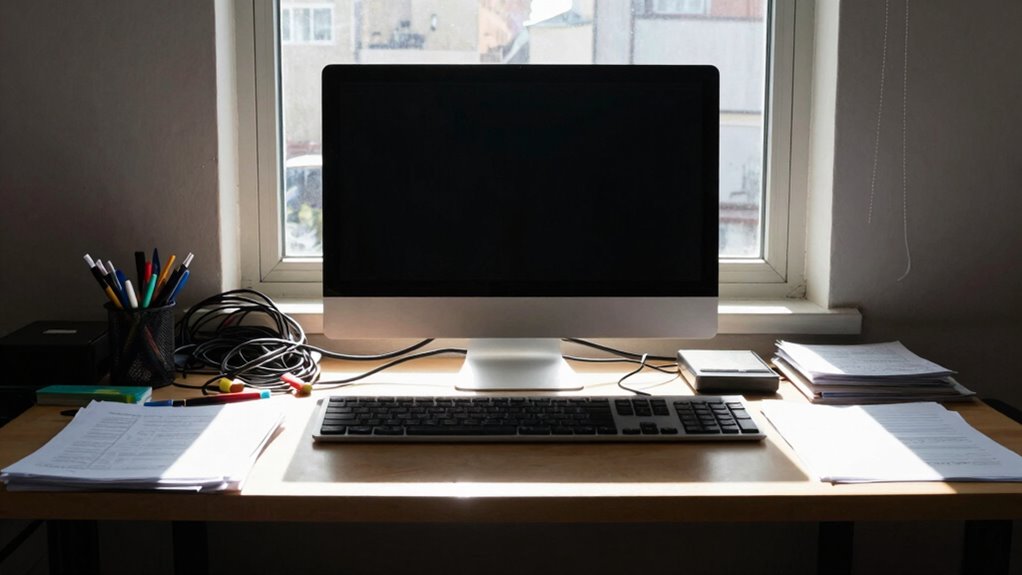
Your desk placement can profoundly impact your ability to focus, yet many people unknowingly make mistakes that hinder productivity. One of the most common errors is neglecting an ergonomic setup. When your workspace isn’t aligned to support good posture, you’ll find yourself distracted by discomfort and fatigue. An ergonomic setup means your monitor is at eye level, your chair supports your lower back, and your feet rest flat on the floor. If your desk is too high or too low, or if your keyboard and mouse aren’t positioned correctly, you’ll spend more time adjusting your posture than actually working. Over time, poor ergonomics can cause strain, headaches, and even chronic pain, all of which divert your attention away from tasks at hand. Proper desk placement also considers the importance of minimizing visual and physical strain to maintain focus throughout the day. Ensuring your workspace is ergonomically optimized is crucial for long-term productivity and comfort. Additionally, considering workspace organization can help reduce clutter and create a more focused environment. For example, incorporating appropriate lighting can help prevent eye strain caused by poor illumination.
Proper ergonomic setup reduces discomfort and fatigue, helping you stay focused and productive throughout the day.
Another overlooked factor is the placement of your desk relative to distraction zones. Distraction zones are areas in your environment that tempt you to divert your attention—like a window with a view, a cluttered corner, or a busy hallway. If your desk faces a window with a constant view of activity, every glance outside pulls you away from your work. Similarly, placing your desk near clutter or noise sources makes it harder to concentrate. You might find yourself repeatedly getting up to clear clutter or distracted by sounds and movement. To optimize focus, you need to position your desk where these distraction zones are minimized. Ideally, face away from busy areas, or use screens or partitions to block visual and auditory distractions. Proper environmental arrangement can significantly improve your ability to stay attentive and productive.
The placement of your desk can also influence your natural light exposure, which plays a role in maintaining focus. Sitting in a poorly lit corner or facing away from windows can cause eye strain and fatigue, making it difficult to sustain concentration. Proper placement takes advantage of natural light without causing glare on your screen. If natural light isn’t an option, invest in good task lighting that illuminates your workspace evenly. Adjusting your desk placement to optimize lighting can reduce eye strain and boost your mood, further enhancing your focus throughout the day.

BONTEC Dual Monitor Stand Riser, Adjustable Length & Swivel Angle, Ergonomic Wooden Desktop Organizer with Smartphone Holder, Computer Monitor Stand for PC Monitor, Laptop, Printer, Large Storage
DUAL MONITOR STAND WITH ADJUSTABLE LENGTH & ANGLE – Elevate two monitors to an ergonomic height for better…
As an affiliate, we earn on qualifying purchases.
As an affiliate, we earn on qualifying purchases.
Frequently Asked Questions
How Does Desk Placement Affect Long-Term Productivity?
Your desk placement directly impacts your long-term productivity. Sitting too close to windows can cause glare, while poor lighting reduces focus, so ambient lighting is crucial. Position your desk to support ergonomic accessories like adjustable chairs and monitor arms, reducing strain and fatigue. Proper placement encourages better posture and minimizes distractions, helping you stay productive longer. Prioritizing these factors ensures a healthier, more efficient work environment over time.
Can Chair Positioning Influence Focus and Mental Clarity?
Your chair positioning can dramatically influence focus and mental clarity, almost as if it has a superpower. When you align your chair for ergonomic comfort, it reduces physical strain, helping you stay alert longer. Proper visual ergonomics, like adjusting your monitor height, minimizes eye strain and distractions. If your chair supports good posture, you’ll find it easier to concentrate and think clearly, boosting your productivity considerably.
What Are Signs of Poor Desk Placement Impacting Health?
If your desk placement is poor, you might notice signs like neck or back pain, eye strain, and headaches. You could also feel fatigue or difficulty concentrating. These issues often stem from improper ergonomic accessories, like unsupported chairs or awkward monitor heights, and poor ambient lighting that causes glare or eye discomfort. Addressing these factors by adjusting your desk setup can improve your health and boost your focus throughout the day.
How Often Should Desk Position Be Reassessed?
You should reassess your desk position every few months, like tuning a musical instrument to stay in harmony. Regular checks guarantee your ergonomic accessories and ambient lighting work effectively, preventing discomfort and distraction. If you notice any strain, eye fatigue, or reduced focus, it’s time to tweak your setup. Staying proactive keeps your workspace aligned with your needs, supporting productivity and well-being in the long run.
Does Desk Placement Affect Team Collaboration?
Yes, desk placement impacts team collaboration. When you consider ergonomic adjustments and personal space, you create an environment that encourages open communication and teamwork. Positioning desks to foster easy eye contact and quick access promotes interaction. Respecting personal space guarantees comfort, reducing distractions and fostering trust. By thoughtfully arranging desks, you can enhance collaboration, boost morale, and create a more productive workspace that benefits everyone.

HOLLUDLE Ergonomic Mesh Office Chair – 3D Adjustable Lumbar Support & 3D Armrests, V-Shaped Back, Adjustable Desk Chair for Office & Home, White
[Advanced 3D Lumbar Support] Customize your comfort with Holludle's unique 3D lumbar support. Adjust it up, down, forward,…
As an affiliate, we earn on qualifying purchases.
As an affiliate, we earn on qualifying purchases.
Conclusion
If you keep making these desk placement mistakes, you’re not just hurting your focus—you’re practically sabotaging your entire productivity universe! Imagine working in a chaos vortex where distractions reign supreme, your concentration crashes like a thunderstorm, and your efficiency vanishes into thin air. Fix these errors now, or risk living in a never-ending struggle for focus, where your work suffers, your stress skyrockets, and success becomes an elusive dream. Don’t let your desk be your downfall—take control today!
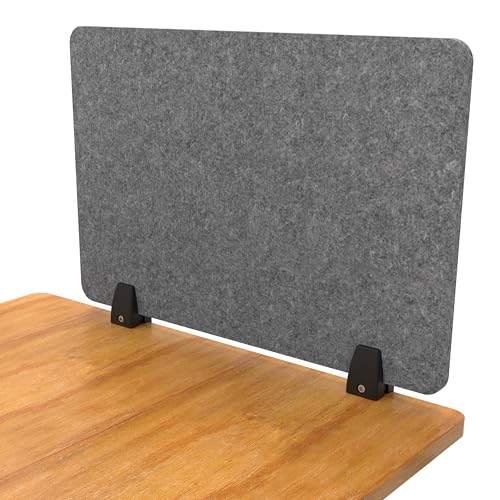
ReFocus Raw Clamp-On Acoustic Desk Divider, Noise-Reducing PET Privacy Panel for Offices, Sound-Dampening Desk Partition for Focused Work, Easy Installation Workspace Divider (24" × 16", Castle Gray)
Multiple Size Options: Mix and match 24", 48", and 60" panels to build the right level of privacy…
As an affiliate, we earn on qualifying purchases.
As an affiliate, we earn on qualifying purchases.

Airlonv LED Desk Lamp for Office Home, Eye-Caring Desk Light with Stepless Dimming Adjustable Flexible Gooseneck, 10W USB Adapter Desk Lamp with Clamp for Reading, Study, Workbench (Black)
Stepless Dimming Mode: The desk light offers effortless switching of color temperatures (2700K-6500K) and stepless dimming (1% -…
As an affiliate, we earn on qualifying purchases.
As an affiliate, we earn on qualifying purchases.