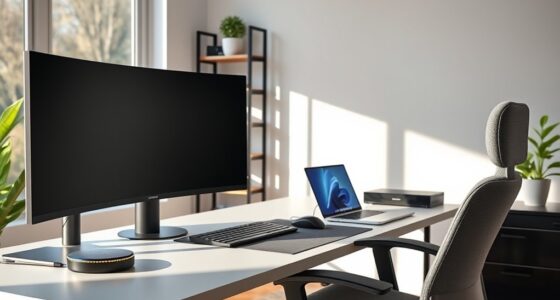
To create senior-friendly workspaces, assess their physical needs by observing movement and gathering feedback. Use adjustable desks, supportive chairs, and ergonomic accessories to reduce strain. Guarantee good lighting and easy-to-use assistive devices like magnified keyboards or voice commands. Incorporate ergonomic practices through ongoing training and promote a culture focused on health. As you explore these strategies, you’ll discover how small adjustments can make work much easier and more comfortable for seniors.
Key Takeaways
- Incorporate adjustable desks, chairs, and ergonomic accessories to support proper posture and reduce physical strain.
- Use accessible lighting and visual aids to minimize eye fatigue and improve visibility.
- Implement assistive technologies like voice recognition and magnified keyboards for easier task management.
- Regularly assess individual needs and promote ergonomic training to ensure workspace adjustments meet evolving requirements.
- Integrate water-based relaxation techniques and wellness programs to enhance mental well-being and reduce workplace stress.
How to Assess Ergonomic Needs for Senior Employees?

Evaluating ergonomic needs for senior employees begins with understanding how aging can affect comfort and mobility in the workplace. You should start by appraising physical capabilities and identifying areas where strain or discomfort may occur. Incorporate tech gadgets like ergonomic mice, keyboard accessories, or voice-activated devices to support ease of use. Additionally, wellness programs can help gather feedback on common pain points and suggest improvements. Observing how senior employees perform tasks and encouraging open communication helps pinpoint specific needs. Regular assessments ensure adjustments keep pace with changing requirements. Using this approach, you create a supportive environment that minimizes physical barriers and promotes well-being, making work more accessible and comfortable for senior staff. Incorporating ergonomic technology can further enhance comfort and reduce strain, ensuring a more inclusive workspace.
Designing Adjustable Workstations That Reduce Strain

To effectively reduce strain for senior employees, designing adjustable workstations is essential. Adjustable desks allow you to easily modify height, ensuring proper posture whether sitting or standing. This flexibility helps prevent neck, back, and wrist discomfort caused by static positions. Incorporate ergonomic accessories like keyboard trays, monitor arms, and footrests to support natural alignment and lessen muscle tension. These accessories can be quickly adjusted to suit individual needs, promoting comfort throughout the day. When setting up workstations, prioritize ease of use, so employees can make quick adjustments without hassle. By customizing desks and accessories, you create a workspace that adapts to each person’s requirements, encouraging better ergonomics and reducing fatigue. Implementing reliable, safe backup power solutions can also ensure that essential equipment remains operational during power interruptions, maintaining productivity and safety. Additionally, selecting ergonomic tools designed for easy adjustments can further enhance comfort and reduce strain for senior employees working long hours. Considering proper ventilation can also improve overall comfort and air quality, contributing to a healthier work environment and reducing fatigue. Incorporating adjustable lighting options can further minimize eye strain and improve visual comfort, supporting better focus and well-being. Including personalized ergonomic assessments can help tailor the workspace to individual needs and prevent discomfort from prolonged improper postures. This approach helps senior employees work more comfortably and maintain productivity.
Setting Up Good Lighting and Supportive Chairs for Comfort
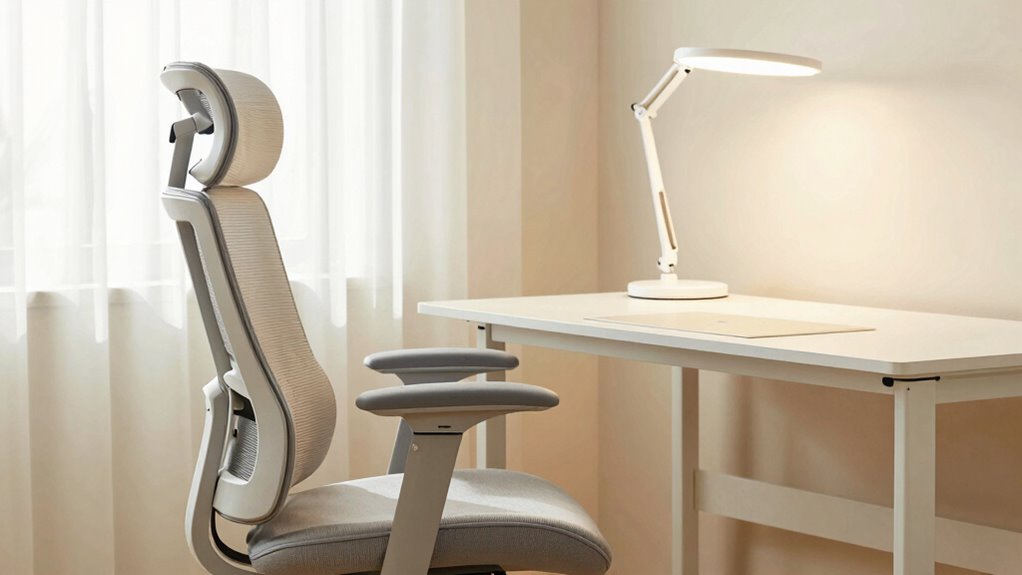
Good lighting and supportive chairs are essential for creating a comfortable workspace, especially for senior employees who may be more sensitive to glare and poor posture. High lighting quality reduces eye strain and minimizes glare, making it easier to see screens and documents clearly. Position your lighting to avoid harsh shadows and reflections. Additionally, natural light can significantly improve mood and energy levels, which contributes to overall comfort and productivity. Incorporating appropriate lighting levels ensures that your workspace remains well-lit without causing discomfort or fatigue. Proper lighting placement can further reduce glare and shadows, enhancing visual comfort. Equally important, invest in a chair that offers proper chair support—look for adjustable height, lumbar support, and cushioned seats. This helps maintain good posture and reduces back and neck pain. Adjust lighting and chair settings to suit your specific needs, and take regular breaks to prevent fatigue. Incorporating ergonomic principles into your setup can further enhance comfort and productivity. Prioritizing these ergonomic elements creates a safer, more comfortable environment that enhances focus and productivity.
Adding Assistive Technologies to Make Work Easier for Seniors

Adding assistive technologies can substantially ease work tasks for seniors by providing tailored solutions that address common challenges. Assistive devices, like magnified keyboards or voice recognition tools, help reduce strain and improve accuracy. Ergonomic software can adapt interfaces, making screens easier to see and navigate. Consider these options:
- Use voice-activated assistants to minimize typing.
- Implement screen magnification and contrast settings.
- Provide ergonomic software that customizes font size and layout.
- Offer assistive devices like ergonomic mice or adjustable desks.
- Incorporate energy-efficient cloud solutions to securely store and access assistive tools remotely, ensuring reliable and sustainable support for seniors. Additionally, ergonomic design principles can further optimize comfort and reduce physical strain during work tasks. Employing assistive technology standards ensures compatibility and usability across different devices and tools. Applying user-centered design approaches ensures that assistive tools are tailored to the specific needs of seniors, enhancing usability and effectiveness. Incorporating digital accessibility guidelines can help make these tools more inclusive and user-friendly for older adults.
These tools can boost confidence, reduce fatigue, and foster independence. By integrating assistive devices and ergonomic software, you create a workspace where seniors feel more capable and comfortable, making their workday less stressful and more enjoyable.
How to Train Your Team on Ergonomic Practices for Long-Term Health

Training your team on ergonomic practices guarantees that seniors maintain long-term health and productivity at work. Start by fostering ergonomic awareness through regular training sessions that highlight proper posture, workspace setup, and movement. Engage employees actively by encouraging questions and feedback, making ergonomic health a shared responsibility. Incorporate practical demonstrations and visual aids to ensure concepts are clear and memorable. Promote employee engagement by creating a culture that values long-term well-being, encouraging seniors to adjust their work habits as needed. Reinforce these practices through ongoing reminders, check-ins, and accessible resources. When your team understands the importance of ergonomics and stays engaged, you reduce the risk of injury and boost overall workplace satisfaction. Consistent training keeps ergonomic practices ingrained and supports seniors’ long-term health at work. Additionally, emphasizing auditory processing awareness can improve communication and reduce misunderstandings in the workplace. Recognizing the significance of ergonomic design can further enhance comfort and reduce strain during daily tasks, especially considering how zodiac traits influence individual needs and behaviors. Incorporating knowledge about water-related therapy techniques can also be beneficial for managing stress and promoting overall well-being in the workplace environment. For example, understanding how curiosity can foster ongoing learning may motivate employees to adopt healthier ergonomic habits proactively.
Frequently Asked Questions
How Can Ergonomic Adjustments Enhance Senior Employees’ Productivity?
Ergonomic adjustments boost your productivity by creating a comfortable office layout that minimizes strain and fatigue. When you incorporate proper chair height, adjustable desks, and supportive accessories, you work more efficiently. Plus, integrating technology like ergonomic keyboards and mouse devices helps prevent discomfort. These changes allow you to focus better, reduce downtime, and feel more engaged throughout your workday, making your tasks easier and more enjoyable.
What Are Common Signs of Ergonomic Discomfort Among Seniors?
You might notice ergonomic discomfort if you experience frequent aches, stiffness, or numbness, especially in your neck, back, or wrists. Poor posture correction can lead to strain, and limited mobility may cause difficulty reaching or adjusting your workspace. Using mobility aids can help maintain proper positioning, reducing discomfort. Pay attention to these signs, and consider ergonomic adjustments to stay comfortable and prevent long-term issues while working.
How Often Should Ergonomic Assessments Be Updated for Senior Staff?
You should update ergonomic assessments at least once a year, especially if workstation customization is involved. For example, a senior employee noticed neck pain after six months, prompting a reassessment and improved workspace setup. Regular ergonomic updates guarantee comfort and productivity. Incorporate ergonomic training frequency into your schedule to reinforce proper practices. This proactive approach keeps your senior staff comfortable, reducing discomfort and enhancing their work experience effectively.
Are There Specific Ergonomic Products Tailored for Older Workers?
Yes, there are senior-specific ergonomic tools designed with your needs in mind. You can benefit from ergonomic product customization to guarantee comfort and support. These tailored ergonomic products include adjustable chairs, supportive keyboards, and easy-to-reach storage options. Using these senior-specific ergonomic tools helps reduce strain and improve productivity, making your workspace more comfortable and accessible. Always choose products that address your individual ergonomic needs for the best results.
How Can Companies Measure the Success of Ergonomic Interventions?
They say, “You can’t manage what you don’t measure.” To gauge the success of ergonomic interventions, you should gather employee feedback and conduct ergonomic audits regularly. Look for improvements in comfort, productivity, and reduced discomfort reports. Tracking these metrics helps you see if changes truly make a difference. This ongoing assessment guarantees your workspace adapts to your needs, making work easier and more efficient for everyone involved.
Conclusion
So, after all this, you might think creating senior-friendly workspaces is a breeze. Just add a few adjustable desks, good lighting, and some tech, right? But don’t forget—ignoring these changes could turn your office into a minefield of discomfort. Ironically, what’s supposed to make work easier might just make it harder if you skip the ergonomic basics. So, why not invest a little now and save everyone from the headache later?