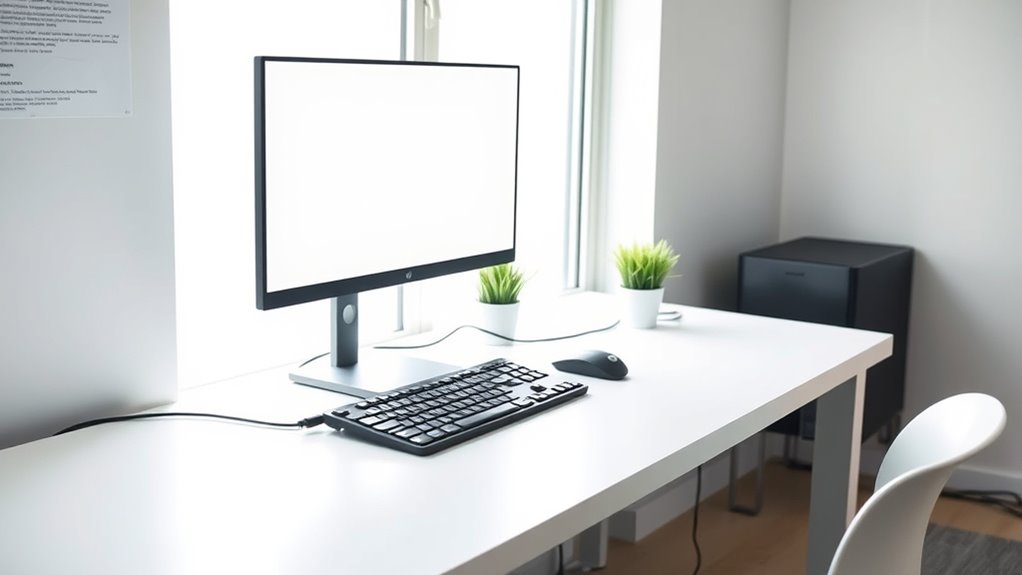

To keep your workspace safe and neat, evaluate and remove unnecessary cables, then bundle the rest with cable ties, clips, or sleeves to prevent tangling. Position power strips close to devices, and use cable covers or boxes to hide excess cords. Incorporate ergonomic accessories like monitor arms and wireless peripherals to reduce clutter further. Good cable management creates a cleaner, safer environment and improves your workflow—stay with us to discover more tips for a clutter-free workspace.

Get furniture and decor delivered free with Prime
- Fast, free delivery on millions of items
- Prime Video, Amazon Music and more included
- Member-only deals all year
Key Takeaways
- Evaluate all cables to identify essential versus unnecessary cords and remove any unused ones.
- Use cable clips, sleeves, or Velcro straps to bundle and secure cords neatly.
- Route cables along edges and under desks to minimize surface clutter and tripping hazards.
- Incorporate ergonomic accessories like monitor arms and wireless peripherals to reduce cable length and mess.
- Hide excess cords with cable boxes or covers for a clean, professional, and safe workspace appearance.

A cluttered workspace can hinder your productivity and increase stress, especially when tangled cables create chaos on your desk. Managing wires effectively is essential to creating a neat, efficient environment. Proper wire management not only keeps your workspace tidy but also enhances your ergonomic setup, helping you avoid discomfort during long hours of work. When cables spill across your desk, they can cause accidental pulls, disconnects, or even damage to your devices. By organizing wires, you reduce these risks and make your workspace more accessible and safer.
A tidy workspace boosts productivity, reduces stress, and prevents device damage by organizing tangled cables effectively.
Start by evaluating all your cables and identifying which ones are essential. Use cable clips, sleeves, or ties to bundle cords together, keeping them out of sight and preventing tangles. Velcro straps are especially useful because they’re reusable and adjustable, allowing you to customize your setup as needed. Attach clips or adhesive cable organizers underneath your desk to route cables neatly along the edges, freeing up surface space and minimizing clutter. This not only creates a cleaner look but also prevents accidental tripping or pulling on cords.
Integrating wire management into your ergonomic setup is a smart move. When cables are well-organized, your workspace becomes more comfortable and functional. For example, positioning your power strips and chargers close to your devices reduces unnecessary cable length, which can cause clutter and strain. Consider using a cable box or cover to hide power strips and excess cords, giving your desk a sleek appearance. This setup encourages better posture because you’re less likely to stretch or reach awkwardly for misplaced cables, reducing strain on your neck and shoulders.
Furthermore, investing in ergonomic accessories can complement your wire management efforts. A monitor arm, for instance, allows you to position your screen at eye level, eliminating the need for excessive cable slack and keeping wires neatly routed behind the monitor. Similarly, wireless peripherals like keyboards and mice can drastically cut down on cable clutter, creating a cleaner and more spacious workspace. When your cables are managed properly, you gain quick access to your devices without the hassle of untangling cords or searching for misplaced chargers. Additionally, choosing projectors with high refresh rates and low input lag can improve your multimedia experience and reduce the need for multiple cables, further decluttering your setup.
As an affiliate, we earn on qualifying purchases.
Frequently Asked Questions
What Are the Best Cable Management Tools Available?
You should consider using cable clips and cable sleeves as the best cable management tools. Cable clips easily secure cords along desks or walls, preventing tangles and trips. Cable sleeves organize multiple cables into a neat bundle, reducing clutter and protecting wires. Together, these tools keep your workspace tidy and safe by preventing cable damage and making it easier to identify and access your devices quickly.
How Can I Hide Cables Without Damaging Walls?
You can hide cables without damaging walls by using cord concealment solutions like adhesive cable clips or raceways that stick directly to the surface. For a more permanent setup, consider wall mounting power strips and hiding cords behind furniture or within cable conduits. These options keep your workspace tidy while protecting your walls from holes or damage, making your setup safer and more organized.
Are Wireless Devices More Efficient Than Wired Ones?
Wireless devices are generally more efficient than wired ones because they offer greater flexibility and ease of use with wireless connectivity. However, their device battery life can be a concern, requiring regular charging or replacements. You’ll find that advancements in wireless tech improve efficiency, but you should weigh convenience against battery management to determine if wireless suits your needs best.
How Often Should I Organize My Workspace Cables?
You should organize your workspace cables at least once a month to keep things tidy. Regular cable organization routines prevent clutter from piling up and make your workspace more efficient. Incorporate workspace tidiness tips like label cables and use cable clips to stay ahead of the game. Don’t wait until it’s a tangled mess—staying proactive keeps your area safe, neat, and ready for productive work.
What Safety Precautions Should I Take With Electrical Cords?
To guarantee cord safety and prevent electrical hazards, always inspect electrical cords regularly for damage or frays. Keep cords away from water, heat sources, and high-traffic areas to avoid tripping or electrical fires. Use proper cord management tools like clips or sleeves to prevent tangling. Unplug cords when not in use, and never overload outlets. Following these precautions helps protect you and keeps your workspace safe.
Conclusion
By reducing cables and clutter, you create a safer, more efficient workspace—no more tangled messes or tripping hazards. Keep things tidy, and you’ll find your focus sharp as a knight sharpening his sword. Remember, even in a world of modern tech, simplicity reigns supreme. Take a page from history’s masters: organize diligently, and watch your productivity soar like a soaring falcon. A clutter-free desk isn’t just neat; it’s your secret weapon.
Halloween Picks
halloween
As an affiliate, we earn on qualifying purchases.