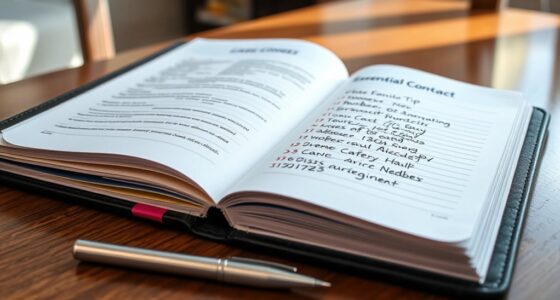
To organize your medical and legal documents at home, create a dedicated, secure folder or file system with clear labels for categories like insurance, legal notices, and medical histories. Digitize physical papers for quick access and backup. Use passwords and encryption for sensitive files, keep everything in a designated safe or filing cabinet, and regularly review and update your system. Keep your important papers accessible and protected—continue exploring how to make this process easier and more effective.

Get furniture and decor delivered free with Prime
- Fast, free delivery on millions of items
- Prime Video, Amazon Music and more included
- Member-only deals all year
Key Takeaways
- Use labeled folders or envelopes to categorize medical and legal documents for easy retrieval.
- Digitize physical papers and store digital copies securely with clear file names.
- Keep important papers in a fireproof, waterproof safe or designated secure location.
- Regularly review, update, and purge outdated documents to maintain organization.
- Implement a consistent naming and filing system for both physical and digital records.
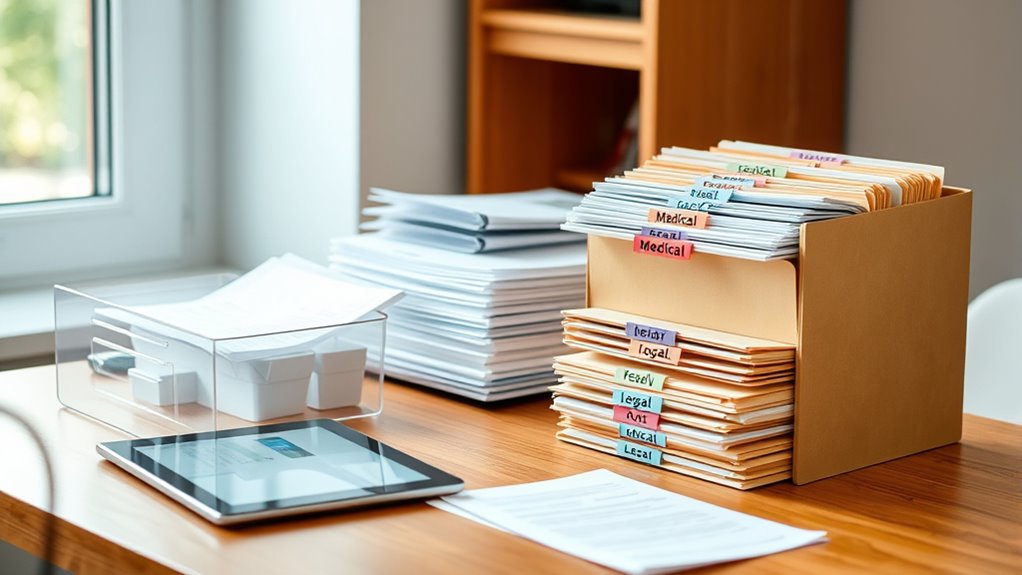
Have you ever struggled to find a essential medical or legal document when you needed it most? It’s frustrating and stressful, especially during emergencies or important appointments. Building an organized system for your important papers can save you time, reduce anxiety, and ensure you’re always prepared. One of the most effective ways to do this is by embracing digital storage. Instead of relying solely on physical copies, scan your important documents and store them securely on your computer or a cloud-based platform. Digital storage allows you to access your files from anywhere, whether you’re at home, in the car, or visiting your doctor. It also helps protect your documents from physical damage, such as water spills, fire, or theft. To maximize document security, invest in a reputable encryption service and password-protect your files. Use strong, unique passwords and enable two-factor authentication whenever possible. This way, your sensitive information remains private, and only you can access it. Creating a dedicated folder or digital vault for your medical and legal documents makes retrieval straightforward. Name files clearly—like “Medical Insurance Card” or “Legal Power of Attorney”—so you can find what you need instantly. Regularly back up your digital files to an external drive or cloud service. This ensures you won’t lose everything if your device crashes or if data gets accidentally deleted. When it comes to physical papers, keep them in a designated, fireproof, and waterproof safe or filing cabinet. Use labeled folders or envelopes to categorize documents such as medical histories, prescriptions, insurance policies, wills, and legal notices. Periodically review and purge outdated papers to keep your collection manageable. Digitizing these materials not only helps declutter your space but also provides a backup in case the physical copies are misplaced or damaged. Additionally, staying informed about document organization best practices can help you maintain an efficient system. Remember, the key to effective organization is consistency. Make it a habit to update and scan new documents promptly. When you have everything stored safely and systematically, you’ll gain peace of mind knowing that your important information is always within reach and protected. Implementing digital storage solutions, combined with secure physical storage, empowers you to manage your medical and legal paperwork confidently. You’ll spend less time searching and more time focusing on what truly matters—your health, your legal rights, and your peace of mind. Staying organized isn’t a one-time task; it’s an ongoing process that ensures your important papers are always accessible, secure, and ready whenever you need them.
Products Worth Considering

Philips Hue Secure Wired Video Doorbell, 2K, Black

Bose SoundLink Flex Bluetooth Speaker (2nd Gen), Portable Waterproof Speaker, Black

Roborock Robot Vacuum and Mop with LiDAR Navigation and 10,000 Pa Suction
As an affiliate, we earn on qualifying purchases.
Frequently Asked Questions
How Often Should I Review and Update My Documents?
You should review and update your documents at least once a year to guarantee everything stays current. During this process, update your digital backups and re-evaluate your document categorization to keep everything organized and accessible. Life changes like medical updates or legal shifts mean your files need regular attention. Setting a yearly reminder helps you stay on top of updates, keeping your important papers organized and secure.
What Should I Do With Outdated or Expired Papers?
Outdated or expired papers are like old leaves that clog your system; you should shred them using strict shredding protocols to protect your privacy. Before shredding, scan and create digital backups of important info, so you don’t lose critical details. Once digitized, safely dispose of the paper copies, keeping your files clean and secure. Regularly reviewing your documents guarantees you stay organized and protected from potential identity theft.
How Can I Ensure Privacy and Security at Home?
To guarantee privacy and security at home, you should implement access control by limiting who can see your sensitive documents. Use digital encryption for electronic files to protect against unauthorized access. Keep physical papers in a locked, secure cabinet or safe. Regularly update passwords and security settings on your devices, and consider using secure cloud storage with encryption. These steps help safeguard your private information effectively.
What Are Essential Legal Documents Everyone Needs?
You need to keep essential legal documents like your will, power of attorney, and property deeds in order. Think of digital filing as your safety net, making it easy to access and update these papers. Use secure storage, such as a fireproof safe or encrypted digital vault, to protect sensitive information. Staying organized now prevents headaches later—it’s better to be safe than sorry when it comes to legal matters.
How to Organize Documents for Quick Access in Emergencies?
To organize documents for quick access in emergencies, you should use digital tagging and document categorization. Create clearly labeled folders or digital tags for medical, legal, and emergency contacts, making retrieval fast. Keep physical copies in a secure, accessible location, and scan important papers for digital backup. Regularly update and review your system, so everything stays current and easy to find when it matters most.
Conclusion
By staying organized, you’ll save time and reduce stress when it matters most. Keep your medical and legal documents tidy and accessible, so you’re always prepared. Remember, a place for everything and everything in its place — it’s the key to peace of mind. Taking a little time now to organize pays off later. Stay proactive, and you’ll find that managing important papers becomes much easier. After all, an ounce of prevention is worth a pound of cure.